Welcome to Board.Vision Tutorials!
In this tutorial, we will walk you through the steps to view Meeting information and agenda documents.
Important Note: The Board.Vision web app is optimised and supported for desktop use on Google Chrome (version 65.0 and later) and Microsoft Edge (version 87.0 and later).
To view the Meeting information and agenda documents:
1) Log in to your Board.Vision account using your registered email address and password.
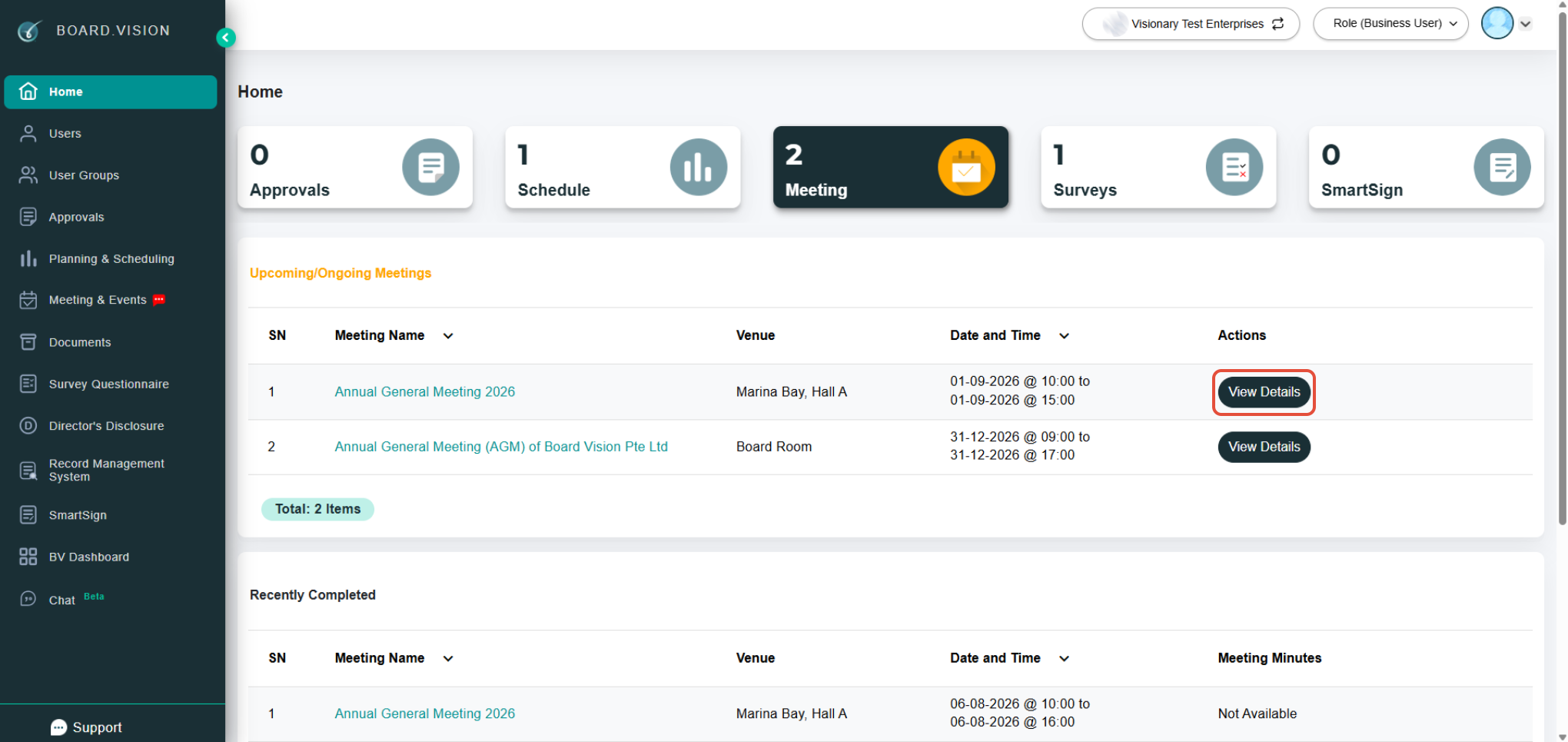
2) From your Home screen, apply the Meetings filter to locate your scheduled event, then click View Details.
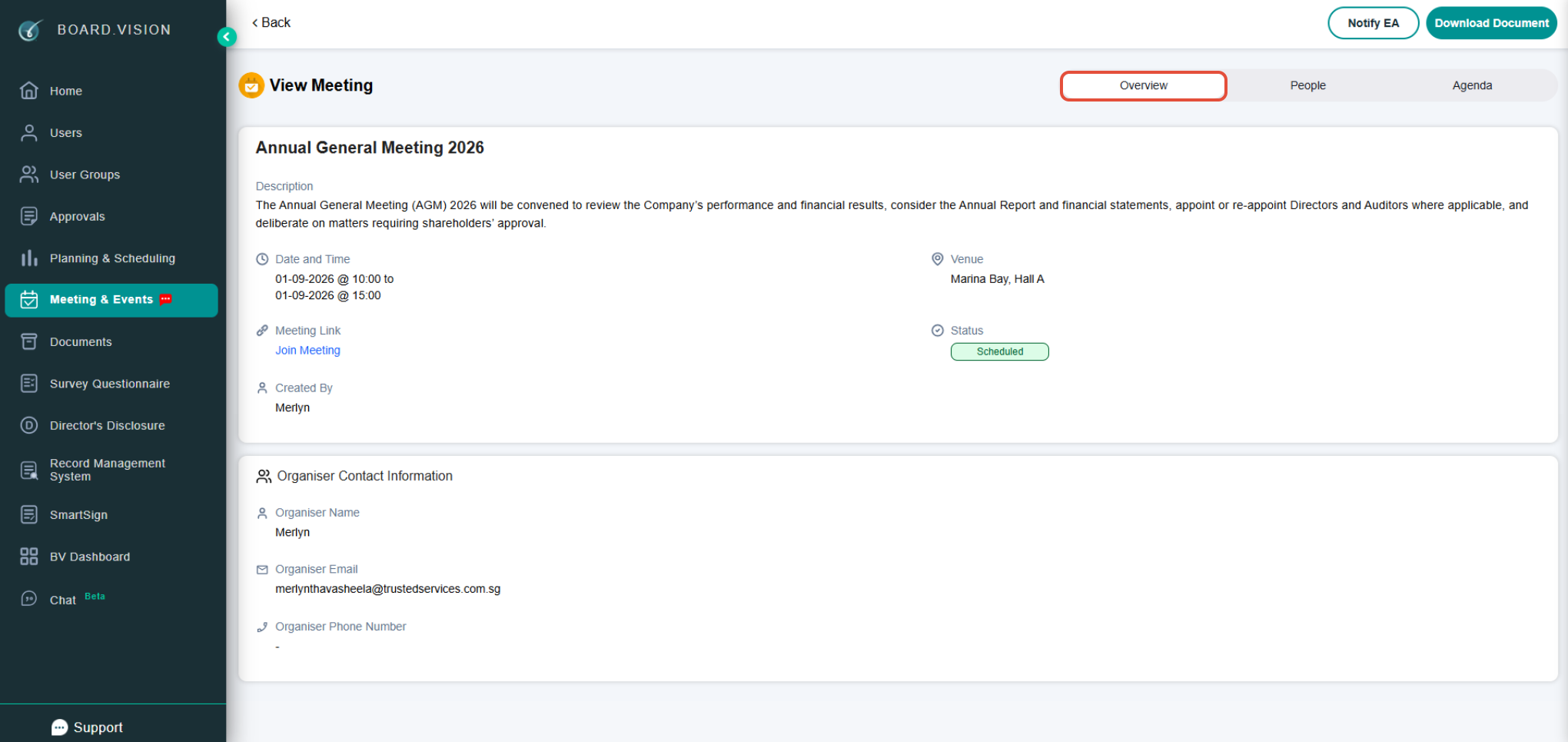
3) On the Overview page, you can view key meeting details, including the meeting date and time, venue, meeting link, status, and organiser information.
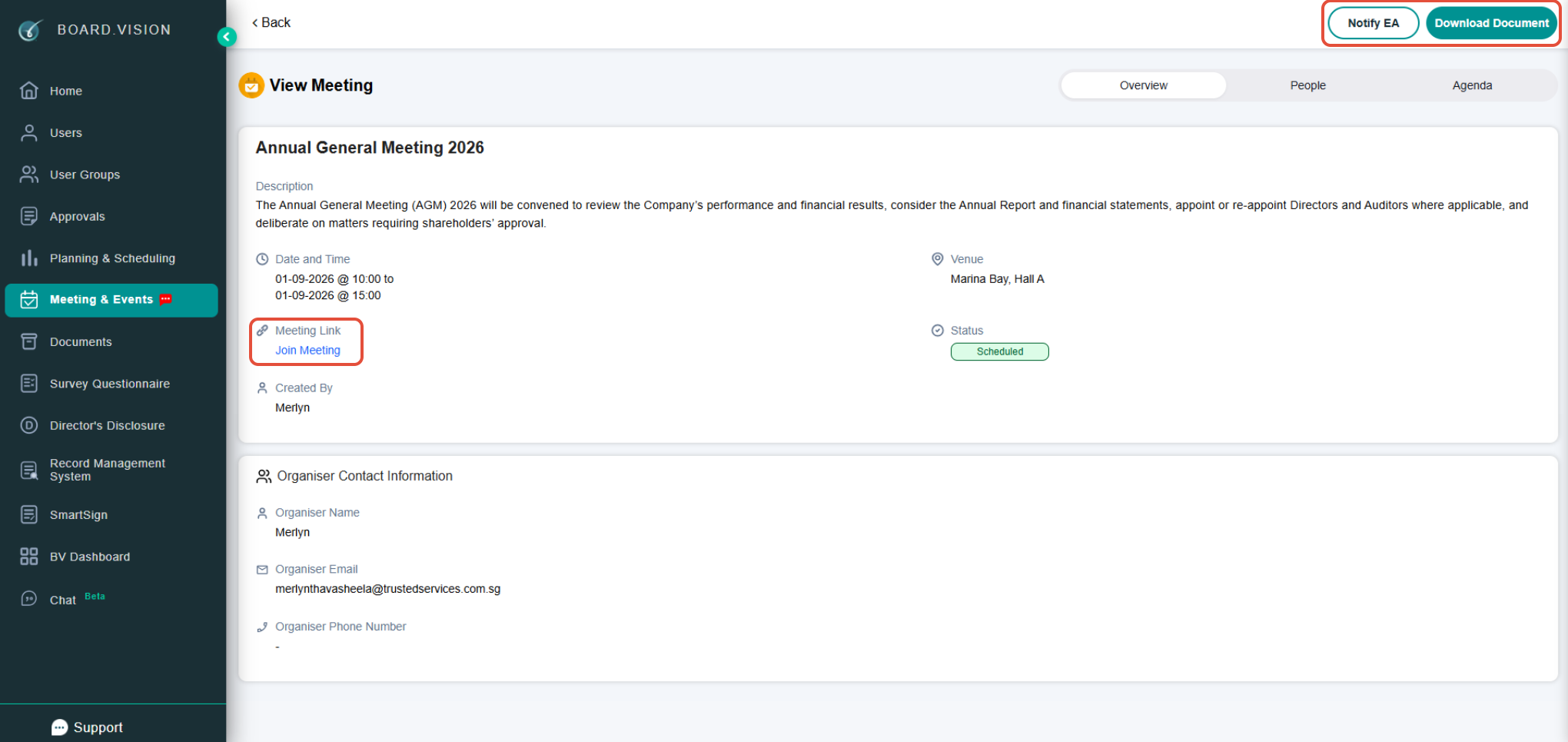
4) Depending on the setup, you can also use the following features:
Join Meeting: Appears if the Administrator provided a video conference link.
Download Documents: Allows desktop users to download the complete meeting board pack.
Notify Executive Assistant: Appears if you have an assigned Personal Assistant (PA) in the system.
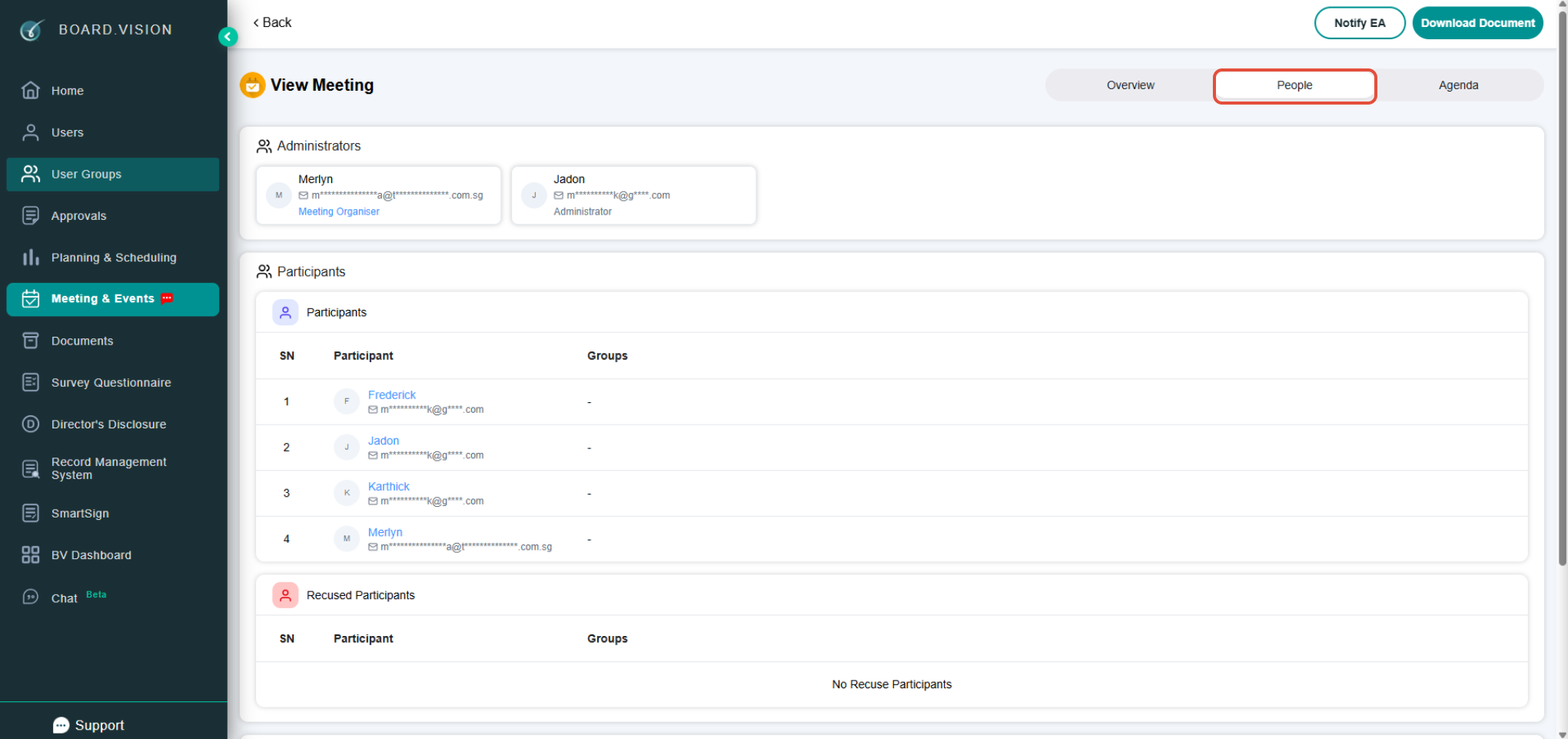
5) Click on People to view the details of the Administrators, Participants, and Recused Participants.
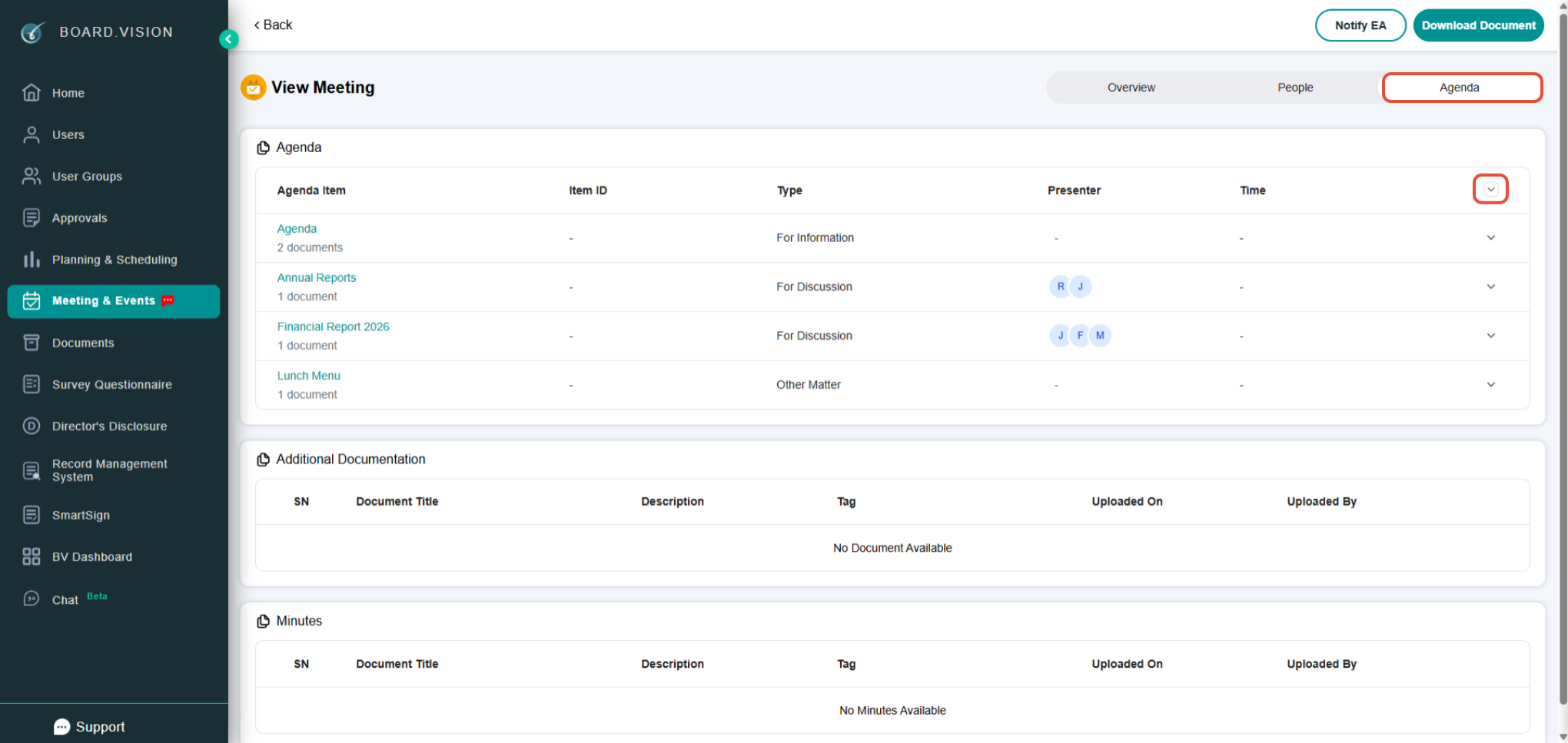
6) Click on the Agenda tab to view the meeting agenda items, additional documentation, and minutes. Click on Expand All to expand all agenda items and view the documents associated with each item.
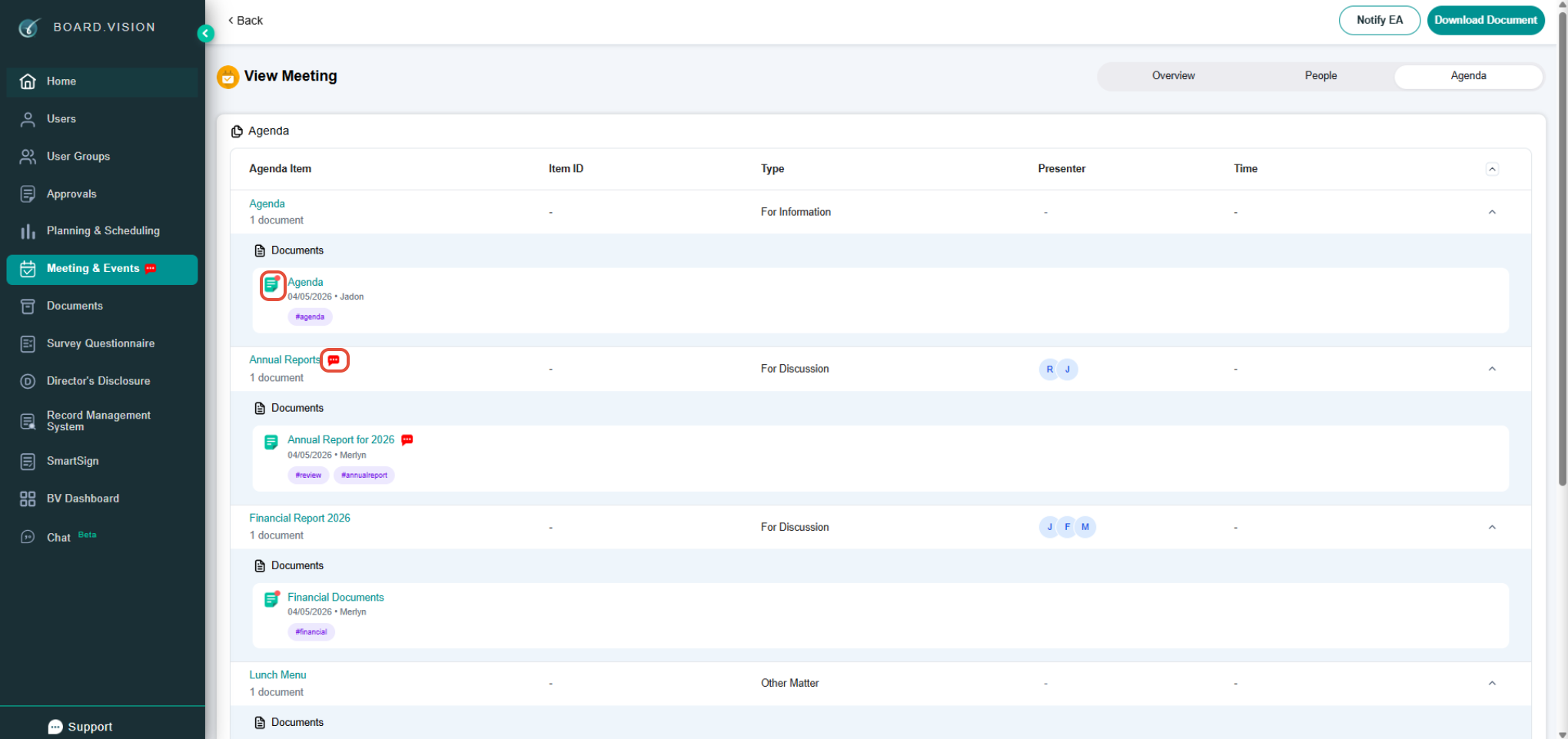
7) A red dot next to a document indicates that it has not yet been read. A comment icon indicates that you have been mentioned within that document.
8) Click on the document name to open and view the document. Click on Expand Tabs to display the complete list of agenda documents. 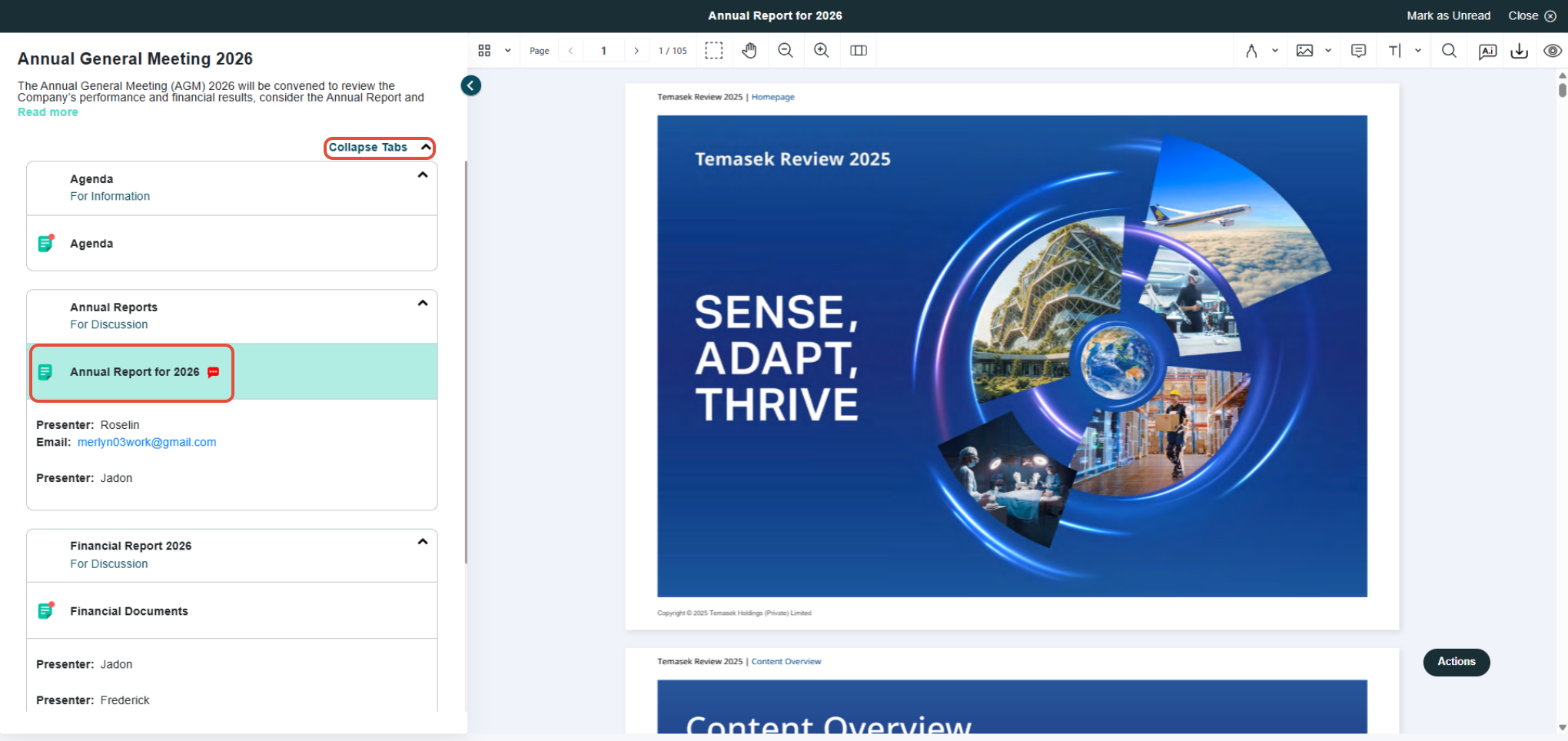
9) Click the < button to collapse the panel and switch to full-screen view.
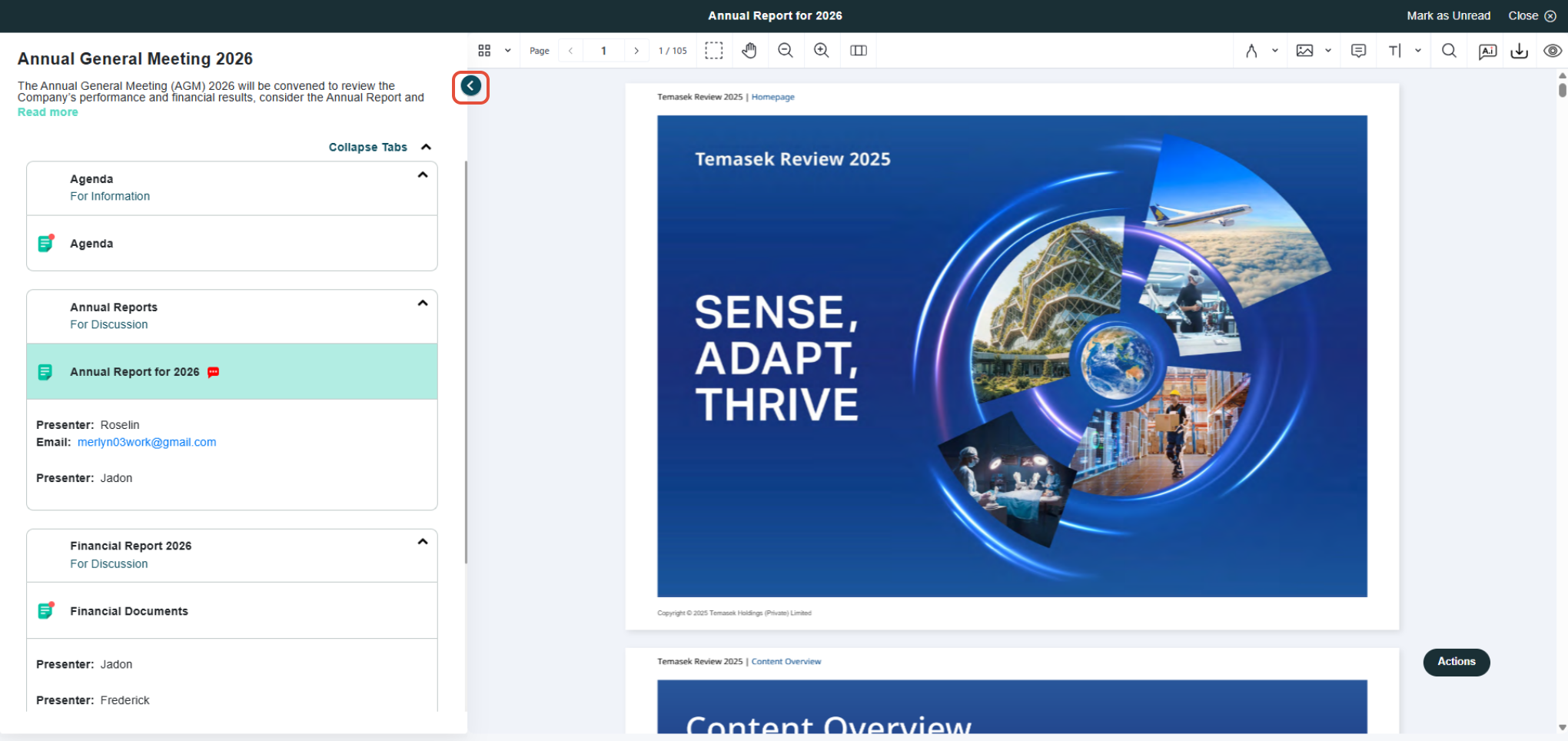
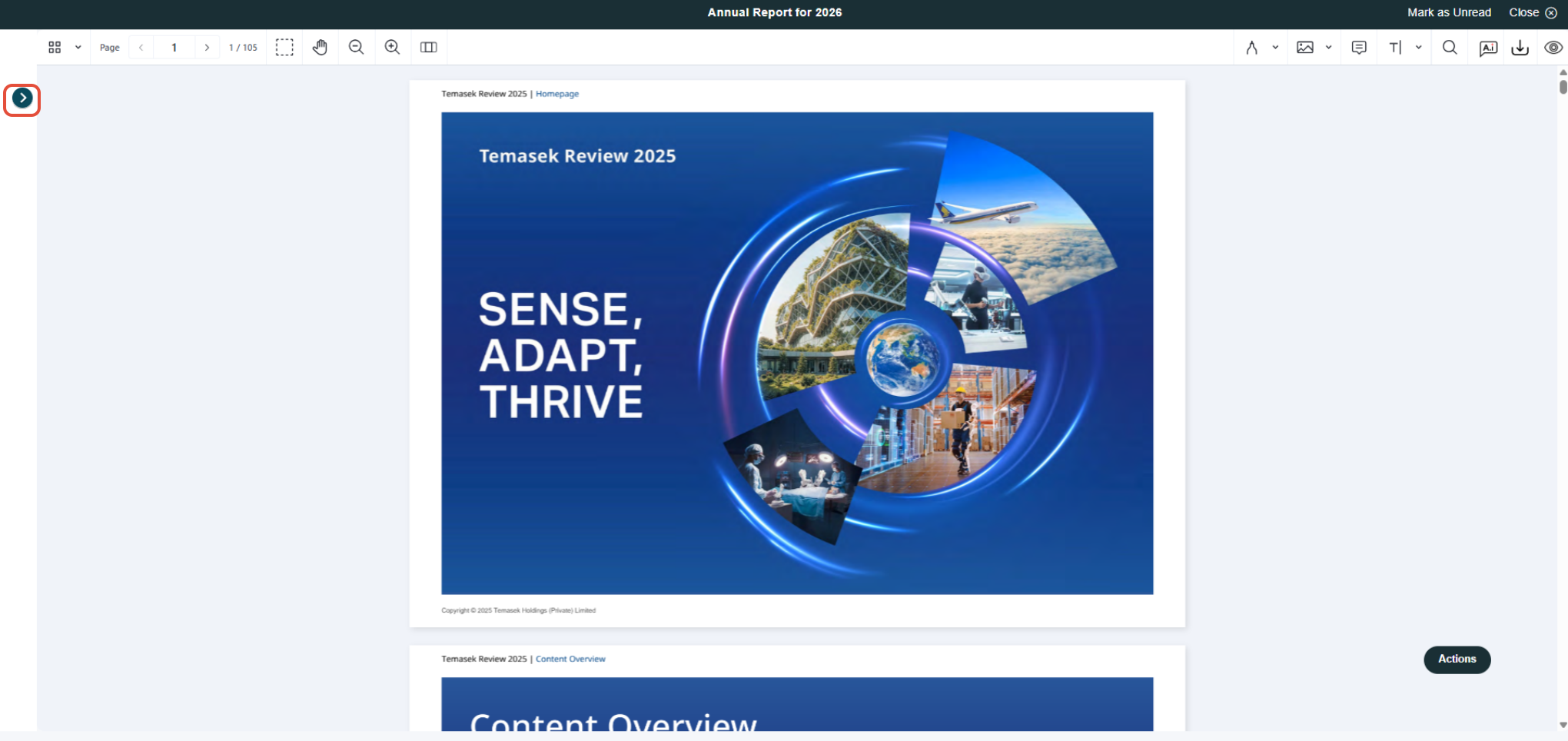
10) Click the > button to reopen the menu and select another document from the agenda list.
You have completed the tutorial on how to view Meeting information and agenda documents.
If you face any issues, please reach out to our Board.Vision Customer Success Team at support@board.vision or +65 6909 7100 and we will be happy to help.
Our hotline operating hours are from Mondays to Fridays 9:00 AM to 6:00 PM SGT (excluding public holidays).
Was this article helpful?
That’s Great!
Thank you for your feedback
Sorry! We couldn't be helpful
Thank you for your feedback
Feedback sent
We appreciate your effort and will try to fix the article