Welcome to Board.Vision Tutorials!
In this tutorial, we will walk you through the steps to archive an Approval and download the Approval archive report.
Important Note:
- Board.Vision web app is supported on Google Chrome (version 65.0 and later) and Microsoft Edge (version 87.0 and later).
- You can only archive Approvals that have been Passed, Failed, or Cancelled.
To archive an Approval and download the Approval archive report:
1) Log in to your Board.Vision account using your registered email address and password.
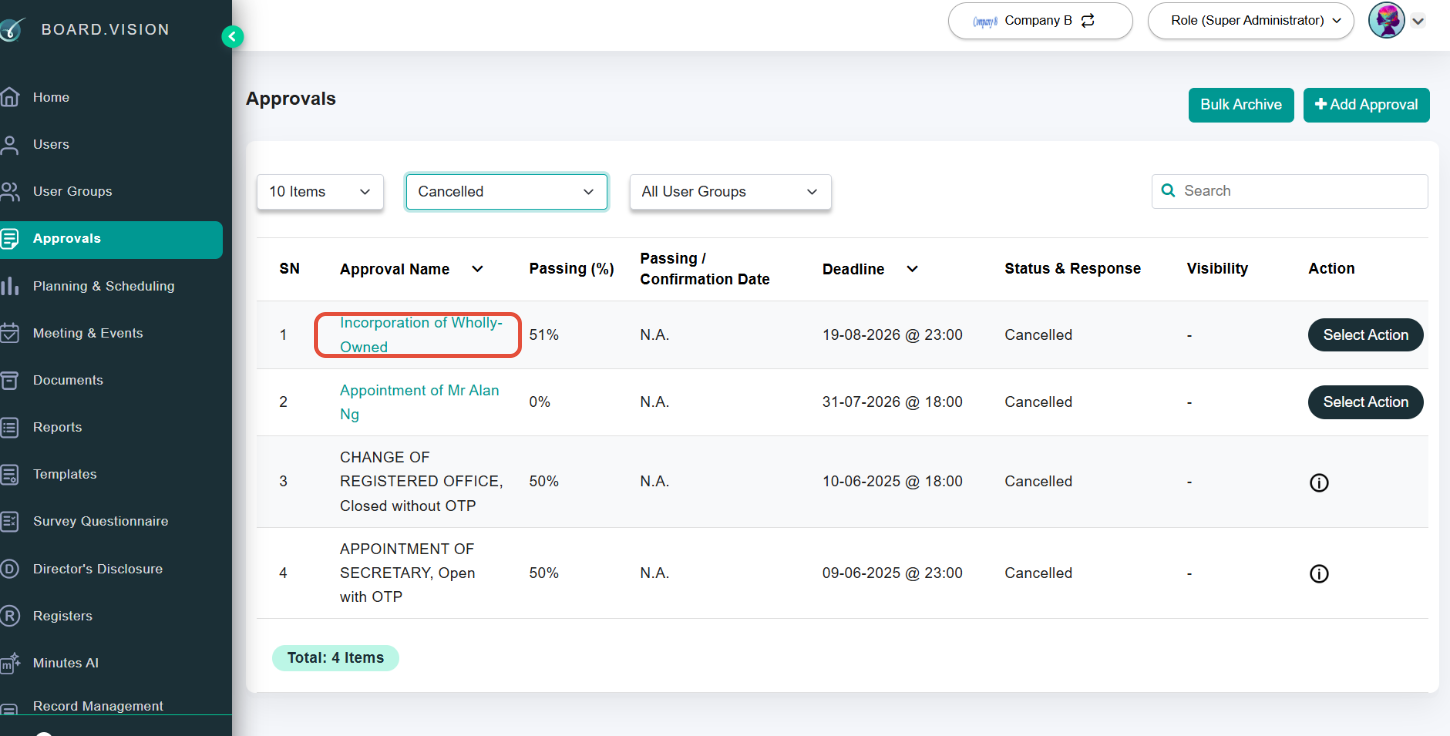
2) From the left navigation menu, go to Approvals and click on the approval name.
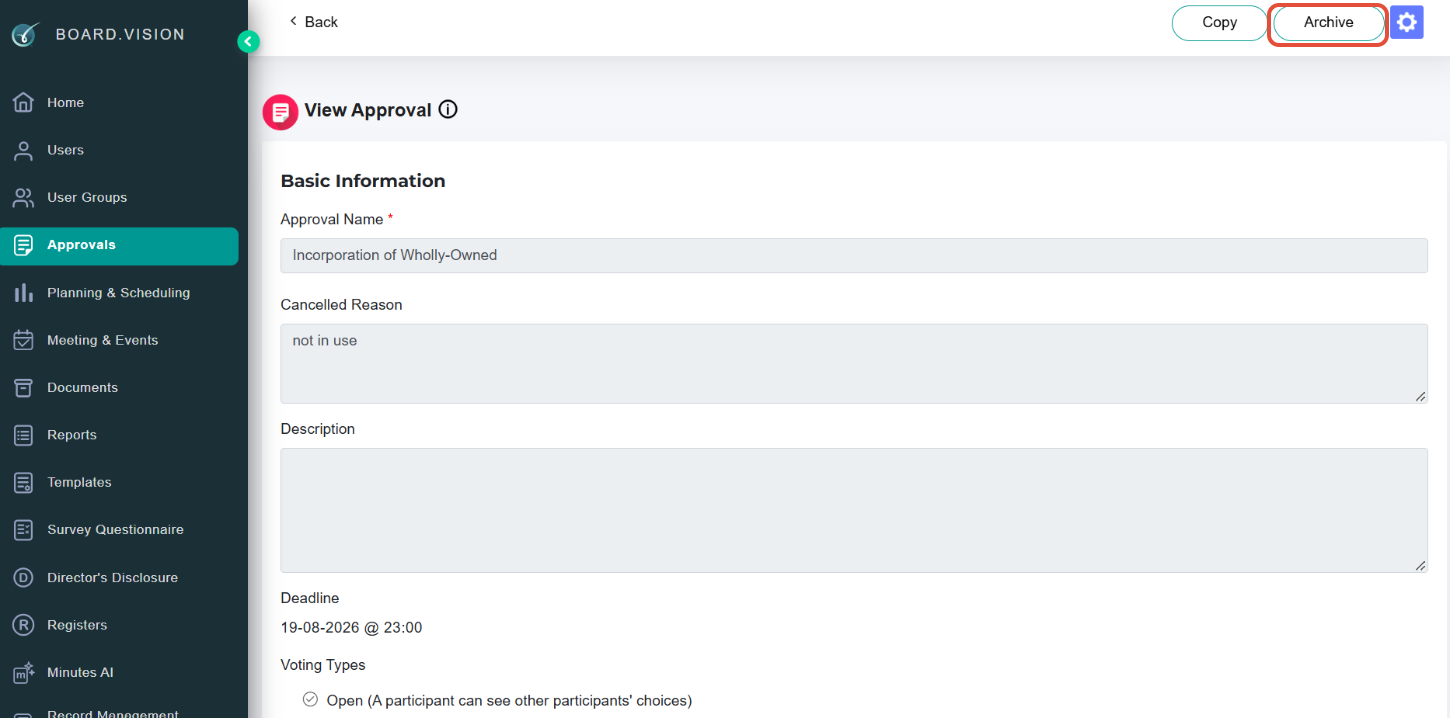
3) On the View Approval page, click on Archive.
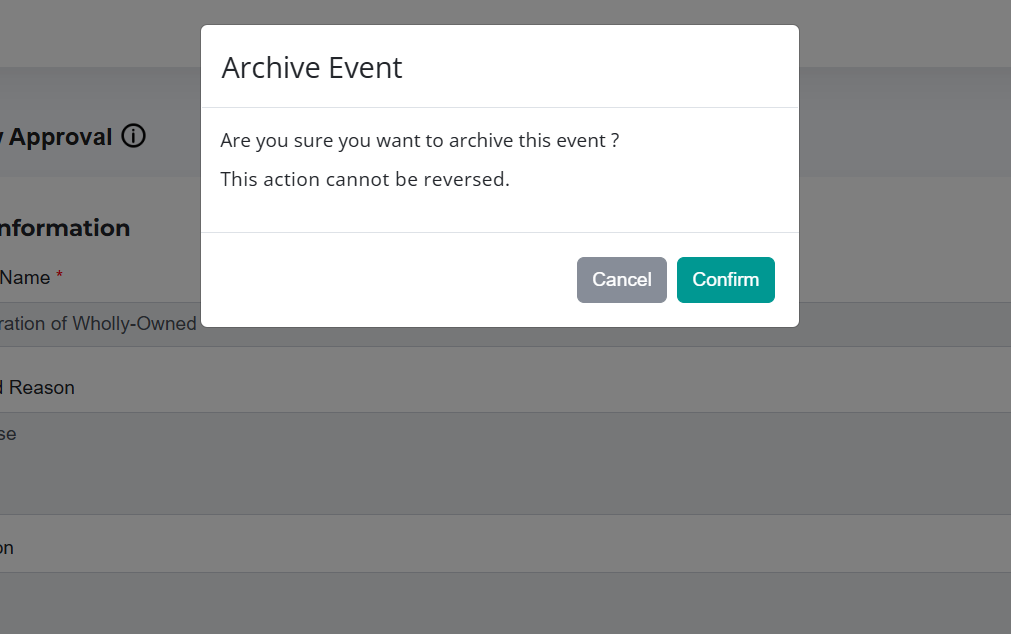
4) On the Archive Event pop-up window, click on Confirm.
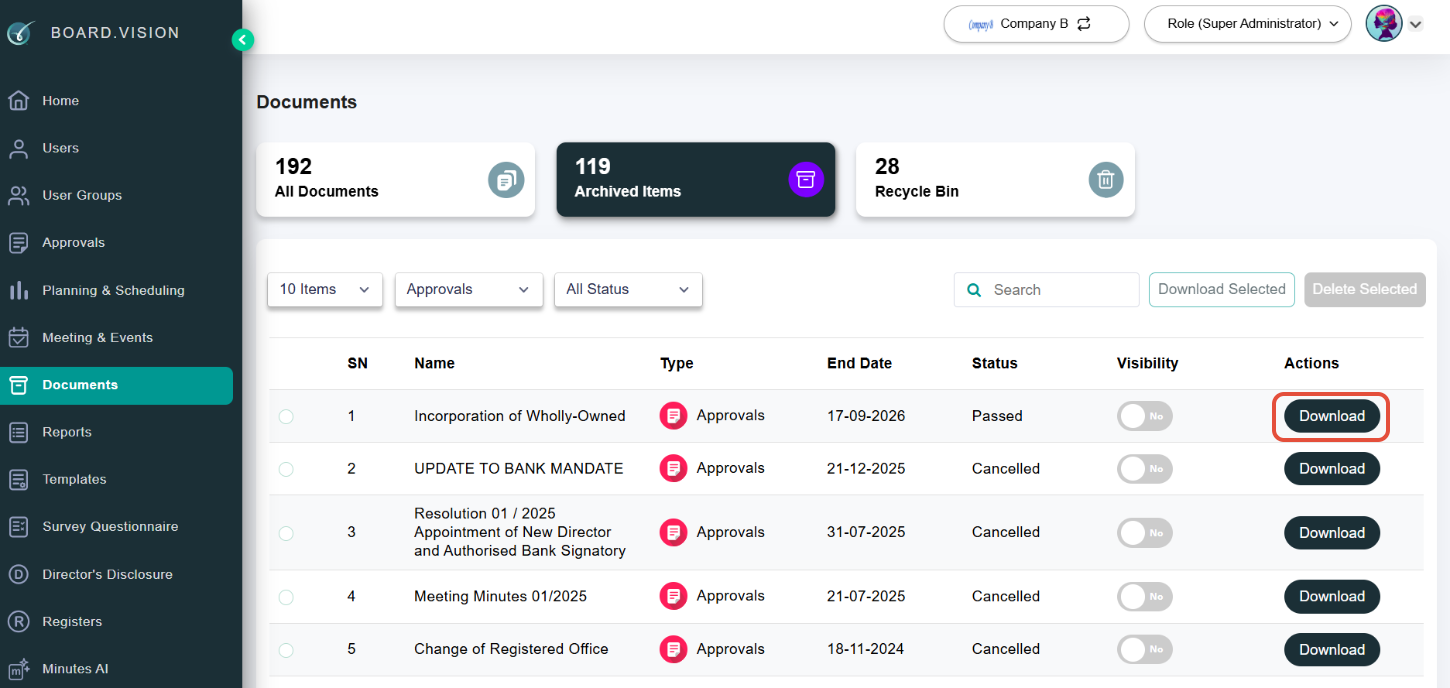
Once archived, the Approvals can be found under the Documents > Archived page.
To download an Approval archive report:
1) From the left navigation menu, go to Documents. Under the Archived Items listing, click on Download.
Note: Please allow the system several minutes to archive the approval.
The archived report will be saved to your desktop/laptop in a zip file.
Understanding Your Download Package
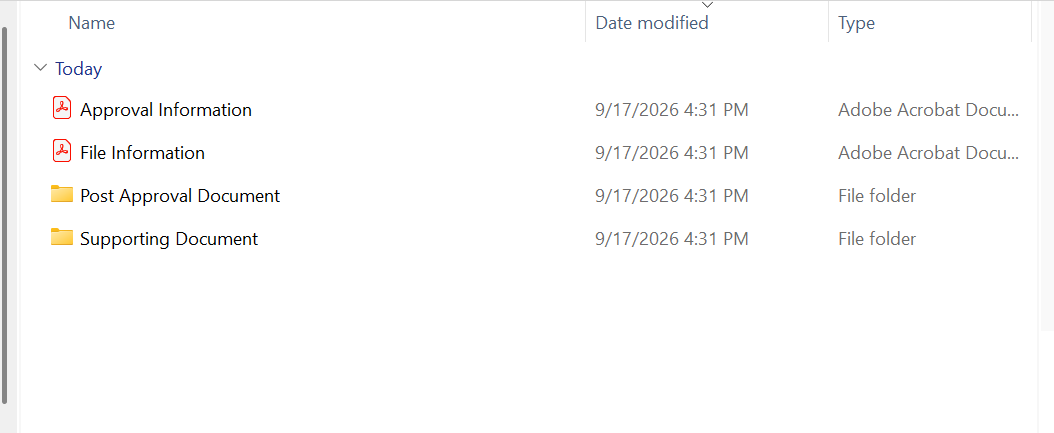
The report downloads as a ZIP file containing the following compiled records:
Approval Information (PDF): Contains overall approval details and includes the Certificate of Completion (COC) report with the Envelope ID.
File Information (PDF): Provides detailed metadata for all uploaded files.
Post Approval Document (Folder): Contains post-approval files (if applicable).
Supporting Document (Folder): Contains attached supporting files (if applicable).
Troubleshooting Tip: If you encounter an extraction error when opening the downloaded ZIP file, shorten the file name and try extracting again.
You have completed the tutorial on how to archive an Approval and download the Approval archive report.
If you face any issues, please reach out to our Board.Vision Customer Success Team at support@board.vision or +65 6909 7100 and we will be happy to help.
Our hotline operating hours are from Mondays to Fridays 9:00 AM to 6:00 PM SGT (excluding public holidays).
Was this article helpful?
That’s Great!
Thank you for your feedback
Sorry! We couldn't be helpful
Thank you for your feedback
Feedback sent
We appreciate your effort and will try to fix the article