Welcome to Board.Vision Tutorials!
In this tutorial, we will walk you through the steps to change your Director's availability.
Important Note: The Board.Vision web app is optimised and supported for desktop use on Google Chrome (version 65.0 and later) and Microsoft Edge (version 87.0 and later).
To change your Director's availability:
1) Log in to your Board.Vision account using your registered email address and password.
2) Go to Planning & Scheduling and Switch Directors (if applicable)
If you wish to select another Director, at the top, select the Director's name from the list.
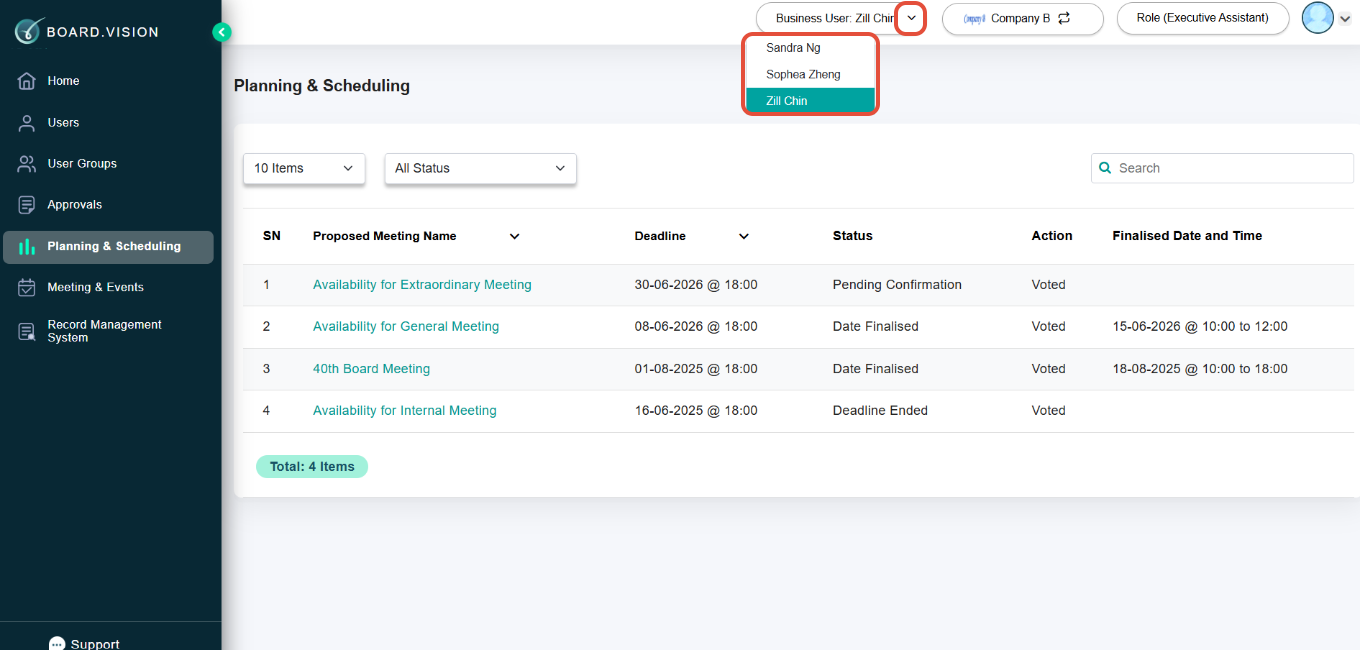
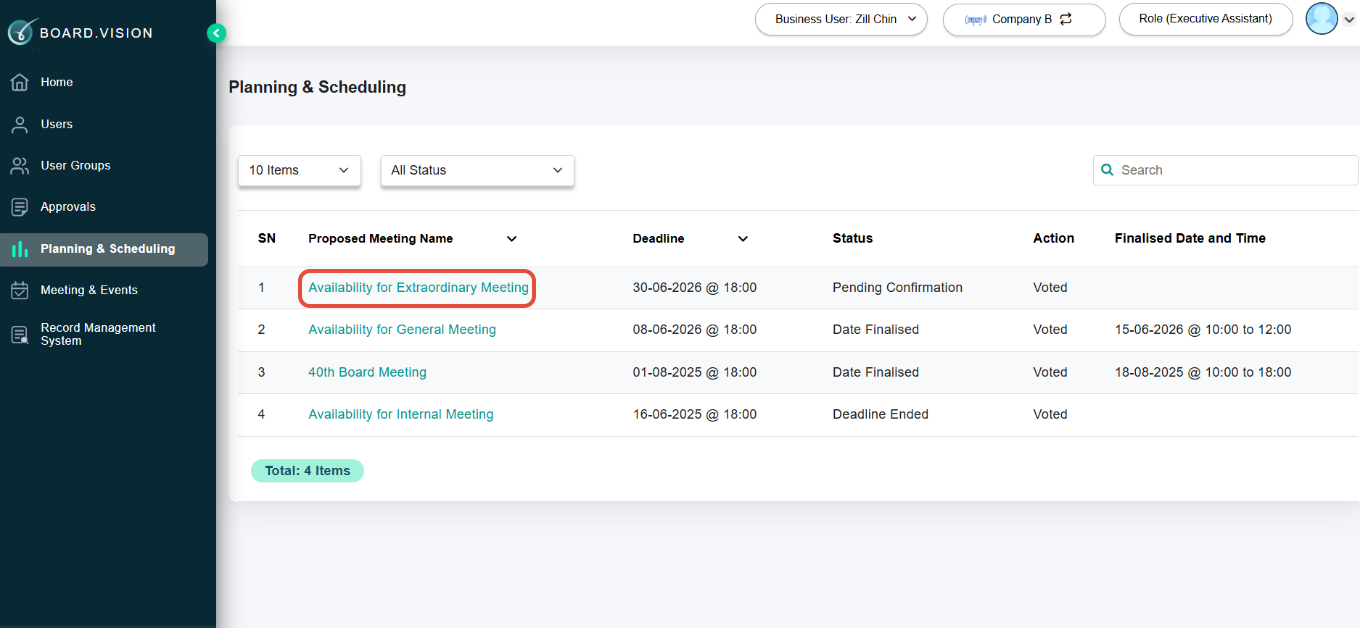
3) Click the proposed meeting name.
4) On the View Schedules page, scroll down to the 'Proposed Dates' section and update as required.
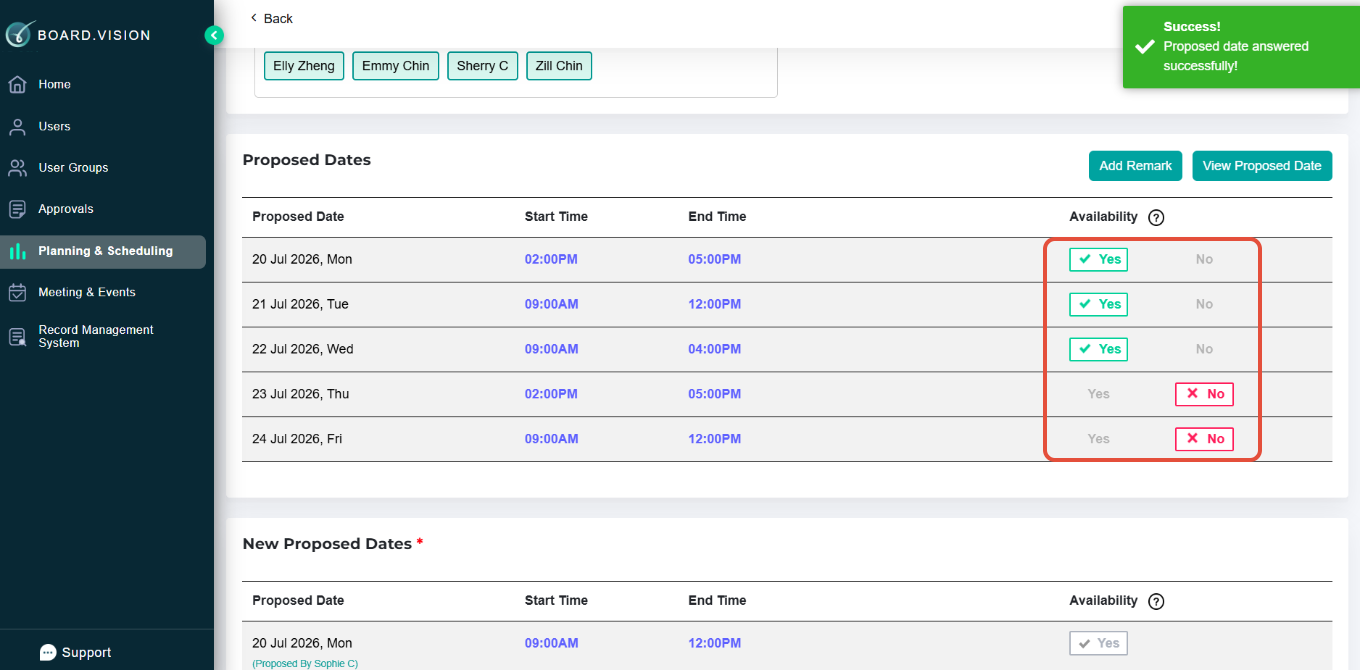
Important Note:
- You are not able to amend your vote after the deadline.
- You are not able to amend your vote after it has been finalised by the Administrator.
You have completed the tutorial on how to change your votes on the Director's availability.
If you face any issues in completing the steps shown in this tutorial, please reach out to our Board.Vision Customer Success Team at support@board.vision or +65 6909 7100 and we will be happy to help.
Our hotline operating hours are from Mondays to Fridays 9:00 AM to 6:00 PM SGT (excluding public holidays).
Was this article helpful?
That’s Great!
Thank you for your feedback
Sorry! We couldn't be helpful
Thank you for your feedback
Feedback sent
We appreciate your effort and will try to fix the article