Welcome to Board.Vision Tutorials!
In this tutorial, we will walk you through the steps to act on an Approval as an Alternate Director.
To act on an Approval as an Alternate Director:
1) Log in to the Board.Vision App with your registered email address and password.
2) Tap on the approval under Upcoming Items.
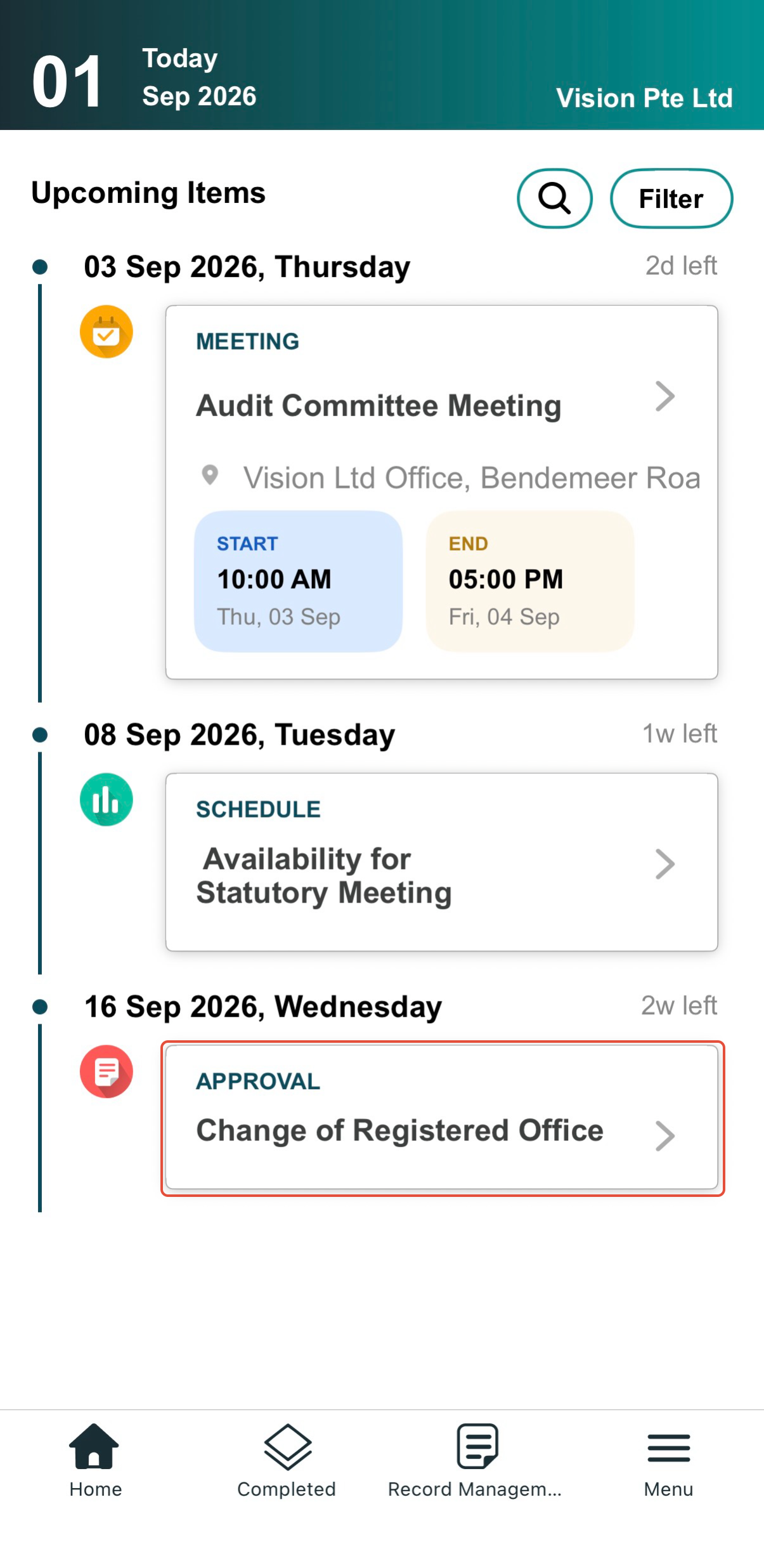
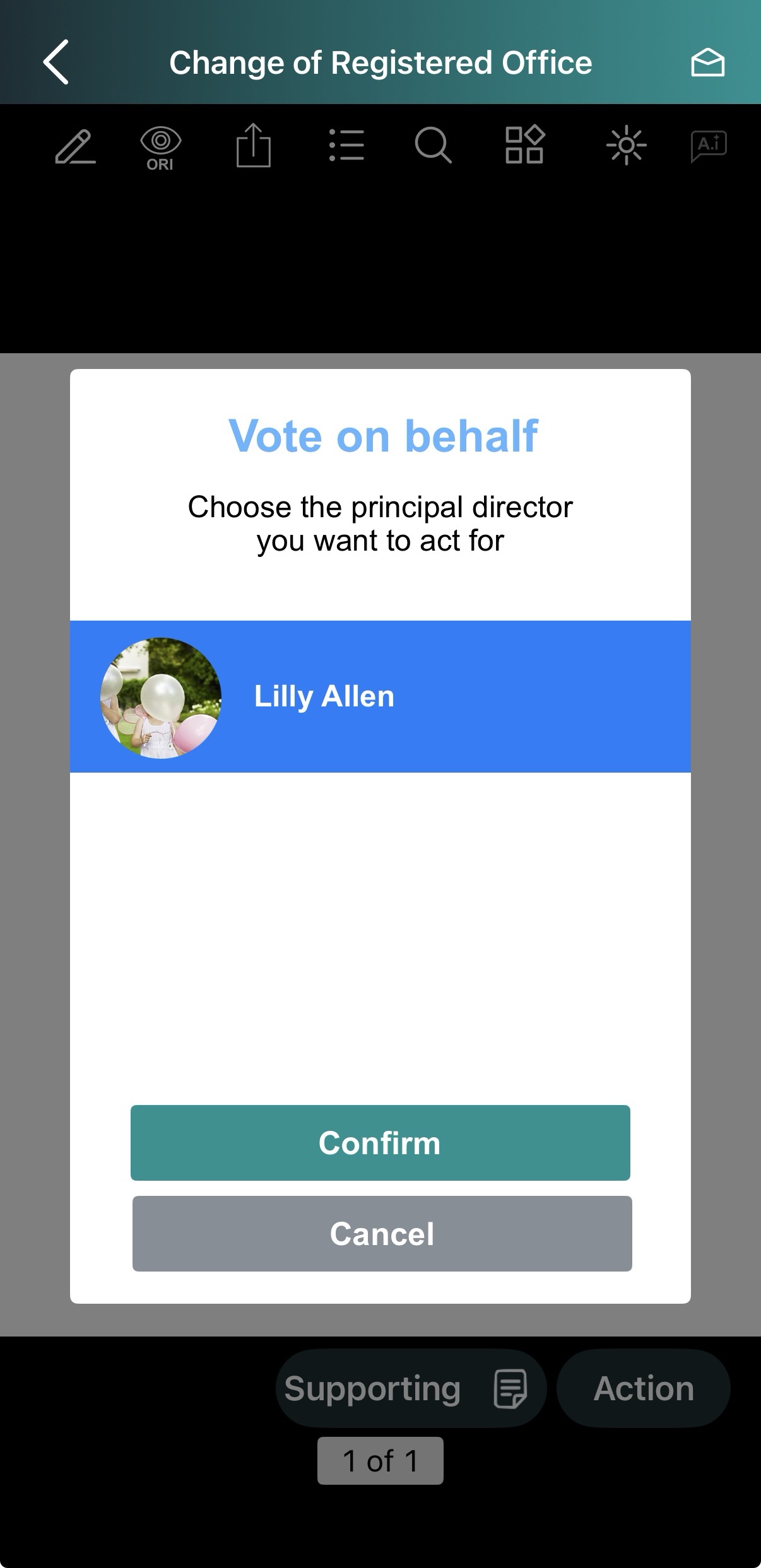
3) On the Vote on behalf pop-up, choose the Principal Director you are representing, then tap Confirm.
Note: If you serve as both a Director and an Alternate Director on this Approval, you will see both your name and the Principal Director's name listed.
4) A notification pop-up will confirm the Director you are acting for (e.g., "You're the alternate director to Lilly Allen"). 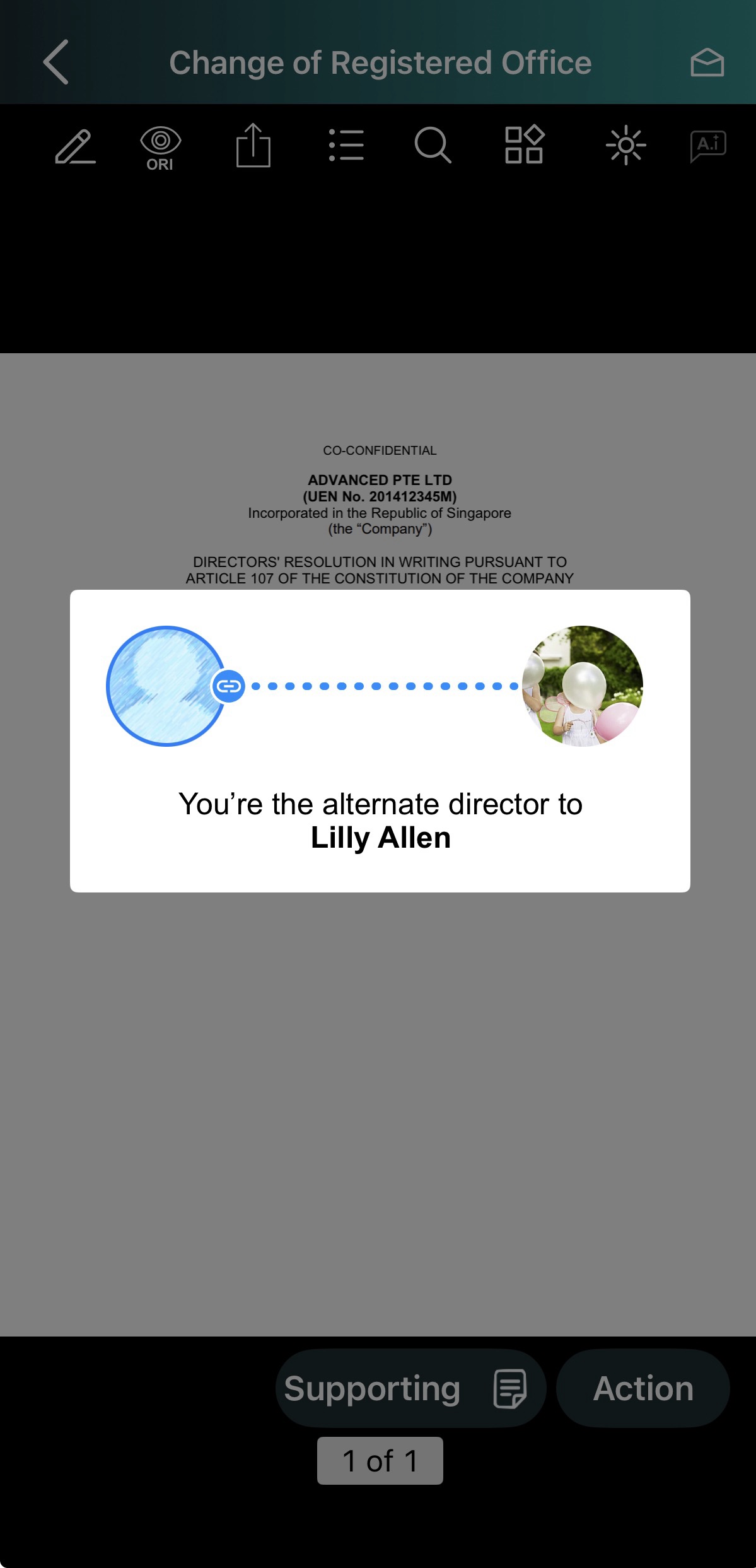
5) Review & Act on Document:
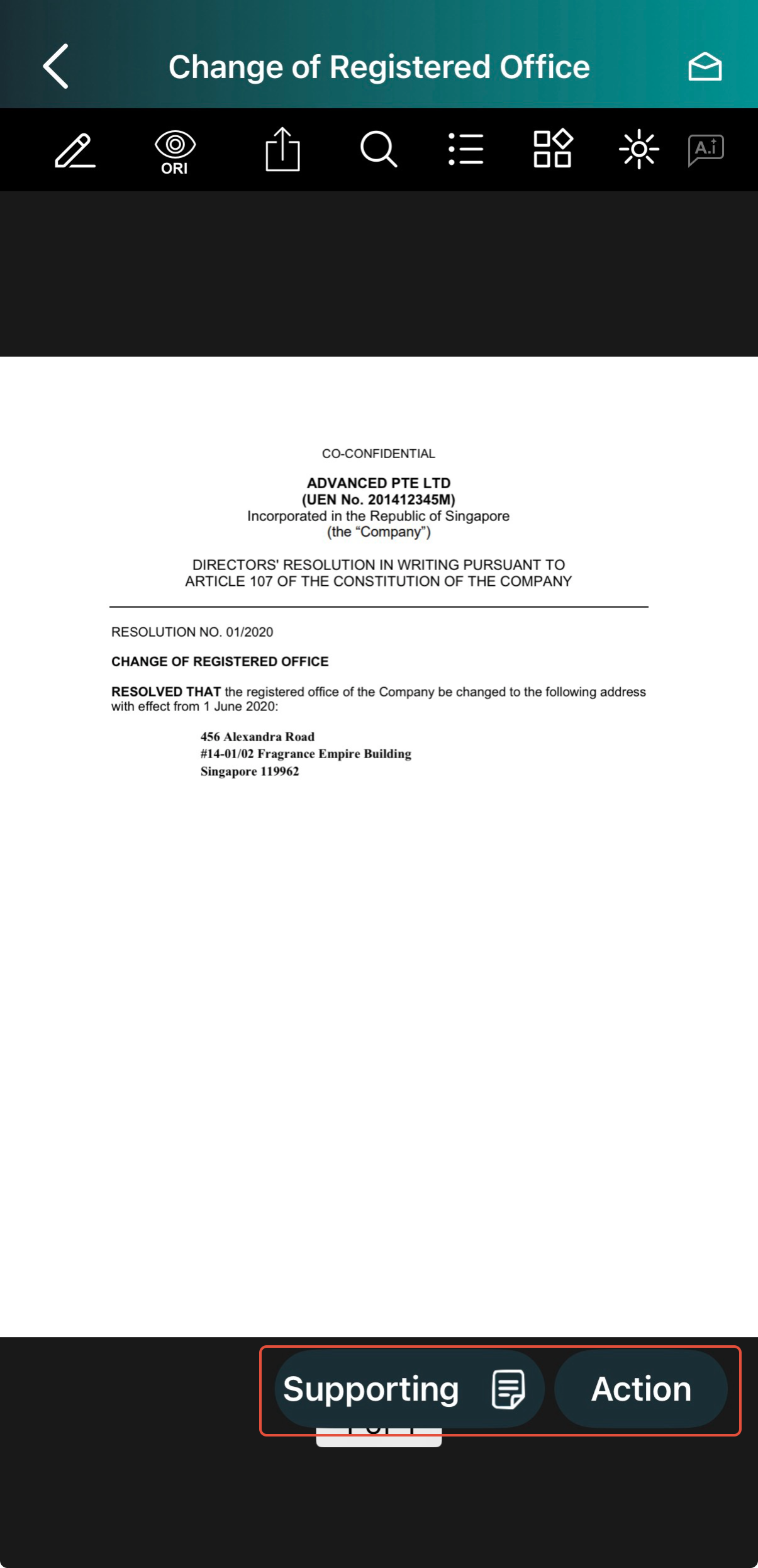
View Supporting Documents: Tap the Supporting button to review attached files.
Take Action: Tap the Action button.
6) Tap Add Remark to leave a comment if enabled by your Administrator.
Note: Remarks are visible to Administrators and Participants. Once your vote is submitted, remarks cannot be added or edited.
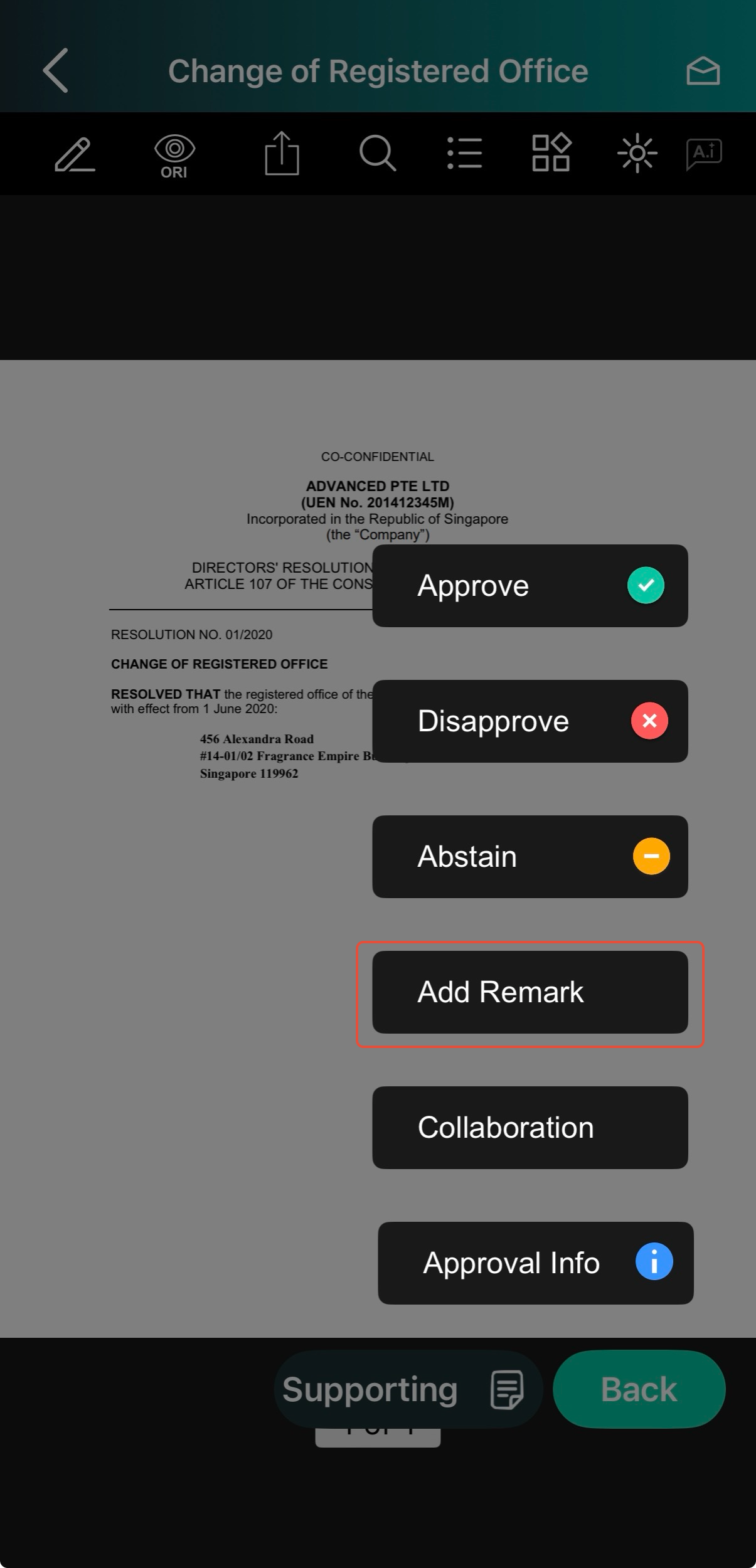
7) Tap Approve, Disapprove, or Abstain (if applicable).
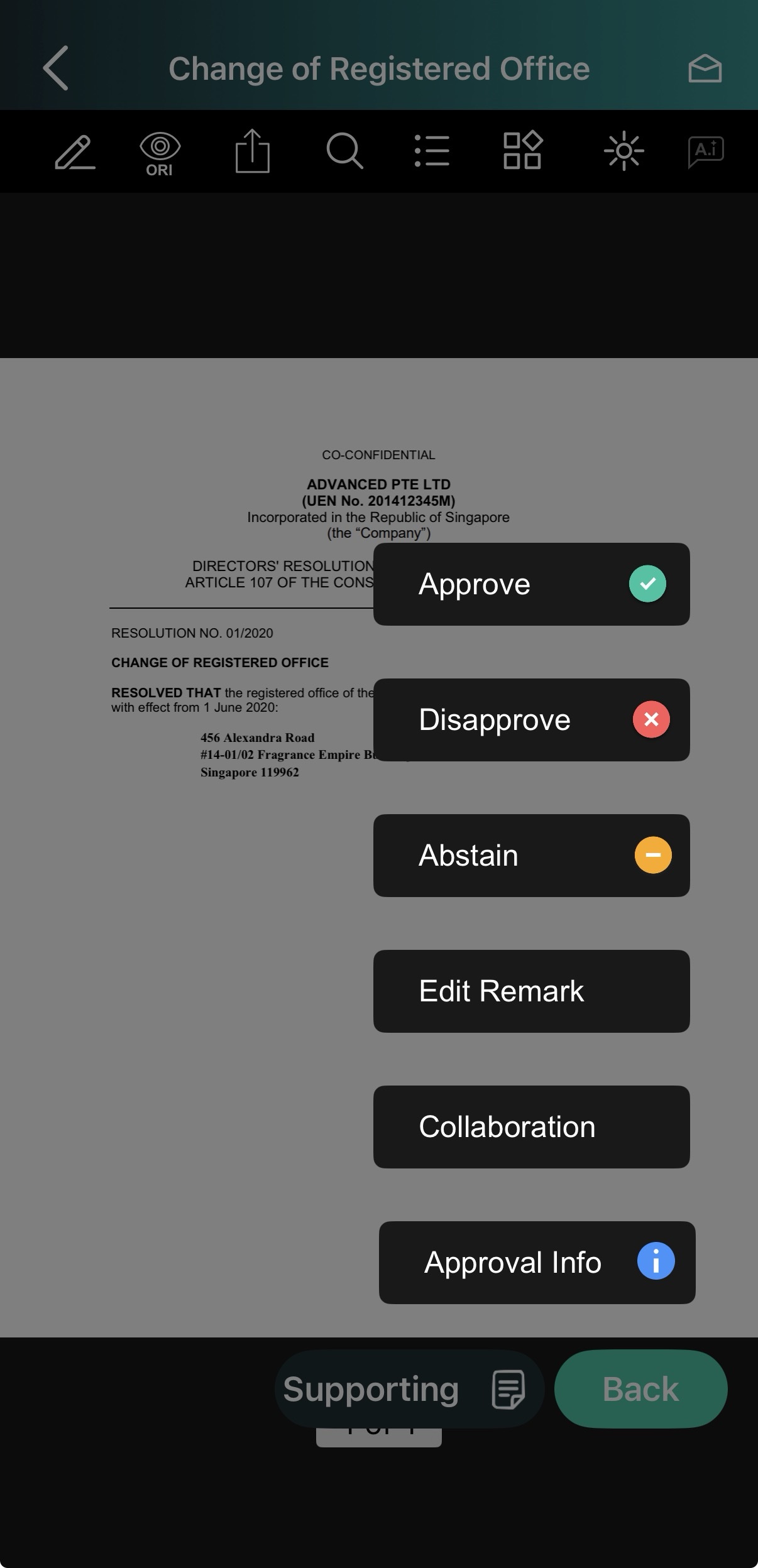
8) If you entered remarks earlier, the Edit Remark window will appear. Make any adjustments and tap Continue.
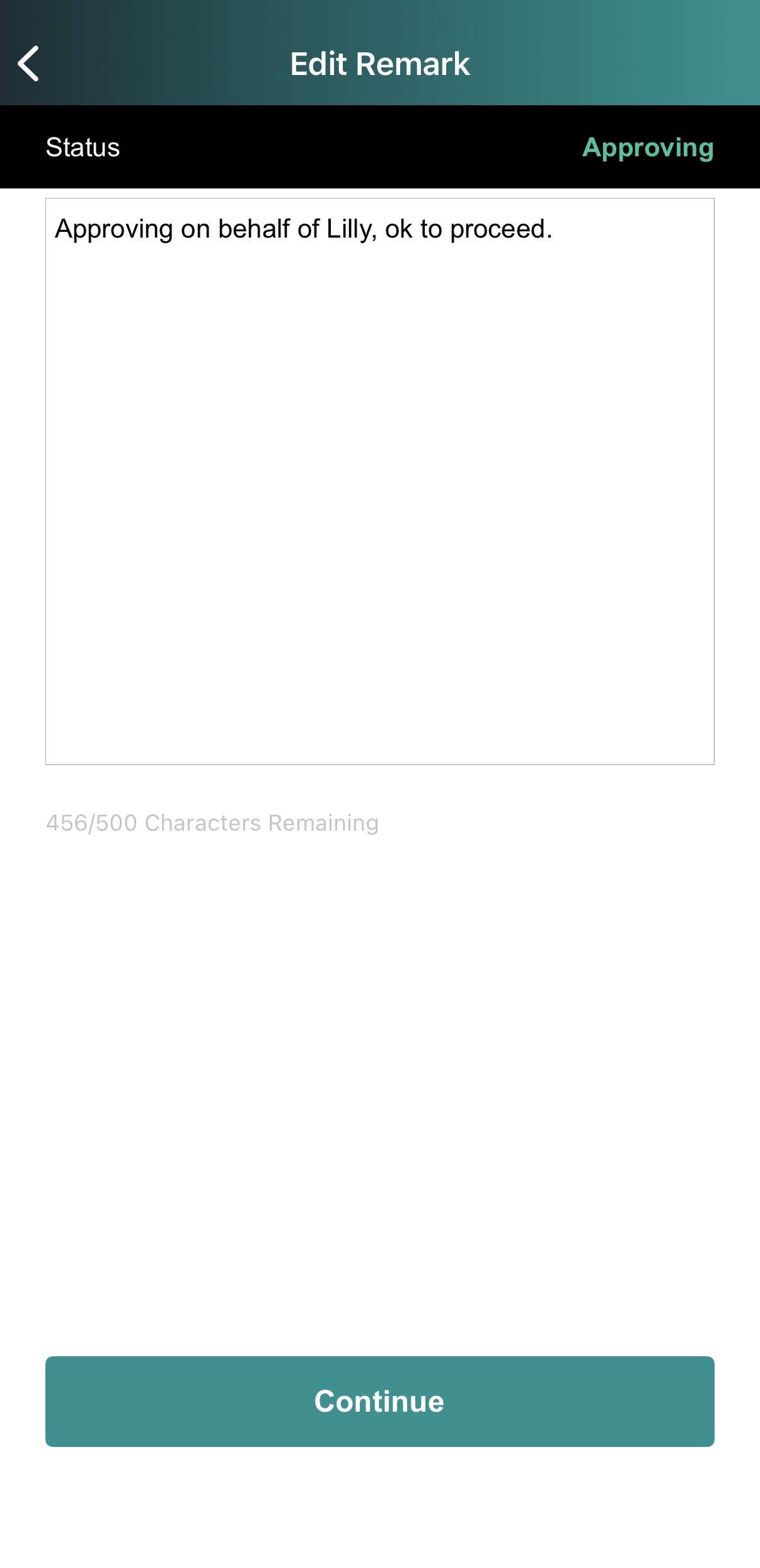
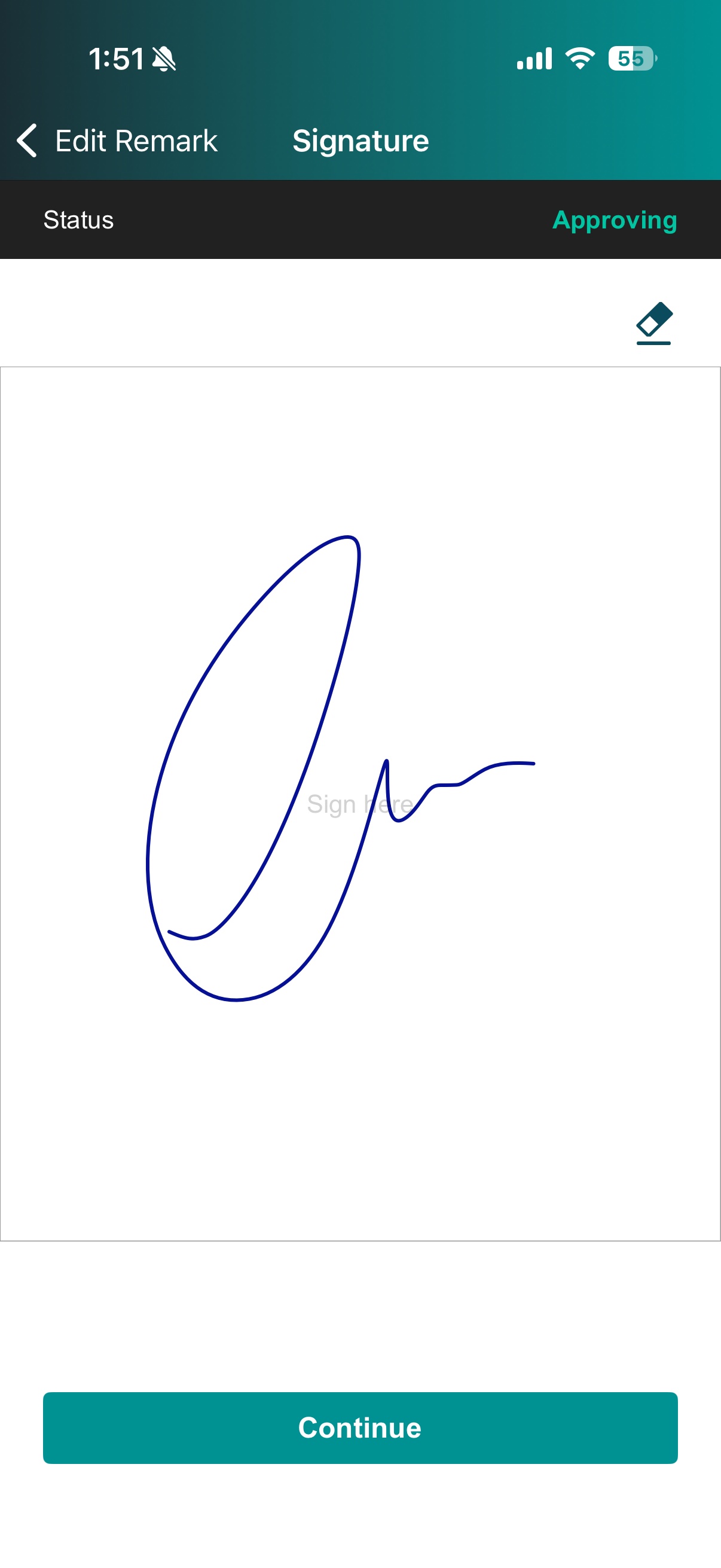
9) On the signature screen, tap Continue.
10) If OTP verification is required, enter the 6-digit OTP sent via email or SMS.
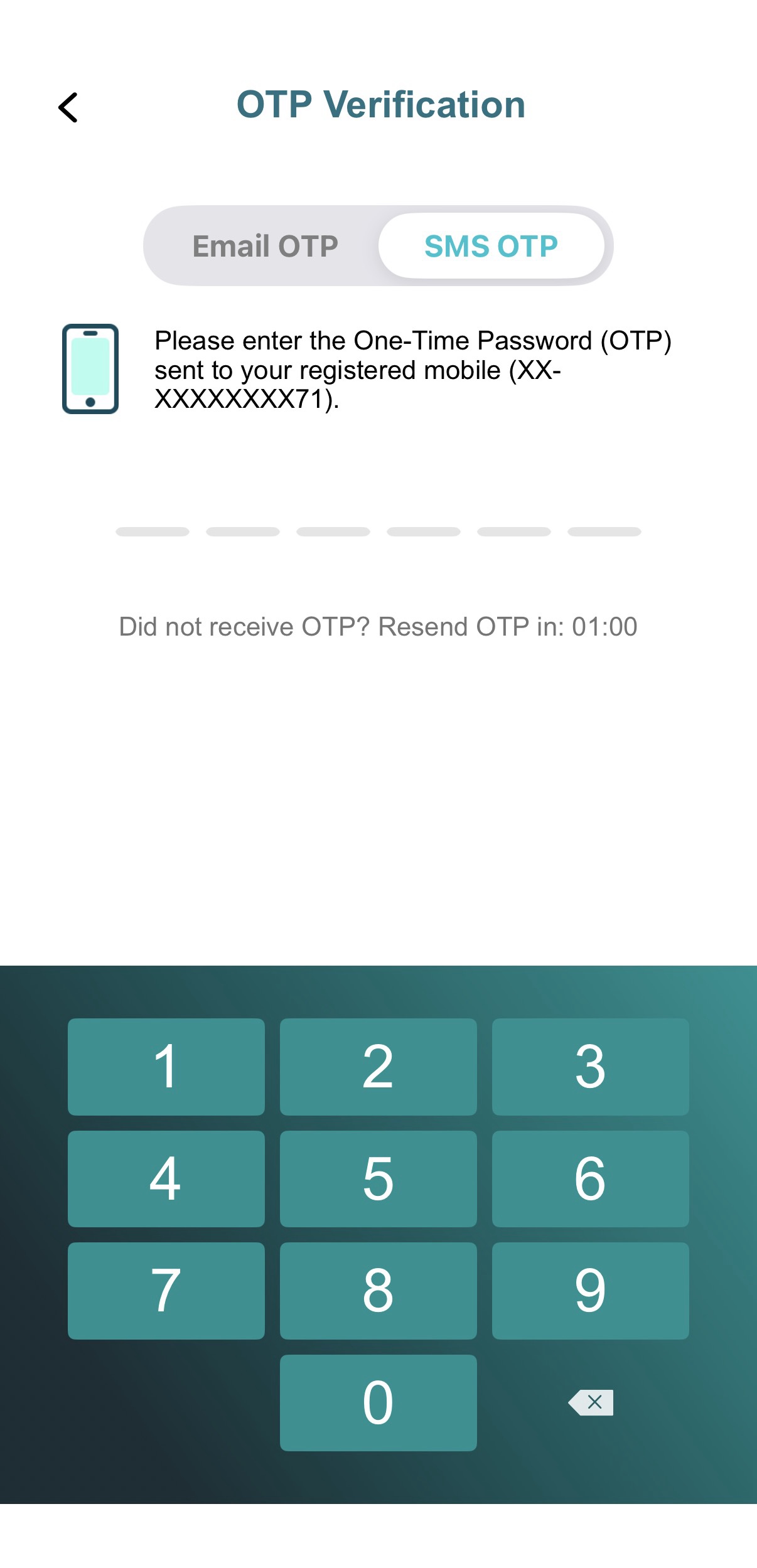
11) Once verified, your vote is recorded, and Administrators will be notified instantly.
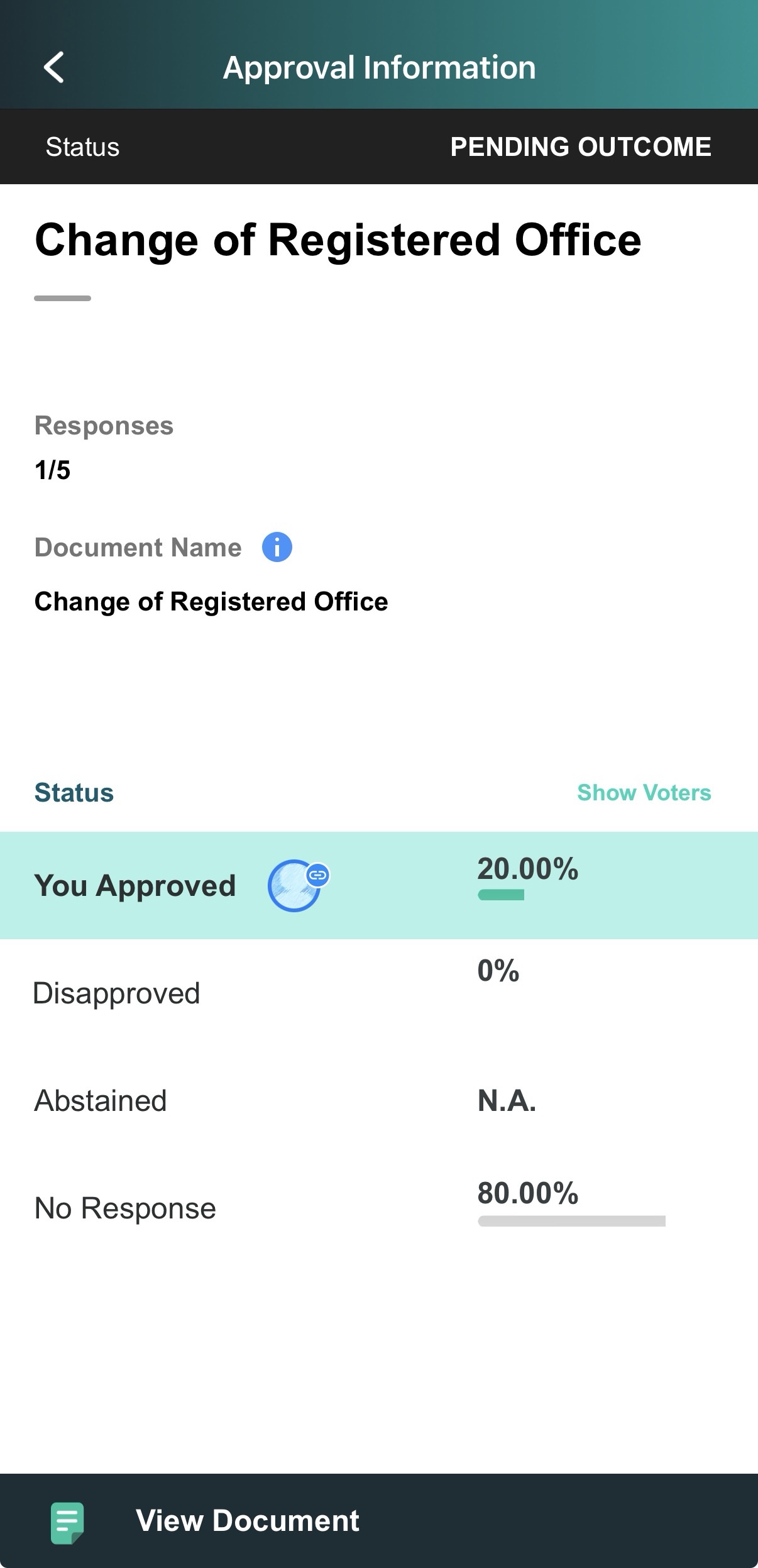
12) Review your submitted response and remarks under the Approval Information page.
Important Note:
Principal Director Overwrite: If the Principal Director votes after you, their response will overwrite yours, and your vote will no longer be visible on the Approval.
Prior Action by Principal: If the Principal Director votes before you, the Approval automatically moves to your Completed tab. On your end, the approval will be updated with the status No Action Taken.
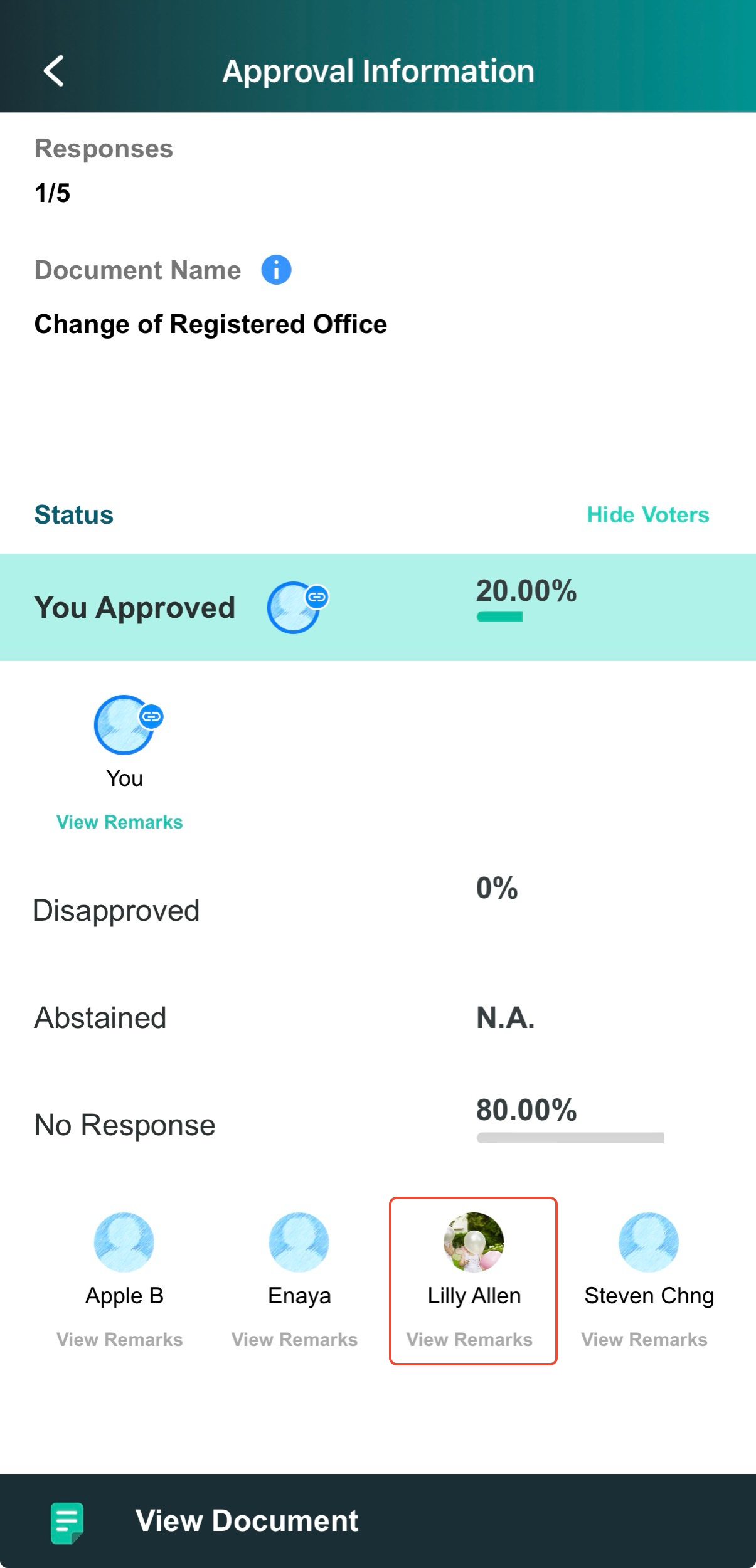
View Voting History: To view the Principal Director's final response, open the Approval from the Completed page and tap Show Voters.
You have completed the tutorial on how to act on an Approval as an alternate Director.
If you face any issues, please reach out to our Board.Vision Customer Success Team at support@board.vision or +65 6909 7100 and we will be happy to help.
Our hotline operating hours are from Mondays to Fridays 9:00 AM to 6:00 PM SGT (excluding public holidays).
Was this article helpful?
That’s Great!
Thank you for your feedback
Sorry! We couldn't be helpful
Thank you for your feedback
Feedback sent
We appreciate your effort and will try to fix the article