To activate your account, please ensure you have the following:
Your registered email address with Board.Vision, along with the password you use to access this email (to check your inbox).
Your registered mobile number, which will be used to receive a One-Time Password (OTP) for verification.
Alternatively, you may choose to receive the OTP via email during account activation.
Once you have these ready, you may proceed with the account activation.
To activate your account:
1) Open the Board.Vision Web app using Google Chrome(version 65.0 and later) or Microsoft Edge (version 87.0 and later) web browser, via the following URL: https://app.board.vision.
2) On the login screen, enter your email address and click on Continue.
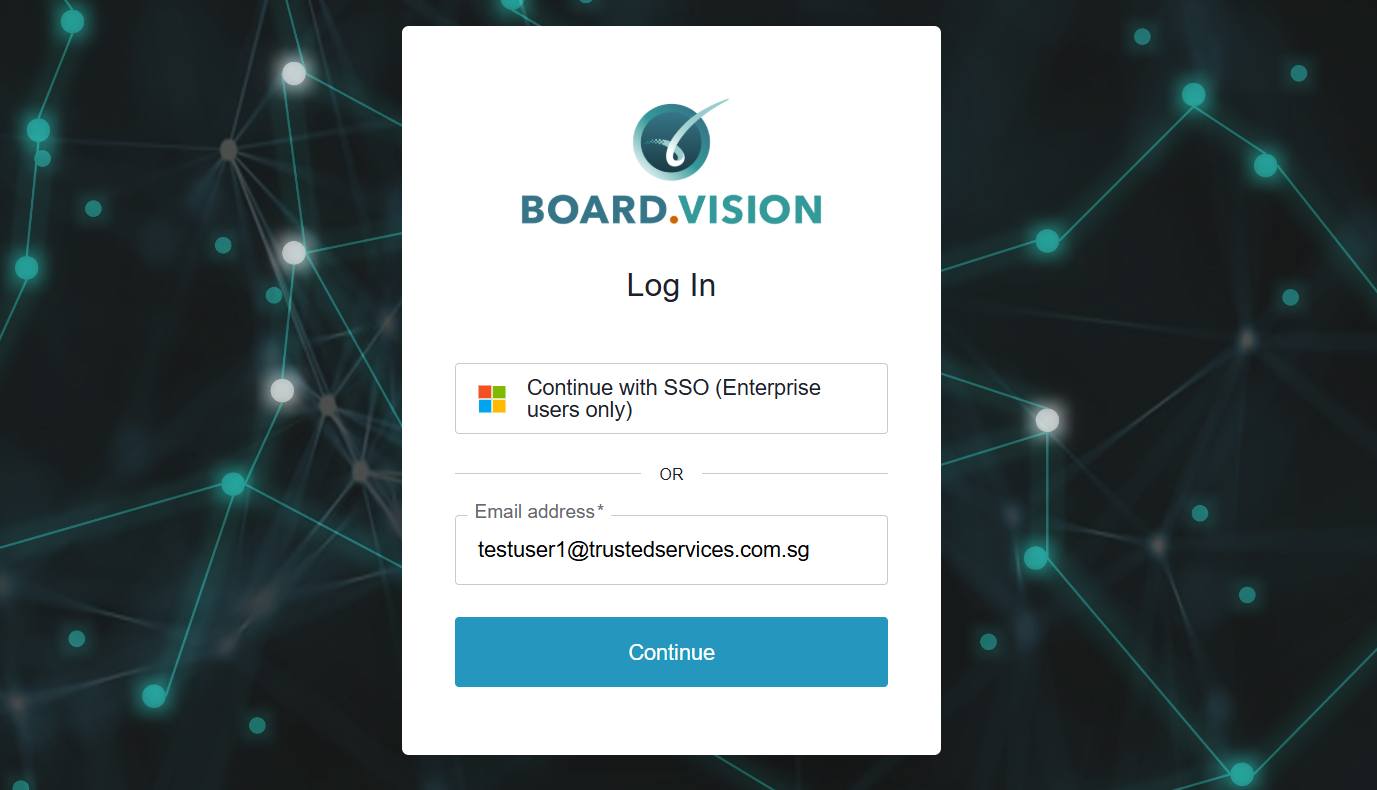
3) Enter your email password and click on Sign in.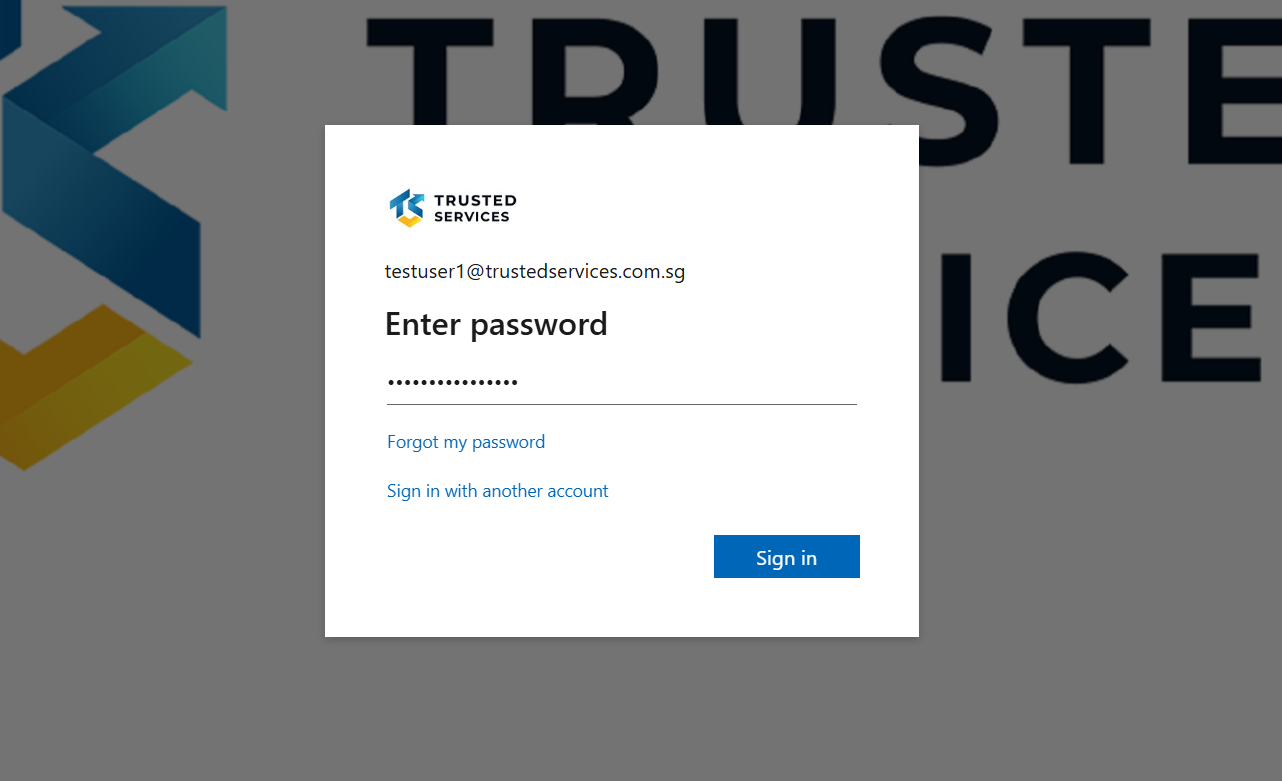
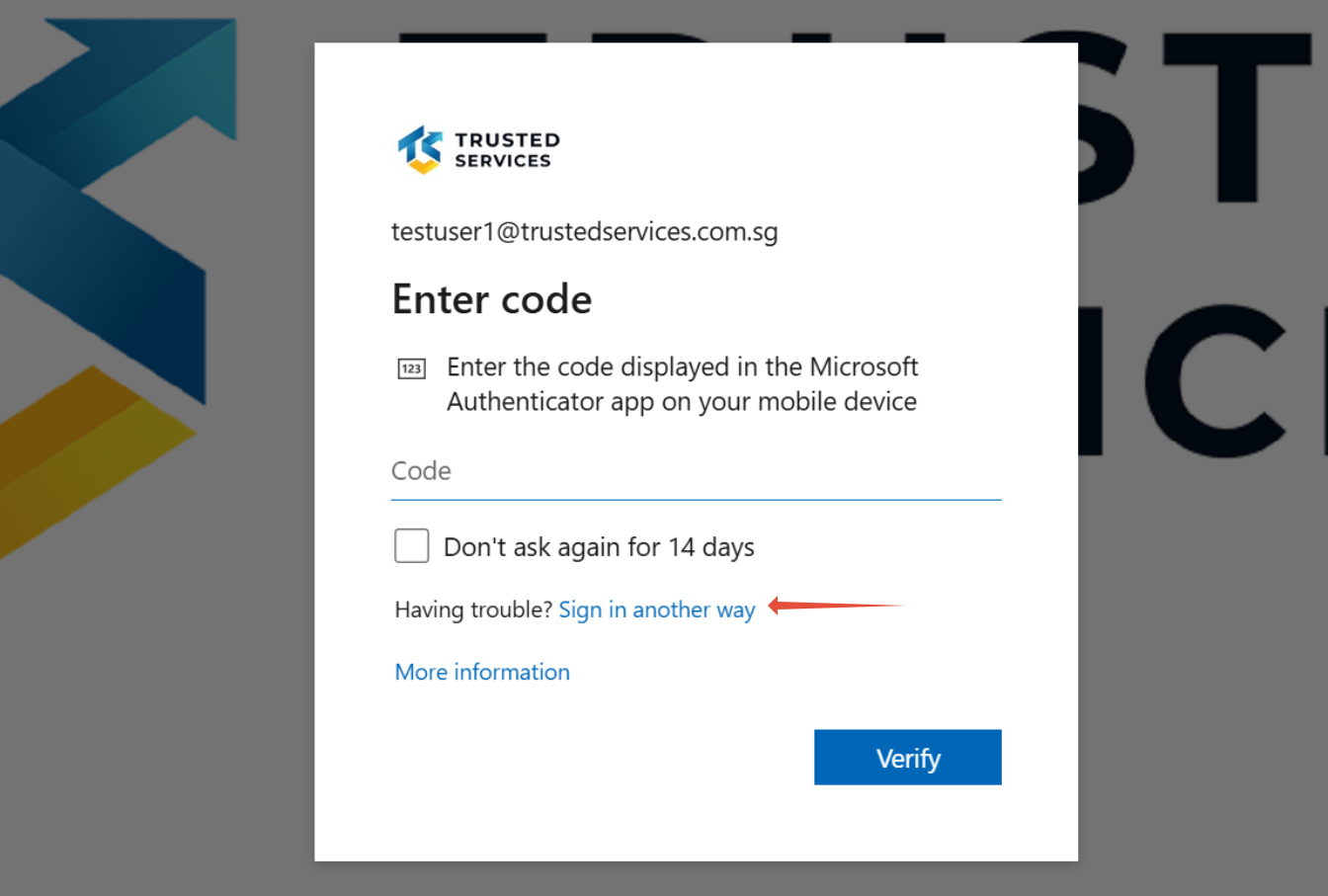
4) Enter the verification code displayed in the Microsoft Authenticator app on your mobile device.
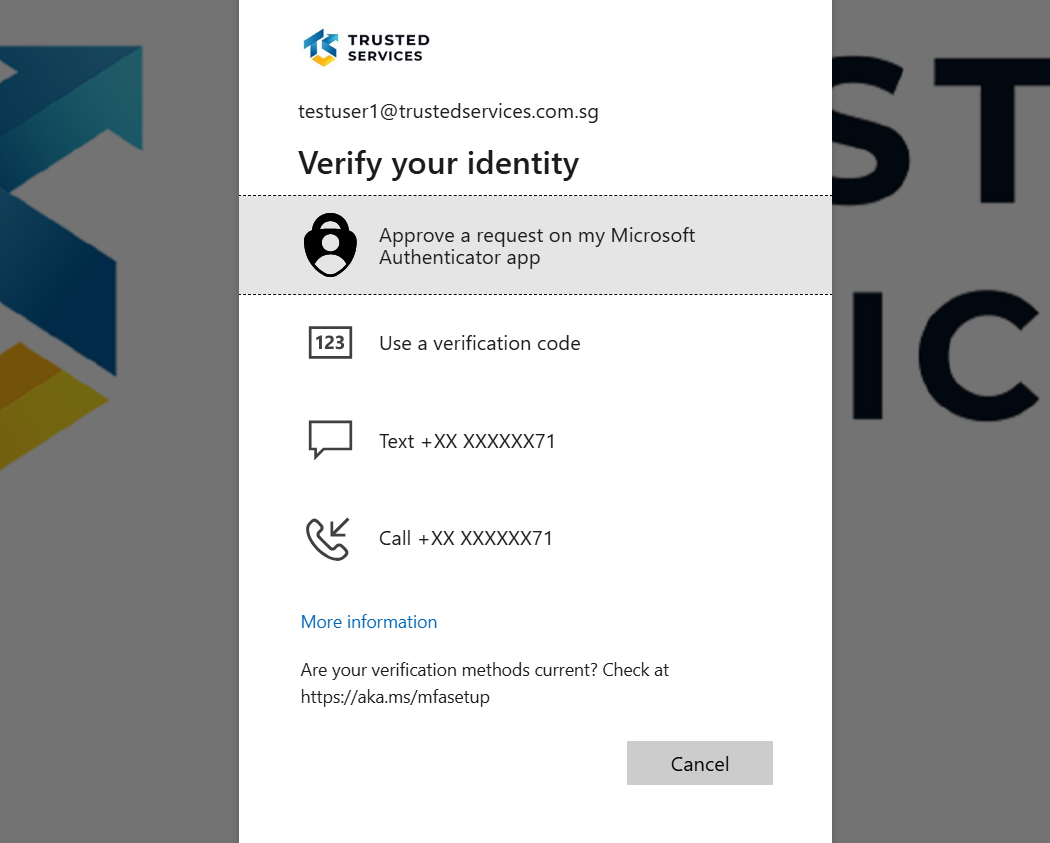
Alternatively, you may choose a different verification method by clicking “Sign in another way”.
5) You can request to receive a verification code via sms or call.
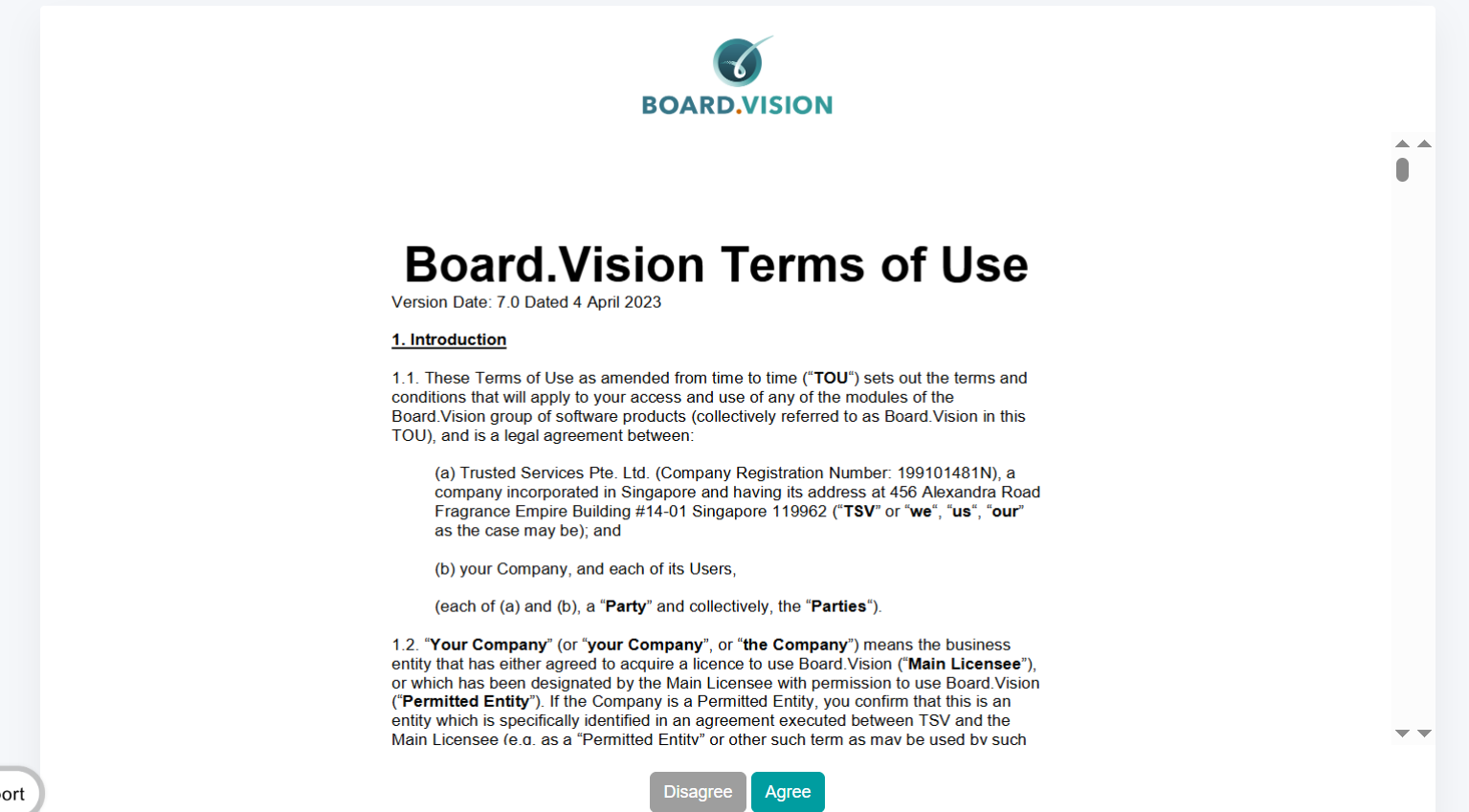
6) Click on the ‘Agree’ button to accept the Board.Vision Terms of Use.
If your organisation has signed a separate agreement with Board.Vision, that agreement will apply and take precedence over the general Terms of Use.
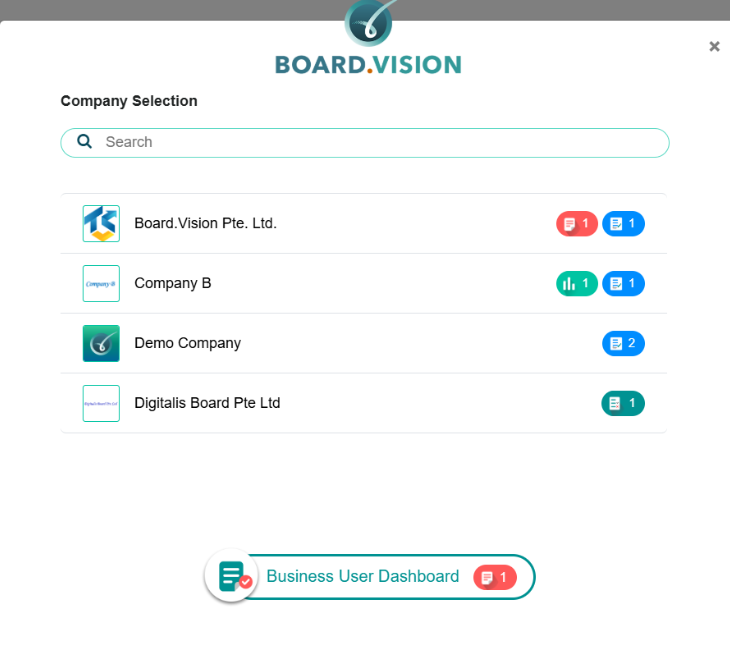
7) If your account is linked to multiple companies, you will see a company selection screen after logging in.
Click on the company name you wish to access.
8) Select your preferred method to receive your One-Time Password (OTP) and click on Confirm.
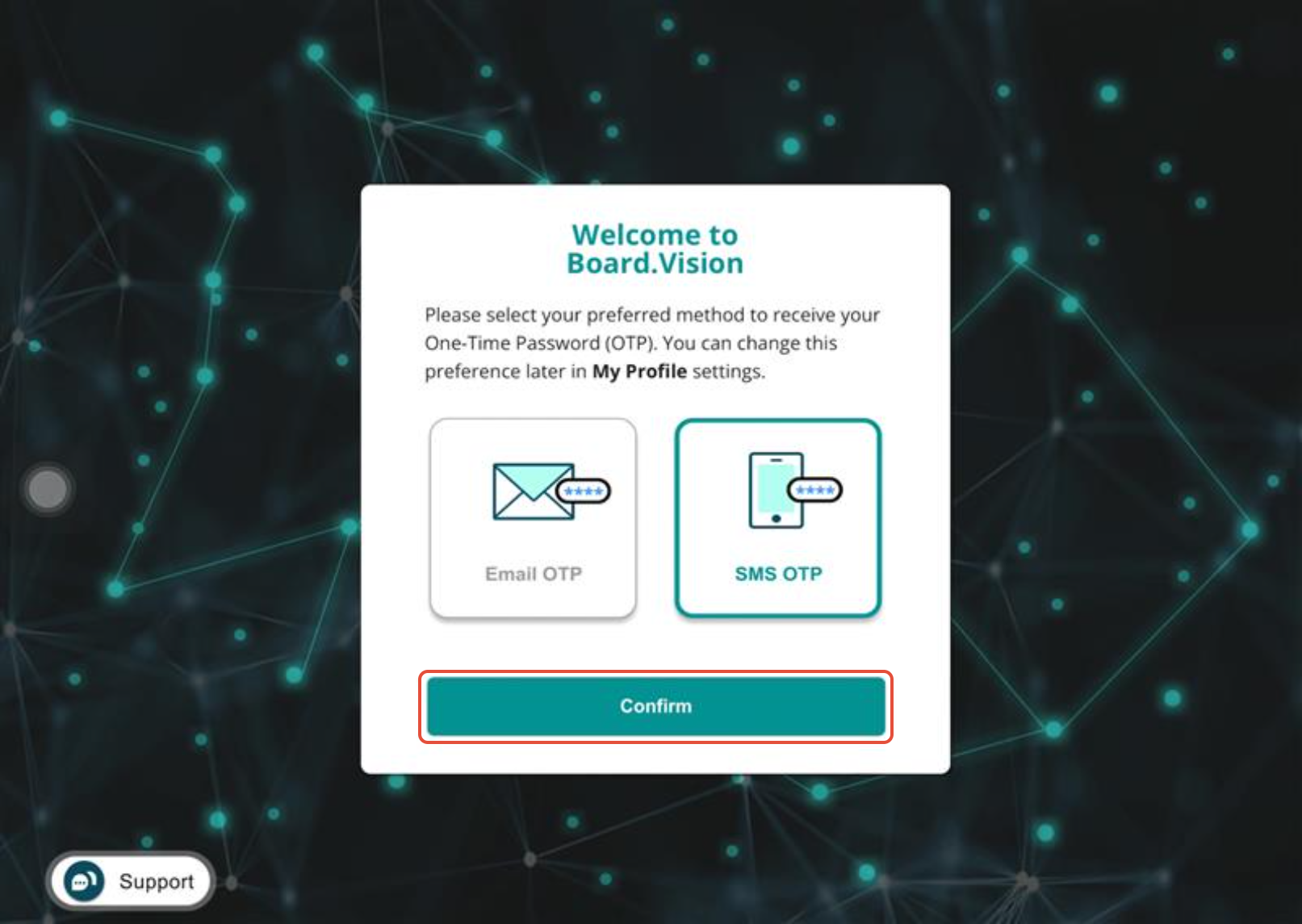
9) Once the OTP has been verified successfully, you will be logged into your Board.Vision account. 
Important Note: For the subsequent login, you can use Google Chrome (version 65.0 or later) or Microsoft Edge (version 87.0 or later) via the following URL: https://app.board.vision.
If you face any issues, please reach out to our Customer Success Team at support@board.vision or +65 6909 7100 and we will be happy to help.
Our hotline operating hours are from Mondays to Fridays 9:00 AM to 6:00 PM SGT (excluding public holidays).
Was this article helpful?
That’s Great!
Thank you for your feedback
Sorry! We couldn't be helpful
Thank you for your feedback
Feedback sent
We appreciate your effort and will try to fix the article