A wrong email or password error typically occurs due to one of the following reasons:
You may have entered an email address that is not registered with Board.Vision.
You may have entered an incorrect password.
How to resolve this issue:
Check with your Administrator to confirm the email address registered in Board.Vision.
Ensure that your Caps Lock is off when typing your password.
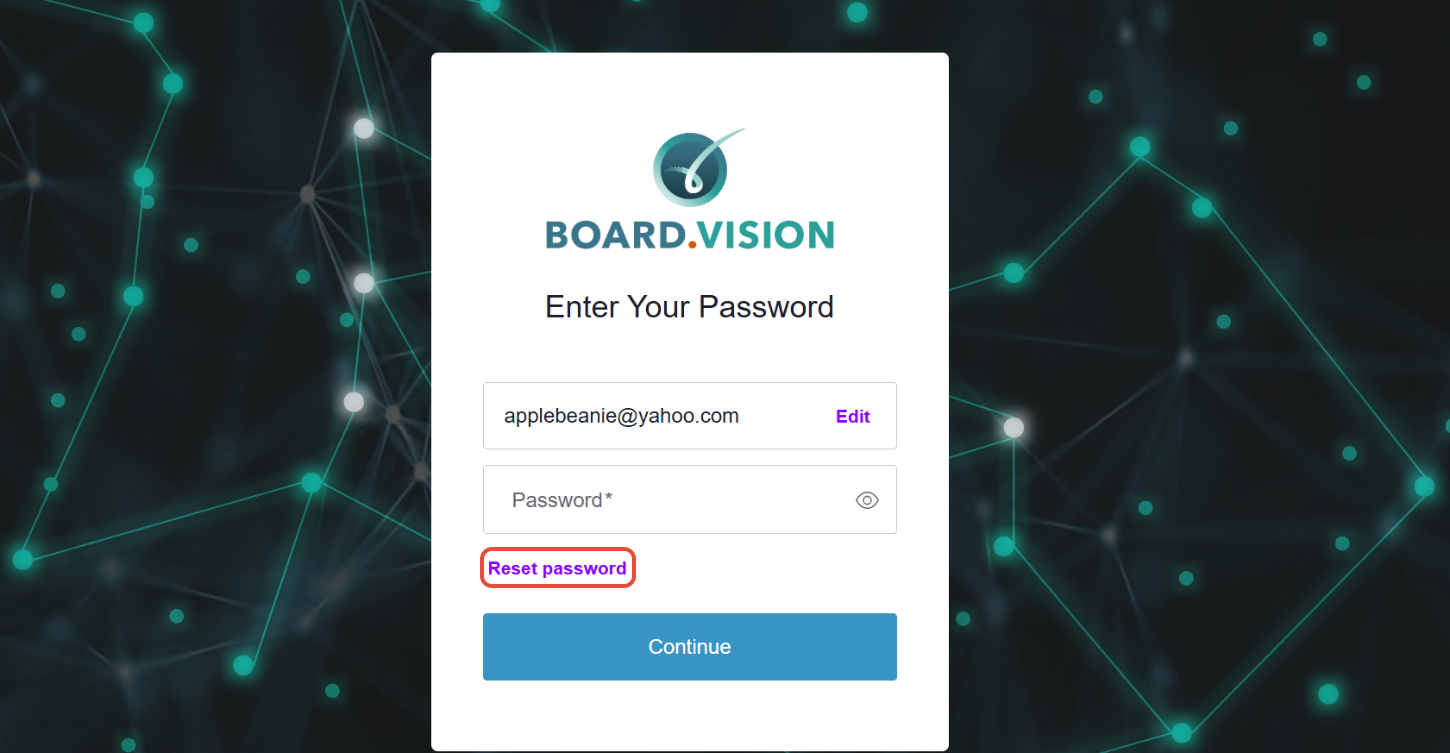
If you’ve forgotten your password, click on ‘Reset password’ on the Enter Your Password screen and follow the instructions to reset it.
Need Assistance?
If you encounter any issues, please contact the Board.Vision Customer Success Team and we will be happy to assist you.
Email: support@board.vision
Hotline: +65 6909 7100
Operating Hours
Monday – Friday
9:00 AM – 6:00 PM SGT
(Excluding public holidays)
Was this article helpful?
That’s Great!
Thank you for your feedback
Sorry! We couldn't be helpful
Thank you for your feedback
Feedback sent
We appreciate your effort and will try to fix the article