Welcome to Board.Vision Tutorials!
In this tutorial, we will walk you through the steps to view an approval document as an Observer.
Important Note: Observers can view approval details and add annotations or comments, but are unable to cast votes on approvals.
To view an approval document as an Observer:
1) Log in to your Board.Vision account using your registered email address and password.
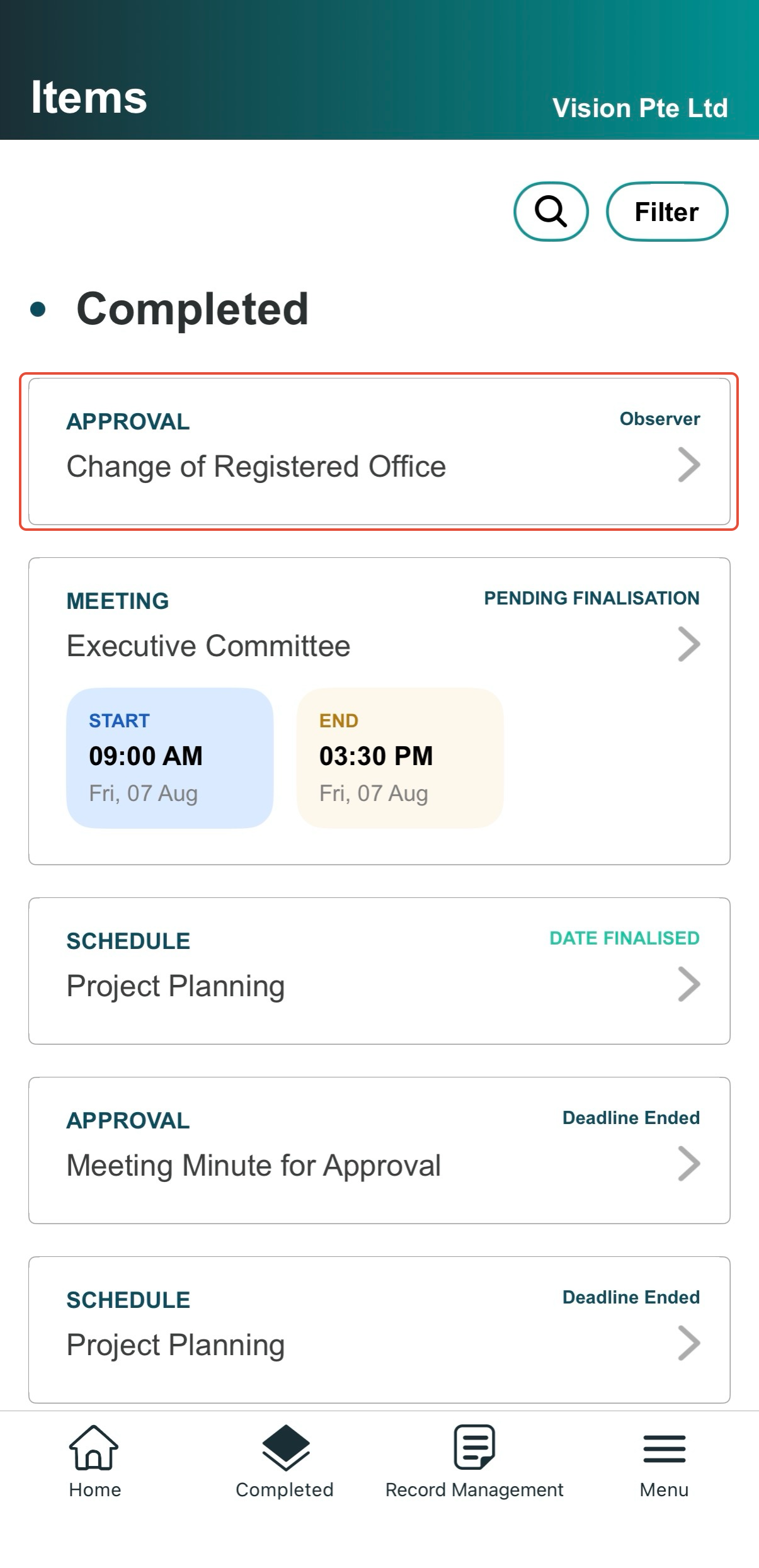
2) From the Completed items page, select the Approval.
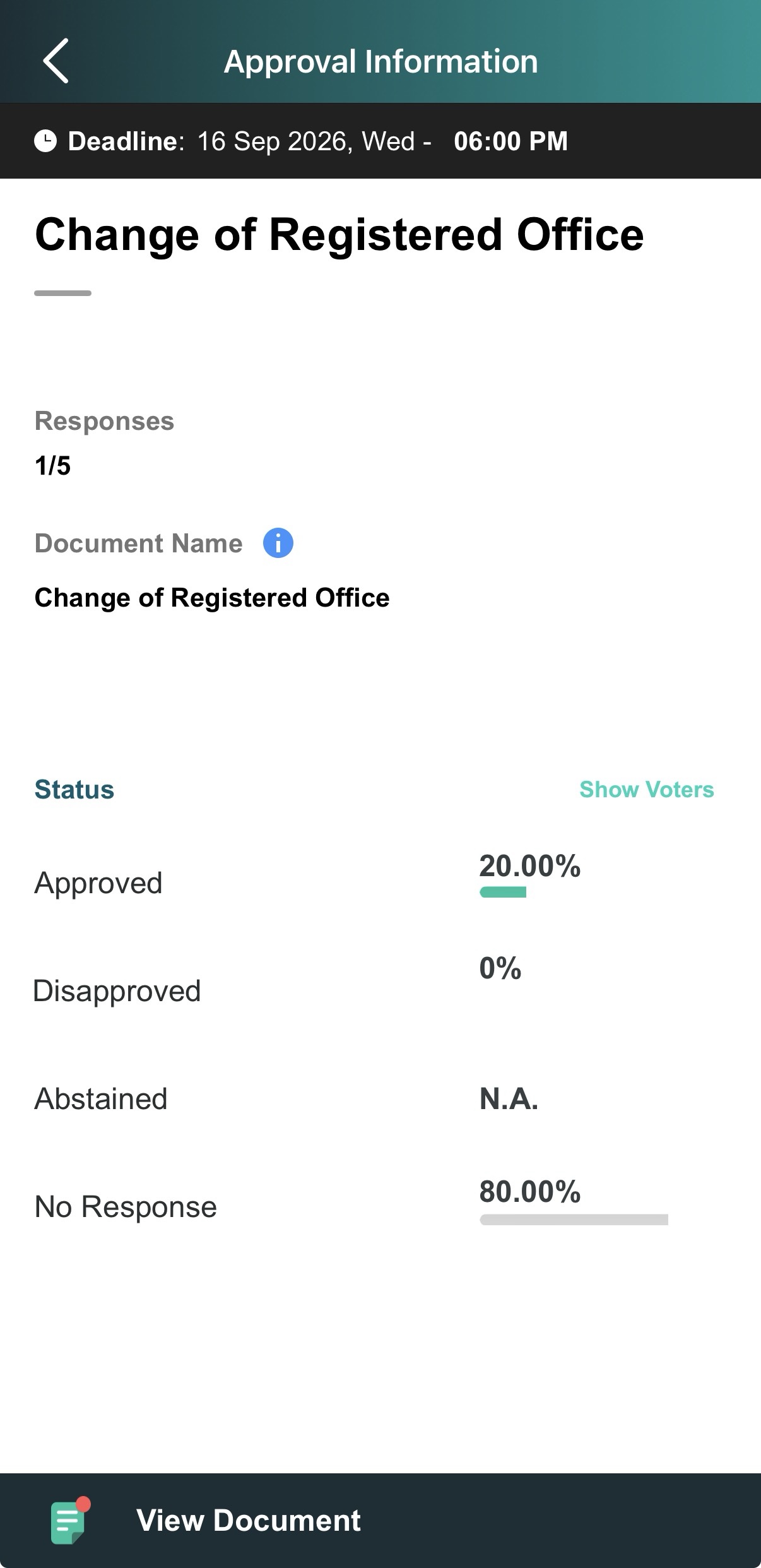
3) Review Approval Details: You can view key details such as:
Deadline, Approval Name, and Description
Document Name
Number of responses received
List of Voters and their remarks (if any)
Note: For Closed Approvals, only basic details (Deadline, Approval Name, Description, and Document Name) will be visible.
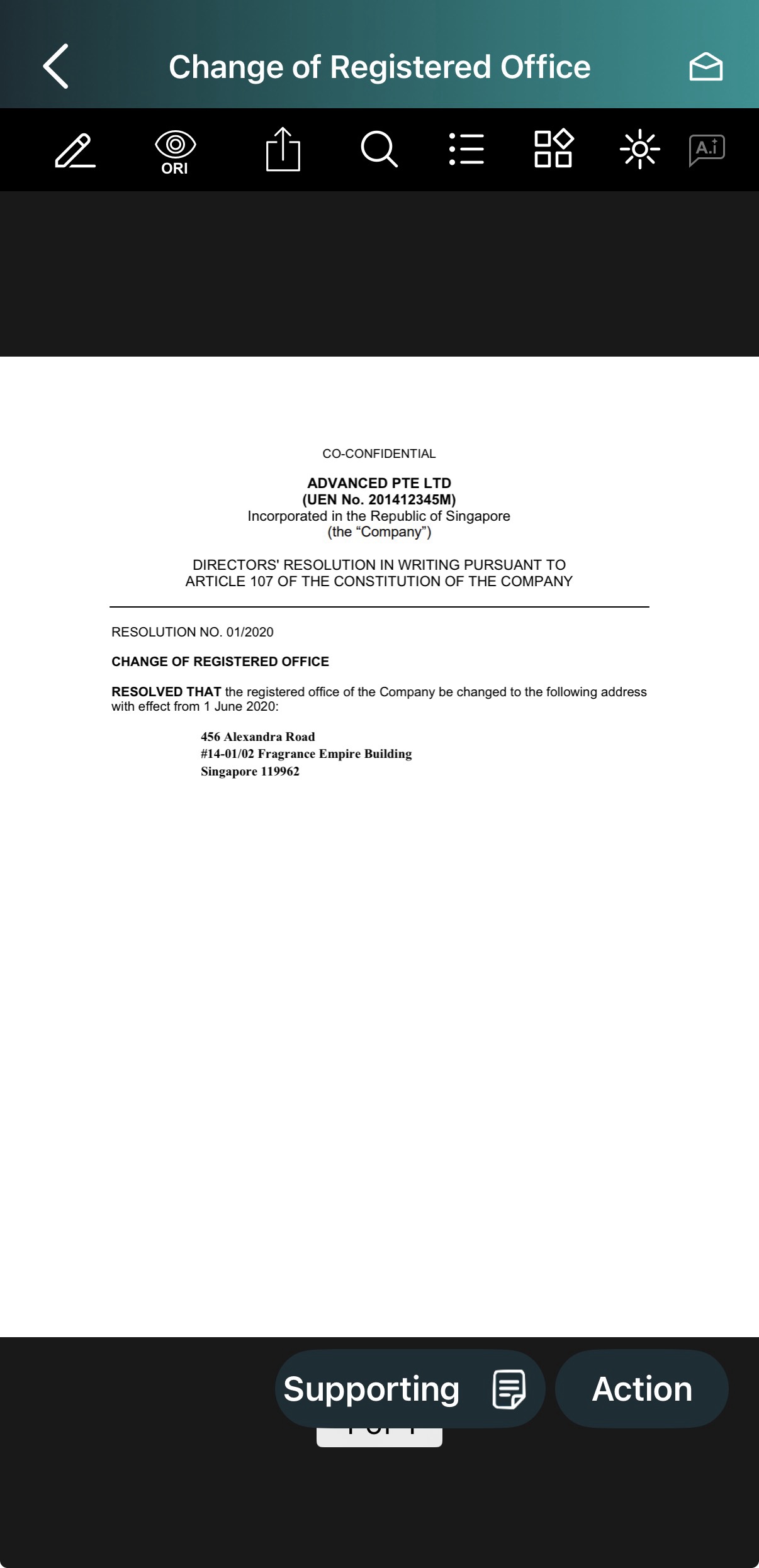
4) Tap View Document at the bottom of the screen to open the PDF.
5) Review & Collaborate on Document:
Supporting Files: Tap the Supporting button to view attached files.
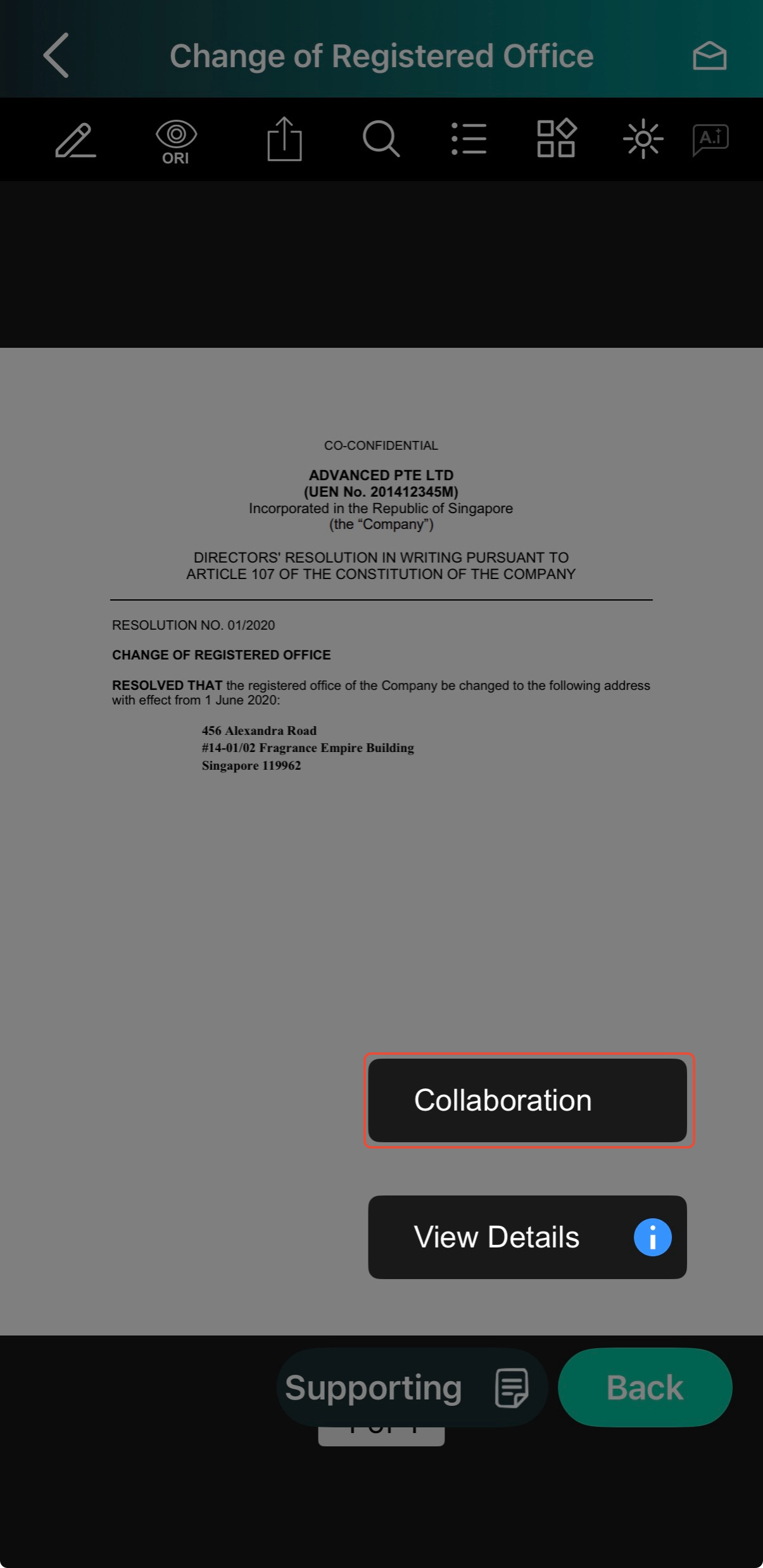
Collaboration Tools: Tap the Action button, then select Collaboration from the pop-up menu.
6) Use the collaboration feature to add comments or annotations, reply to feedback, and review shared input from other users.
You have completed the tutorial on how to view an approval document as an Observer.
To learn how to annotate documents, check out the “How to Annotate on a Shared Copy of a Document with Other Users” tutorial.
If you face any issues in completing the steps shown in this tutorial, please reach out to our Board.Vision Customer Success Team at support@board.vision or +65 6909 7100 and we will be happy to help.
Our hotline operating hours are from Mondays to Fridays 9:00 AM to 6:00 PM SGT (excluding public holidays).
Was this article helpful?
That’s Great!
Thank you for your feedback
Sorry! We couldn't be helpful
Thank you for your feedback
Feedback sent
We appreciate your effort and will try to fix the article