Welcome to Board.Vision Tutorials!
In this tutorial, we will walk you through the steps to deactivate a user group from the Admin Dashboard.
Important Note: The Board.Vision web app is optimised and supported for desktop use on Google Chrome (version 65.0 and later) and Microsoft Edge (version 87.0 and later).
To deactivate a user group from the Admin Dashboard:
1) Log in to your Board.Vision account using your registered email address and password.
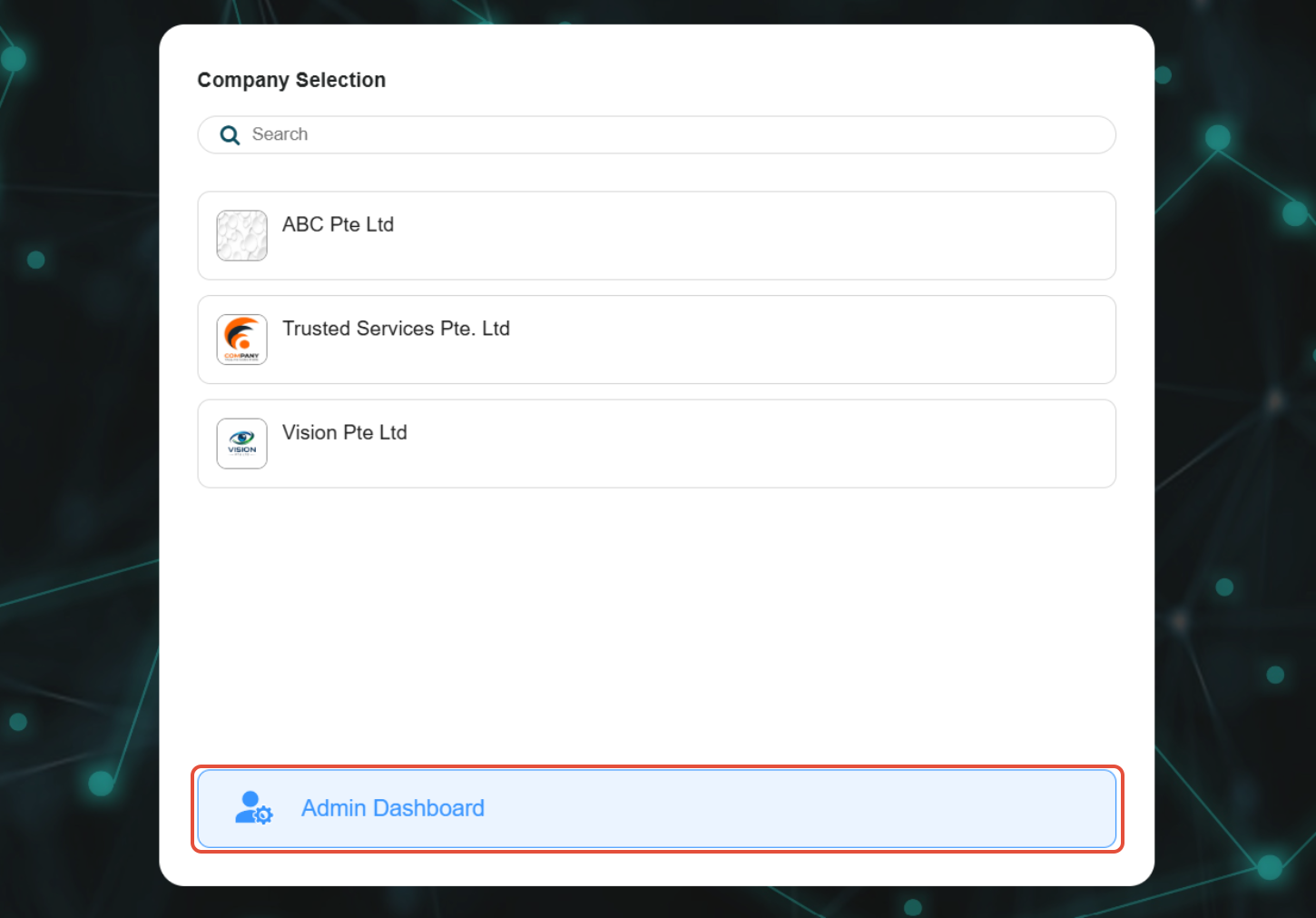
2) Click on Admin Dashboard on the 'Company Selection' screen.
3) Go to User Groups from the left menu. Then, click on the group name.
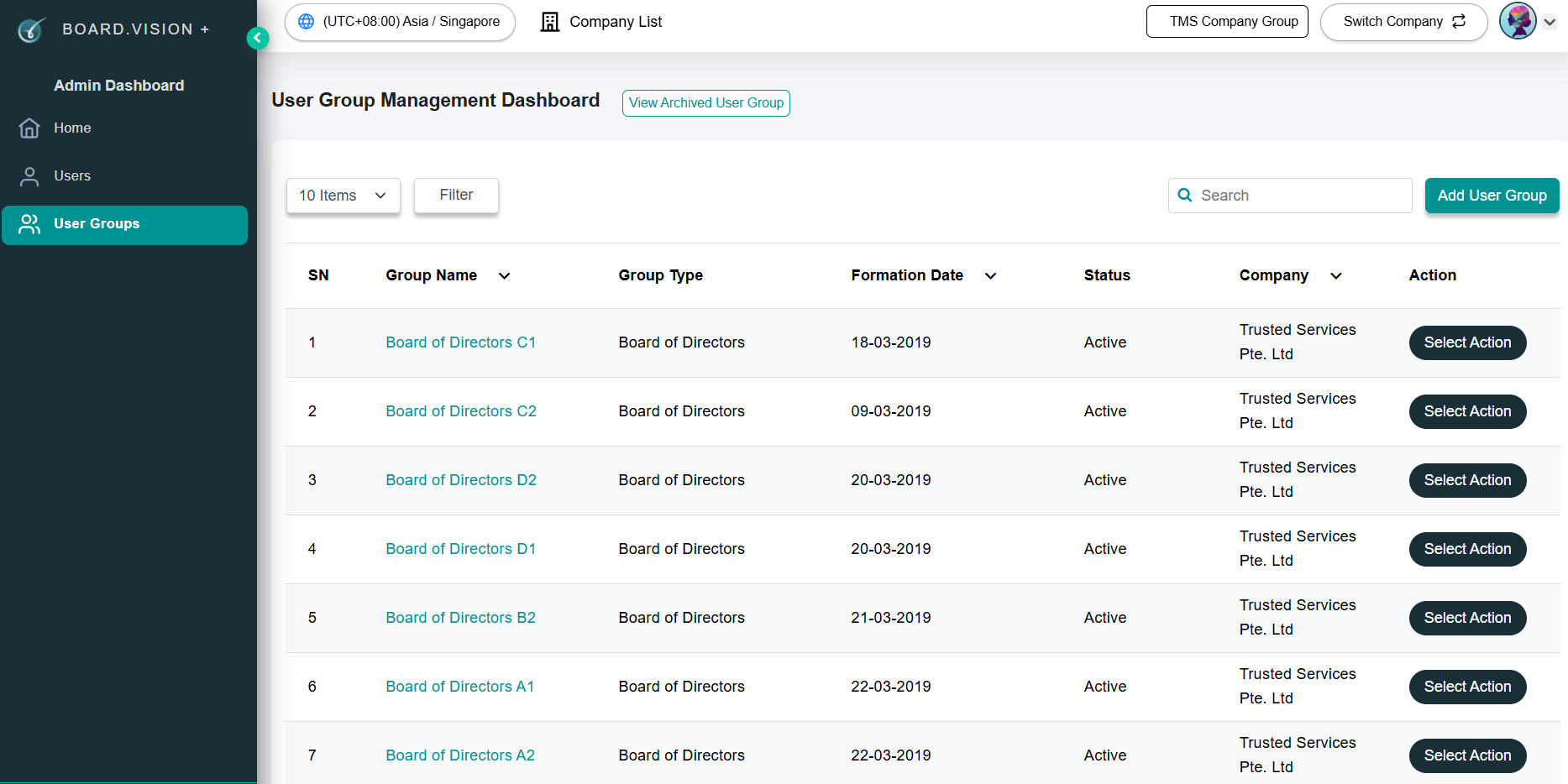
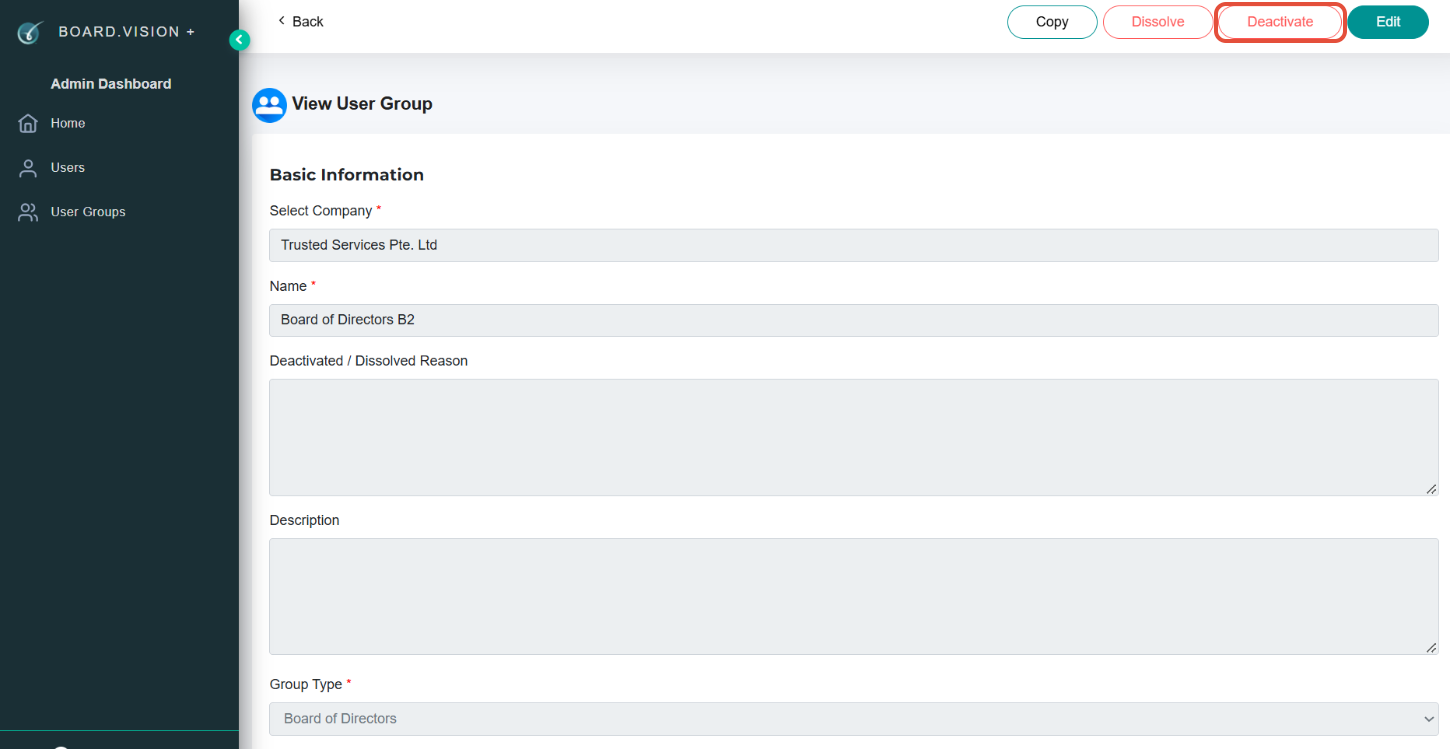
3) Click on the Deactivate button at the top right side of the screen.
4) Once you have selected the Deactivate button, a 'Deactivate User Group' pop-up window will appear. Enter the required Reason and,
a) Notify via Email and/or Push Notification.
Note: Push notifications are alerts that pop up on the user's iPad or phone's screen or notification bar.
b) Under the Notify Members and Executive Assistants section, select both Business User and his/her PA if you wish to notify them.
Then, click on Confirm.
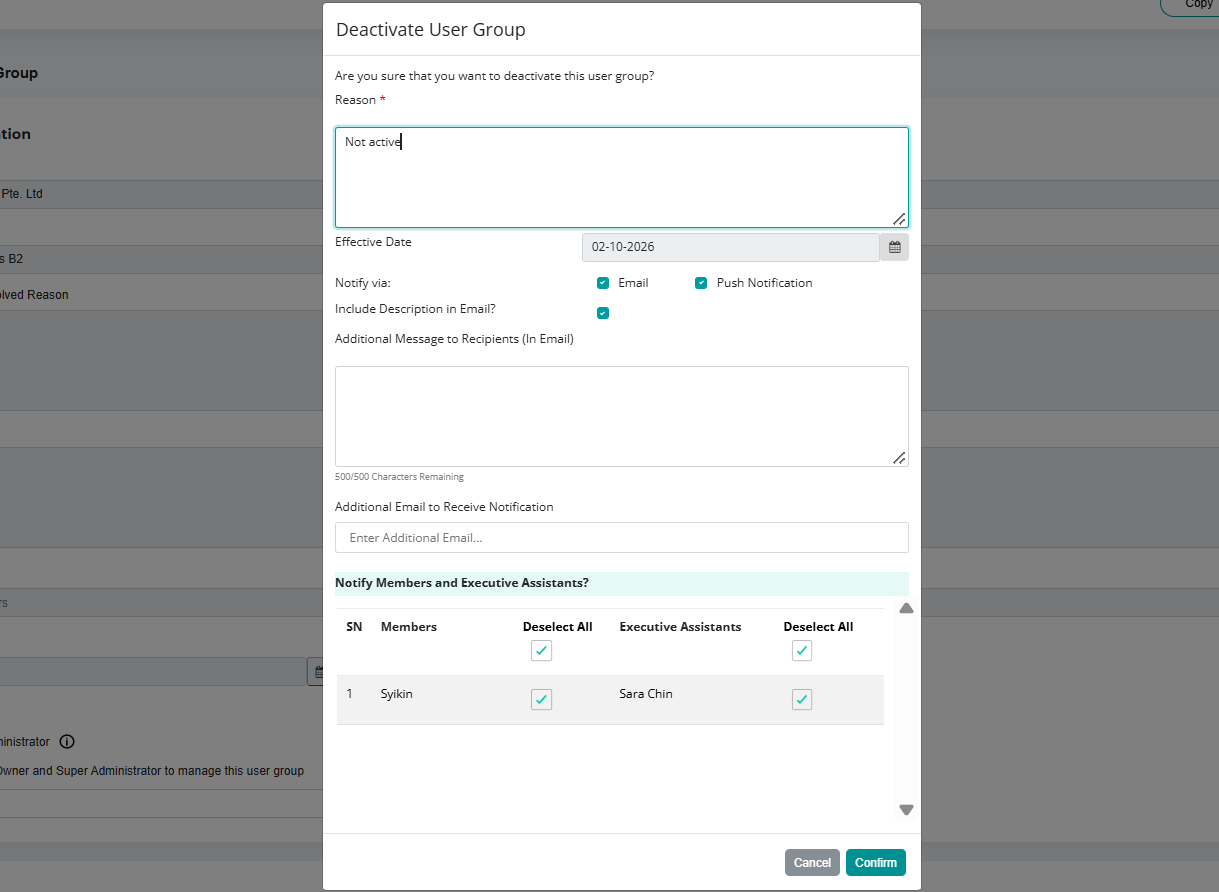
Important Note: The Effective Date is default set to the date when the Administrator deactivates the User Group and this field is non-editable.
You have completed the tutorial on how to deactivate a User Group from the Admin Dashboard.
If you face any issues in completing the steps shown in this tutorial, please reach out to our Board.Vision Customer Success Team at support@board.vision or +65 6909 7100 and we will be happy to help.
Our hotline operating hours are from Mondays to Fridays 9:00 AM to 6:00 PM SGT (excluding public holidays).
Was this article helpful?
That’s Great!
Thank you for your feedback
Sorry! We couldn't be helpful
Thank you for your feedback
Feedback sent
We appreciate your effort and will try to fix the article