Welcome to Board.Vision Tutorials. In this tutorial, we will walk you through the steps to view Board.Vision Release Notes.
Note: This article applies to Board.Vision iPad app version 3.5.1 (Legacy UI). To experience the new iPad UI, we encourage users to update their iPadOS to 17.0 or later to ensure continued access to future Board.Vision app updates, new features, and enhancements.
To view Board.Vision Release Notes:
1) Log in to your Board.Vision account using your registered email address and password.
2) Tap on the arrow-down icon next to your profile name and select Settings from the dropdown menu.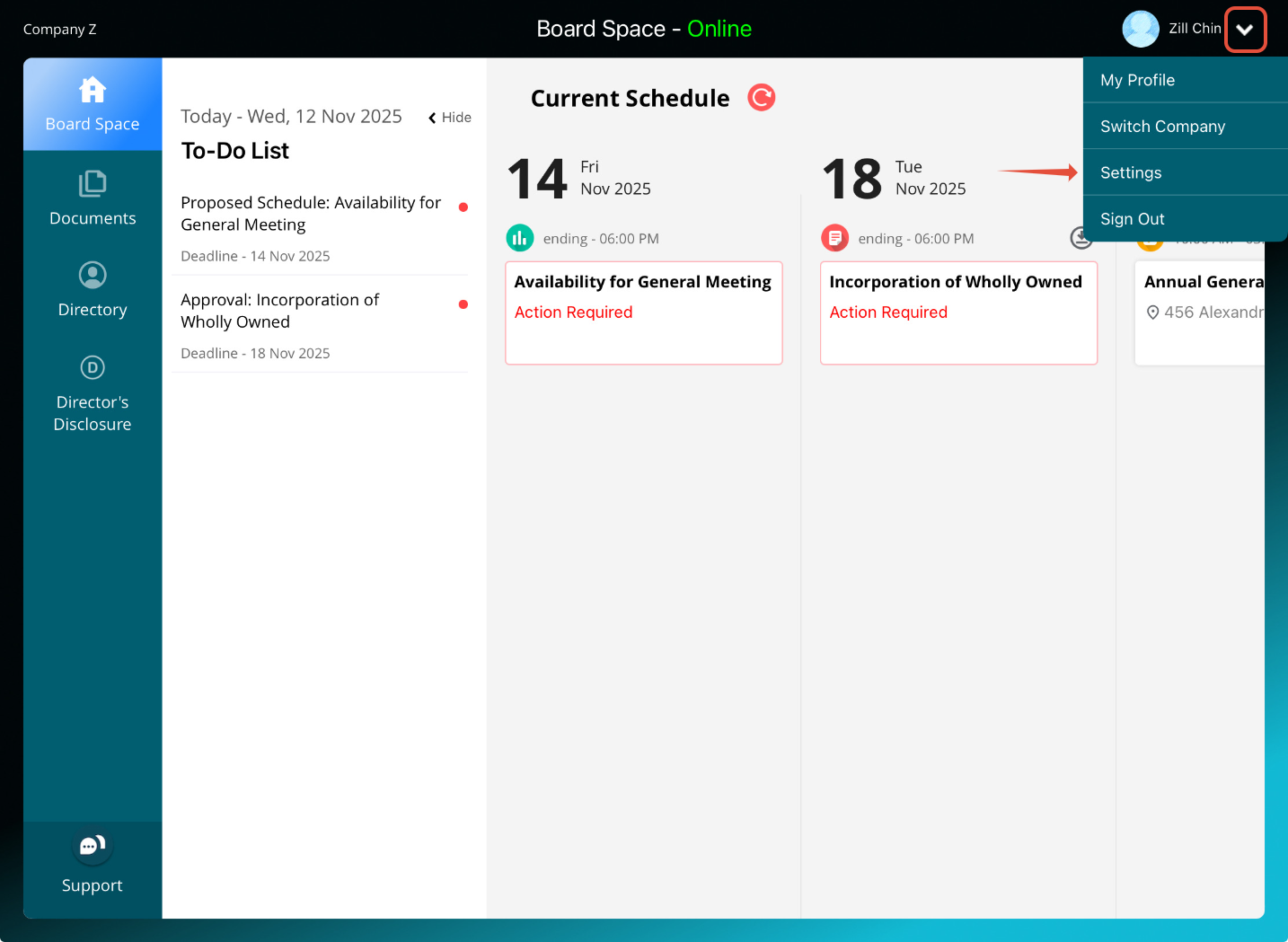
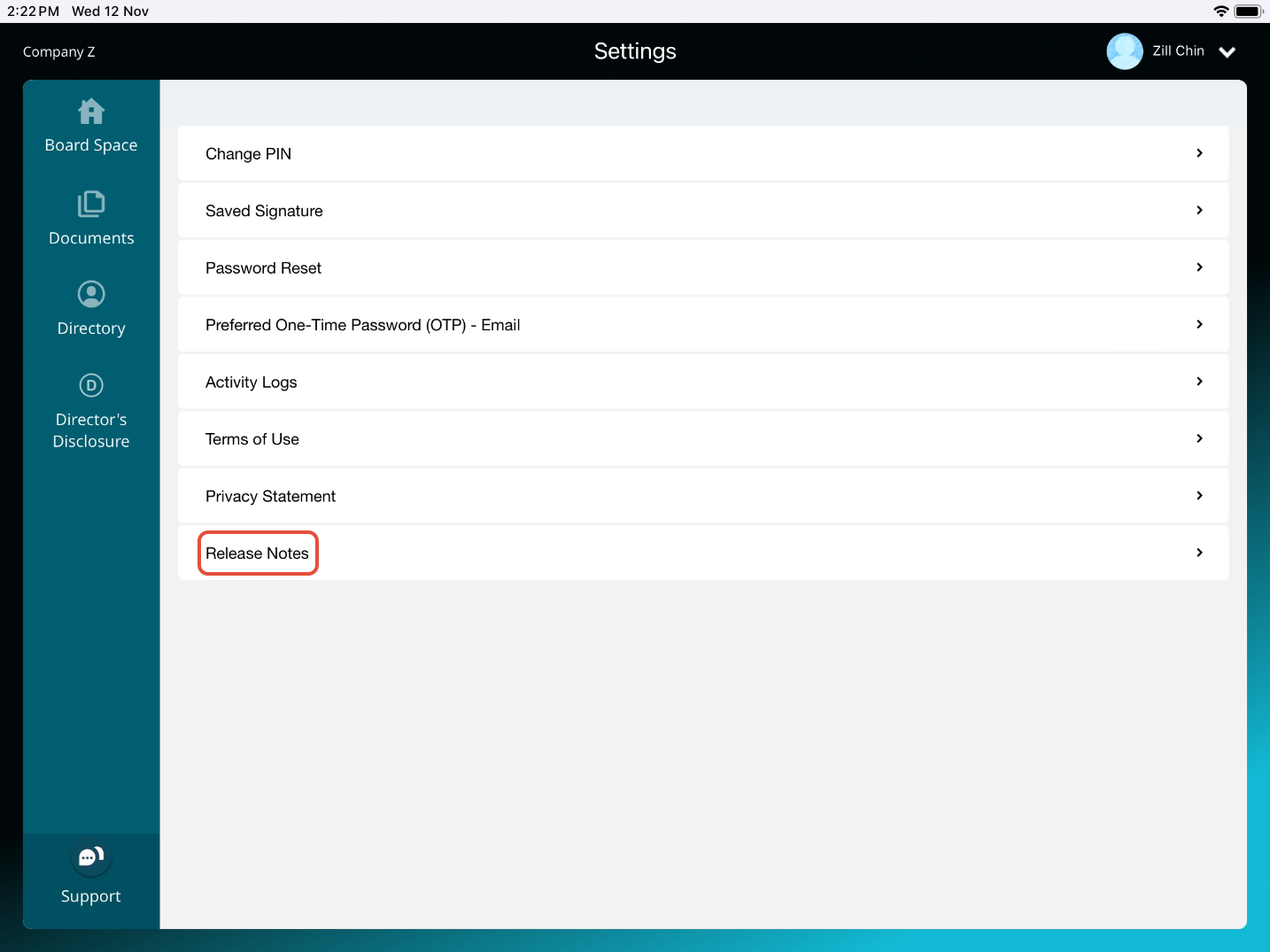
3) Tap on Release Notes.
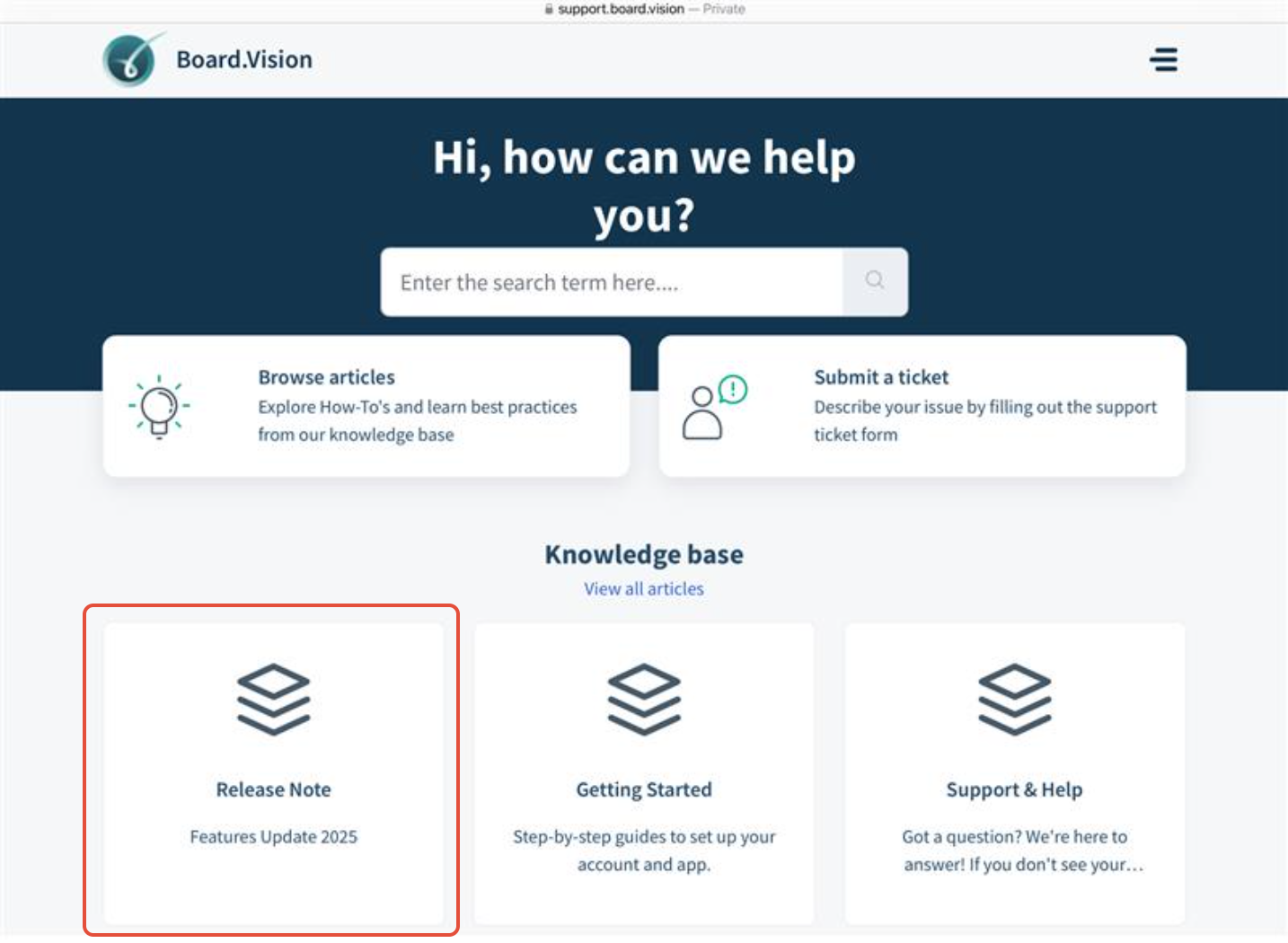
4) You will be directed to the Board.Vision Knowledge Base website. Go to Release Notes for updates on recent BV releases.
You have completed the tutorial on where to view Board.Vision Release Notes.
If you face any issues, please reach out to our Board.Vision Customer Success Team at support@board.vision or +65 69097100 and we will be happy to help.
Our hotline operating hours are from Mondays to Fridays 9:00 AM to 6:00 PM SGT (excluding public holidays)
Was this article helpful?
That’s Great!
Thank you for your feedback
Sorry! We couldn't be helpful
Thank you for your feedback
Feedback sent
We appreciate your effort and will try to fix the article