Welcome to Board.Vision Tutorials!
This guide walks you through accessing custom widgets on your iPad using additional modules configured by your Administrator.
Custom widgets serve as quick shortcuts, allowing users and leadership teams to view key business dashboards directly within Board.Vision.
Note: This article applies to Board.Vision iPad app version 4.0.0 and requires iPadOS 17.0 or later.
To access widgets on iPad:
1) Log in to your Board.Vision account using your registered email address and password.
2) Tap the additional module (named by your Administrator) to view the customised widgets available to you. 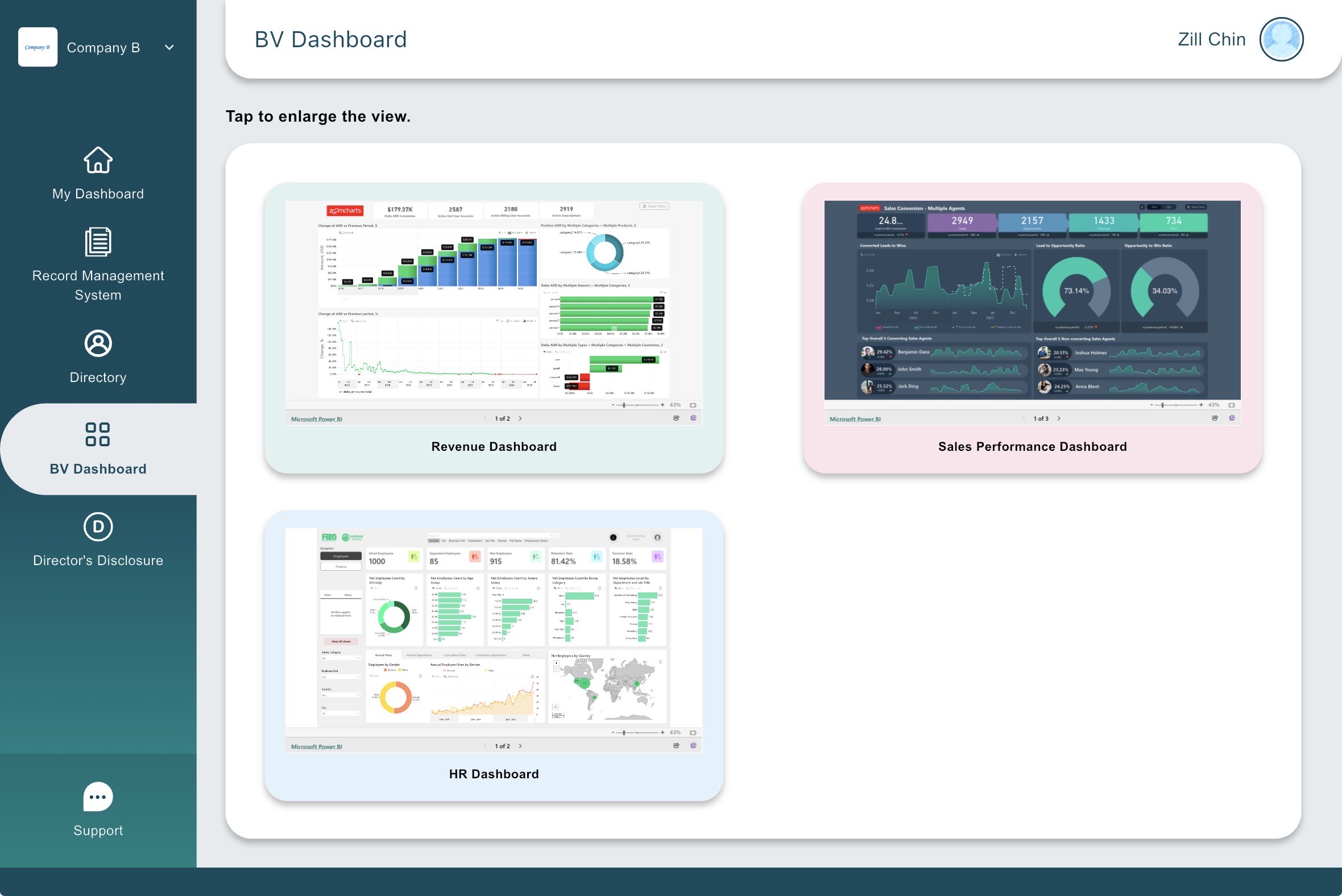
Examples of Custom Widgets
Administrators can set up tailored widgets based on your team’s department and workflow needs.
Examples include:
Revenue Dashboard: Enables senior executives and board members to instantly monitor high-level financial metrics and company performance.
Sales Performance Dashboard: Allows sales teams to track active deals, revenue targets, and pipeline progression in real time.
HR Insights Dashboard: Provides HR leaders quick access to workforce analytics, including headcount, hiring pipelines, and attrition rates.
Operations & Project Dashboards: Offers operational leads direct visibility into key performance indicators (KPIs), project timelines, and task completion rates.
By utilising widgets as shortcuts, users can navigate directly to critical business insights, streamlining decision-making and improving day-to-day efficiency.
If you face any issues in completing the steps shown in this tutorial, please reach out to our Board.Vision Customer Success Team at support@board.vision or +65 6909 7100 and we will be happy to help.
Our hotline operating hours are from Mondays to Fridays 9:00 AM to 6:00 PM SGT (excluding public holidays).
Was this article helpful?
That’s Great!
Thank you for your feedback
Sorry! We couldn't be helpful
Thank you for your feedback
Feedback sent
We appreciate your effort and will try to fix the article