Welcome to Board.Vision Tutorials!
In this tutorial, we will walk you through the steps to view voters' approval submissions and remarks.
Note: This article applies to Board.Vision iPad app version 4.0.0 and requires iPadOS 17.0 or later.
To view voters' approval submissions and remarks:
1) Log in to the Board.Vision App with your registered email address and password.
2) Select the approval on the Dashboard.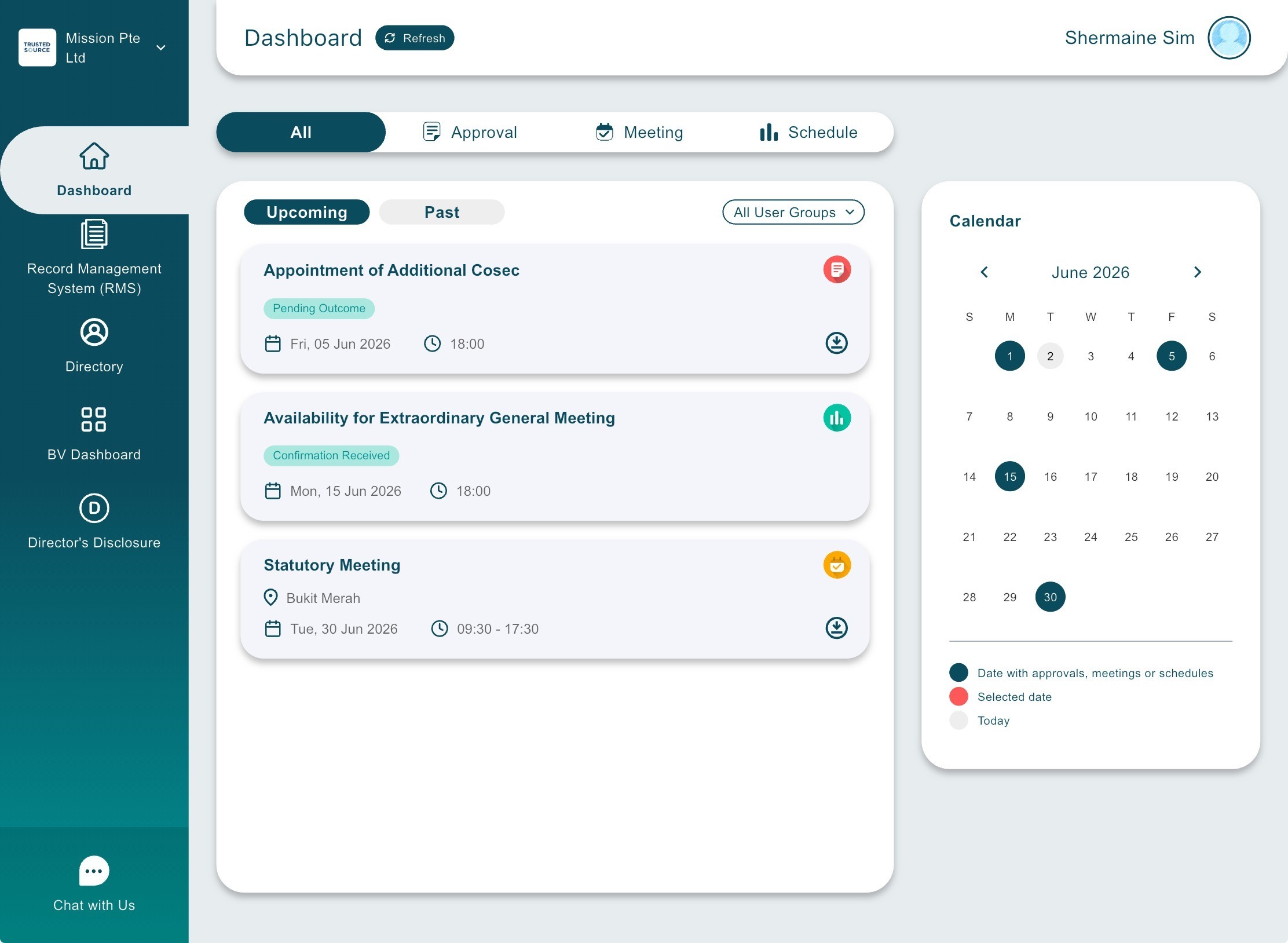
3) Tap Show Voters on the left panel of the Approval page. 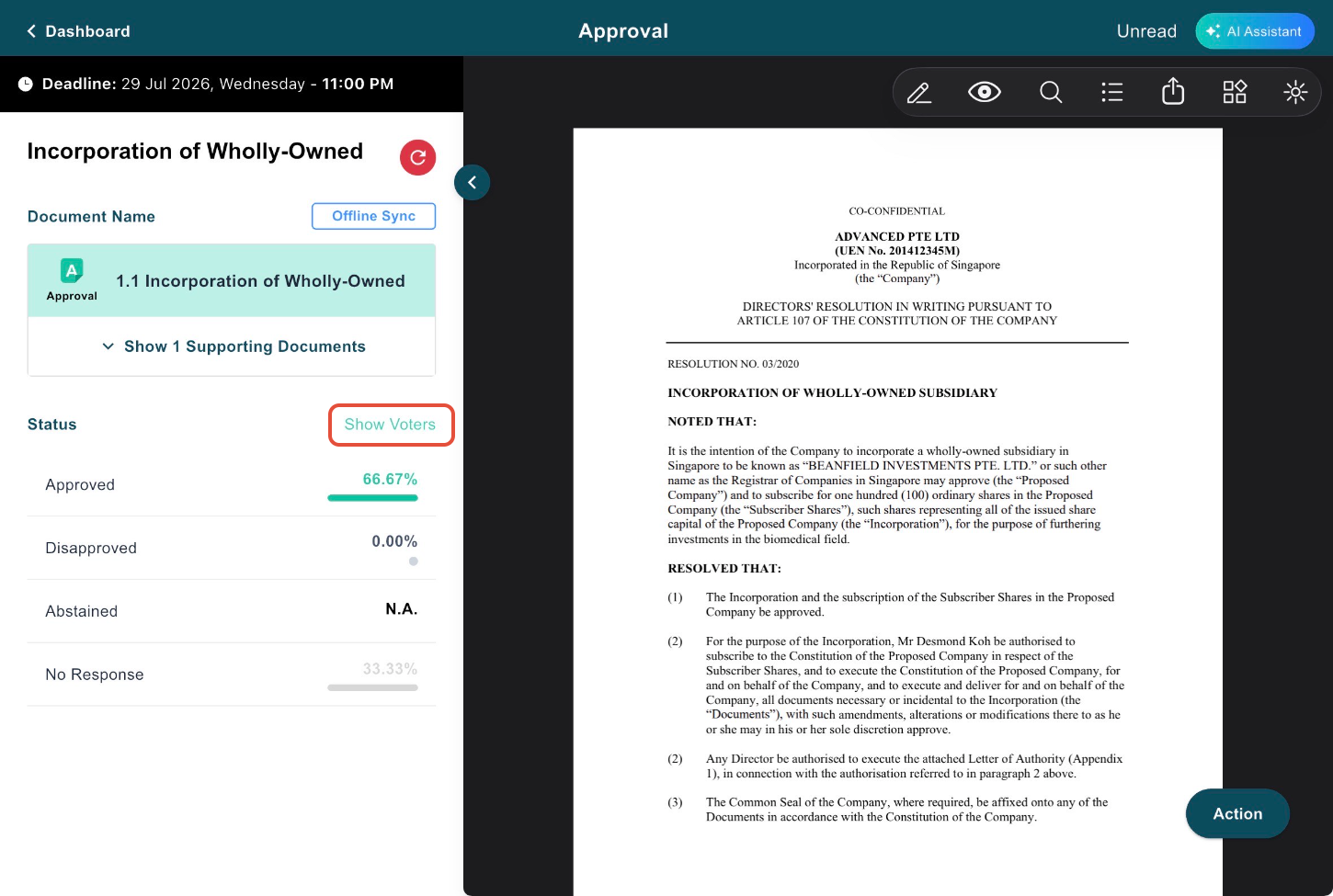
4) Review the voters' submission statuses. Tap View Remark to read any comments left by voters.
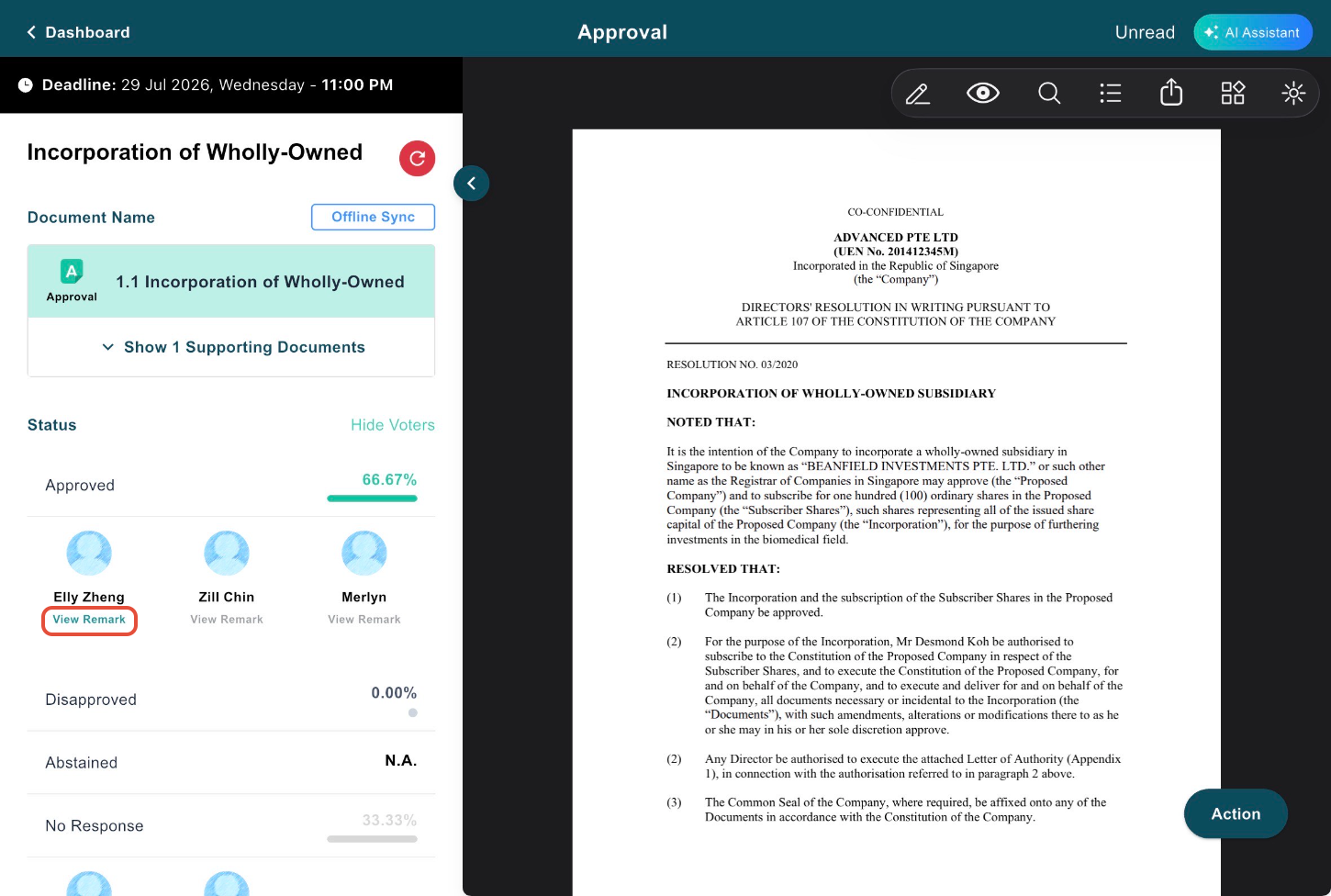
You have completed the tutorial on how to view voters' approval submissions and remarks.
If you face any issues, please reach out to our Board.Vision Customer Success Team at support@board.vision or +65 6909 7100 and we will be happy to help.
Our hotline operating hours are from Mondays to Fridays 9:00 AM to 6:00 PM SGT (excluding public holidays).
Was this article helpful?
That’s Great!
Thank you for your feedback
Sorry! We couldn't be helpful
Thank you for your feedback
Feedback sent
We appreciate your effort and will try to fix the article