Board.Vision is enhancing the Meetings module to give Administrators greater control over how meetings are concluded. To better manage meeting lifecycles, we are introducing two new meeting statuses - Pending Finalisation and Finalised, along with both manual and automated options for concluding meetings.
What’s New
1. Two New Meeting Statuses
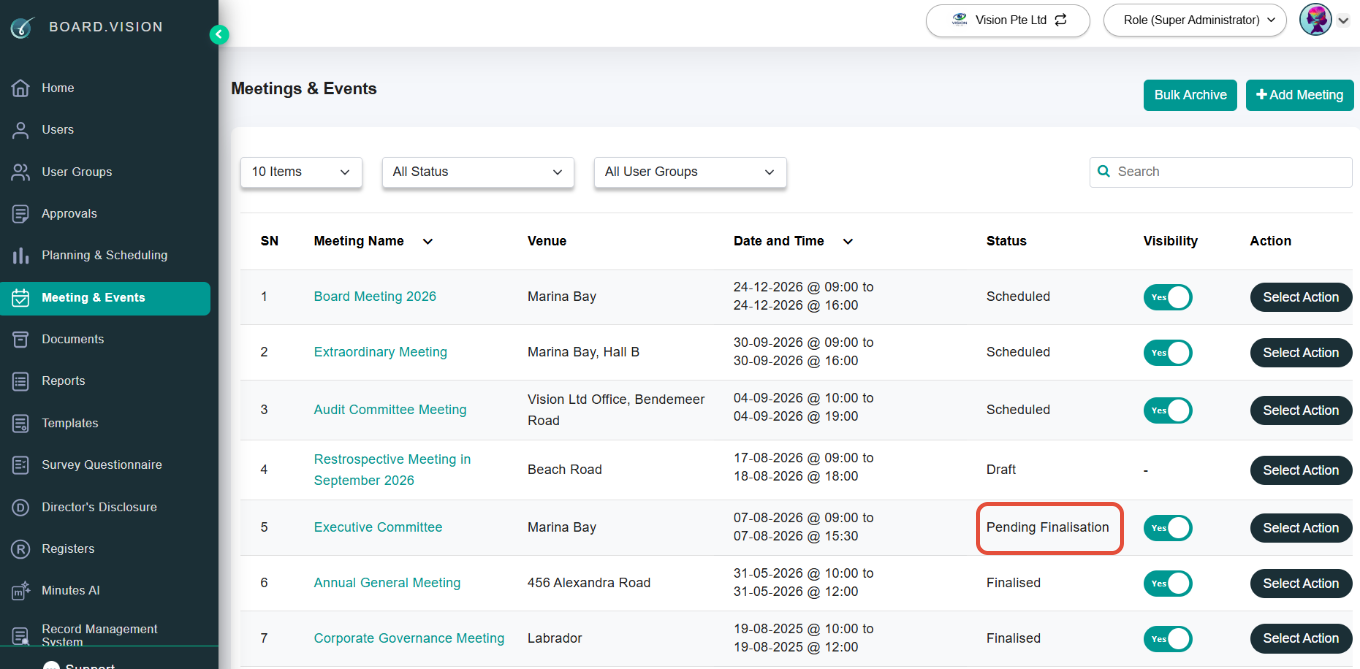
- Pending Finalisation Status
Once a meeting's scheduled time ends, its status updates to 'Pending Finalisation'. During this window, Administrators retain full capability to update meeting details, agenda items, and attached documents before concluding the meeting.
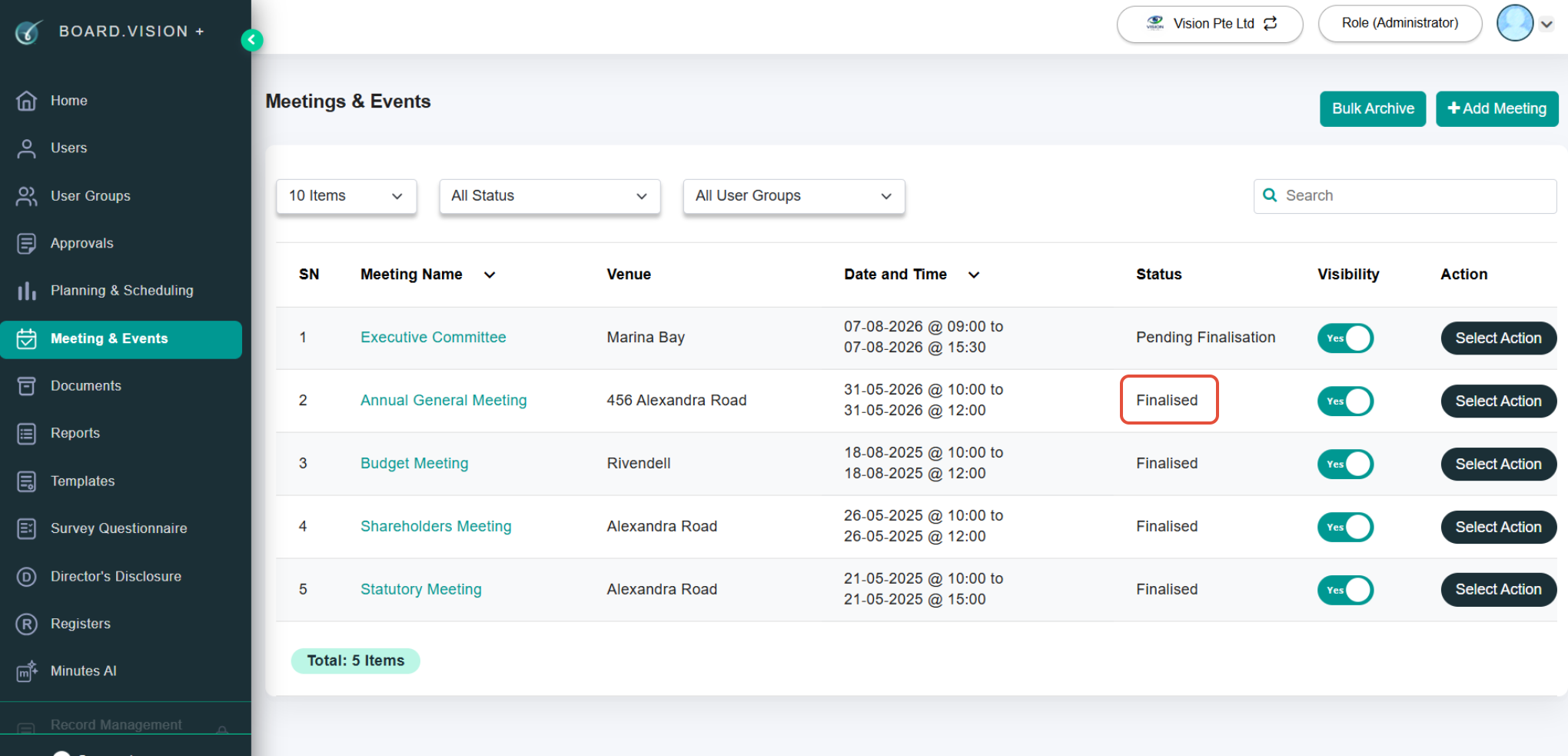
- Finalised
Once a meeting is complete and reviewed, it moves to 'Finalised' status. This freezes the meeting details from further modifications to ensure an accurate, locked official record.
2. Manual Finalisation
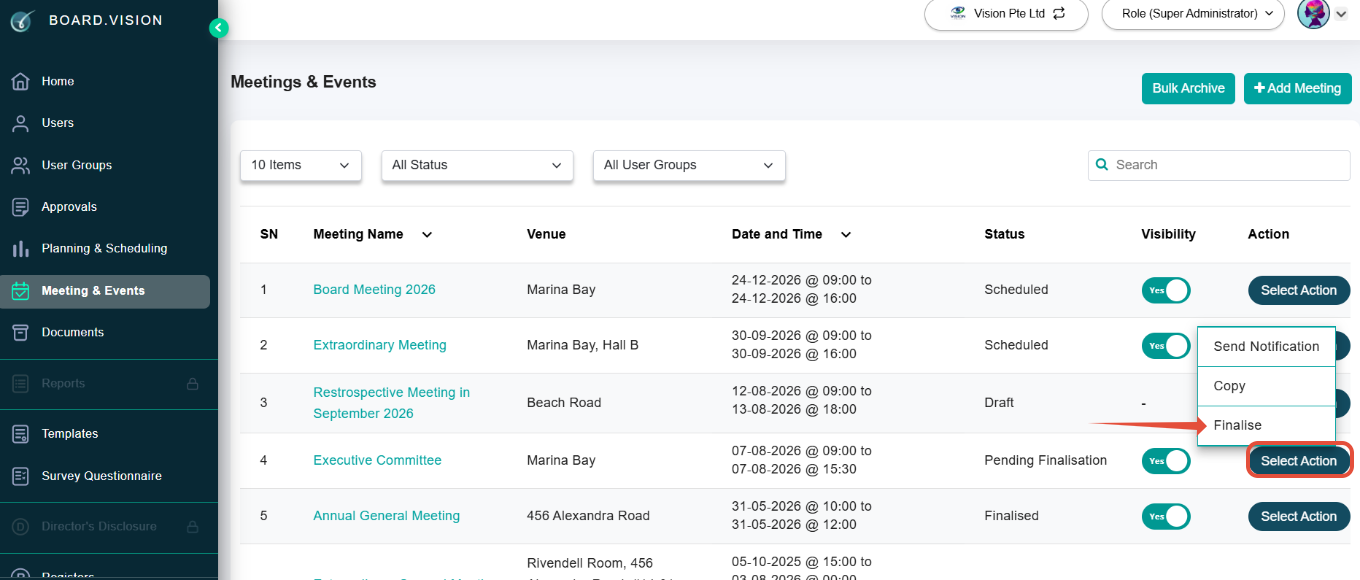
- Administrators can manually finalise a meeting at any time from the Meeting & Events main list by clicking Select Action > Finalise.
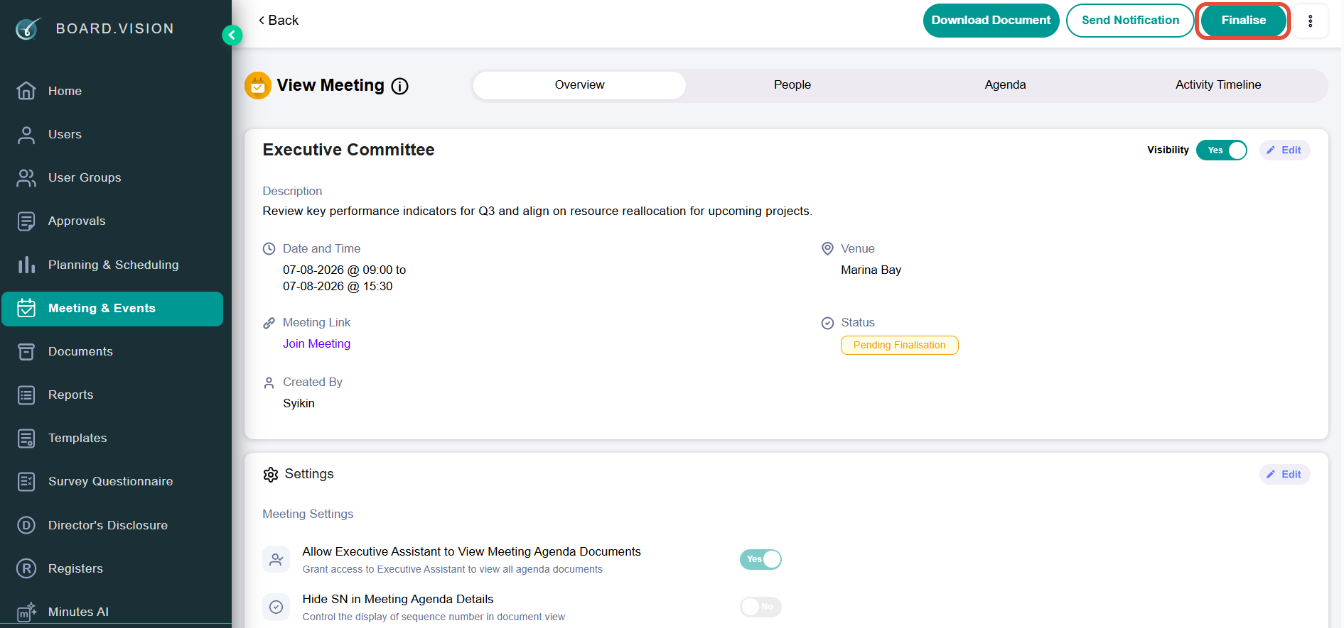
- Administrators can also manually finalise a meeting from the Meeting Information page.
3. Configurable Automatic Finalisation
To keep workflows moving smoothly without manual intervention, system settings can automatically transition meetings from Pending Finalisation to Finalised:
Default Setting: Enabled with a 7-day threshold. The system automatically finalises the meeting 7 days after the scheduled end time.
Toggle Option: Administrators can disable automatic finalisation if manual control is preferred.
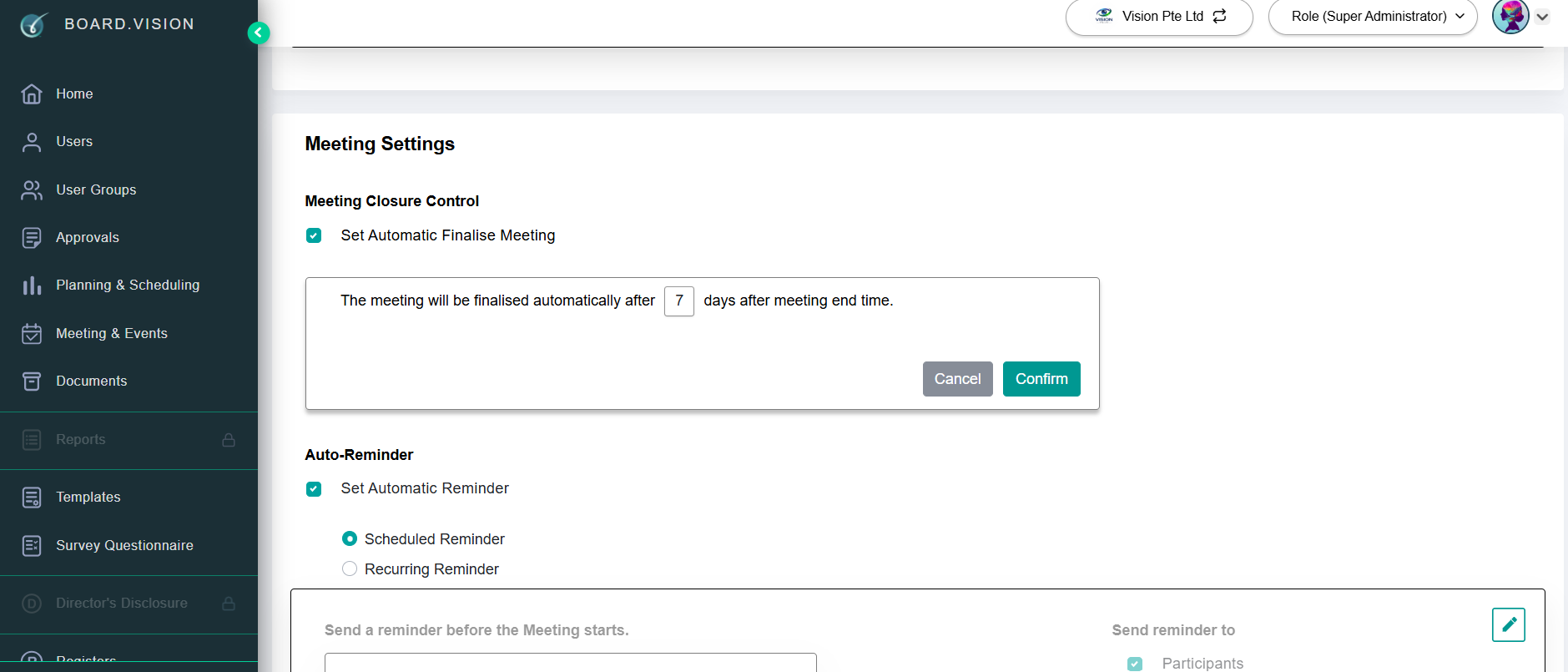
To find out more about how to configure automatic meeting finalisation, click here.
Important Note: Only Product Owners and Super Administrators have access to the Global Settings page.
If you face any issues, please reach out to our Board.Vision Customer Success Team at support@board.vision or +65 6909 7100 and we will be happy to help.
Our hotline operating hours are from Mondays to Fridays 9:00 AM to 6:00 PM SGT (excluding public holidays).
Was this article helpful?
That’s Great!
Thank you for your feedback
Sorry! We couldn't be helpful
Thank you for your feedback
Feedback sent
We appreciate your effort and will try to fix the article