We have added a new feature, Minutes AI, designed to help Administrators convert audio recordings or transcript files into clear transcripts, executive summaries, and formal meeting minutes - all within Board.Vision.
Minutes AI streamlines the entire minutes-preparation process, significantly reducing manual drafting effort while keeping you in full control to review, edit, and refine all generated content before distribution.
Note: Minutes AI is an optional feature and requires a separate subscription. Please contact your Board.Vision representative or the Board.Vision Customer Success Team for more information.
How It Works
1) Select Minutes AI from the left navigation menu and click +New Record.
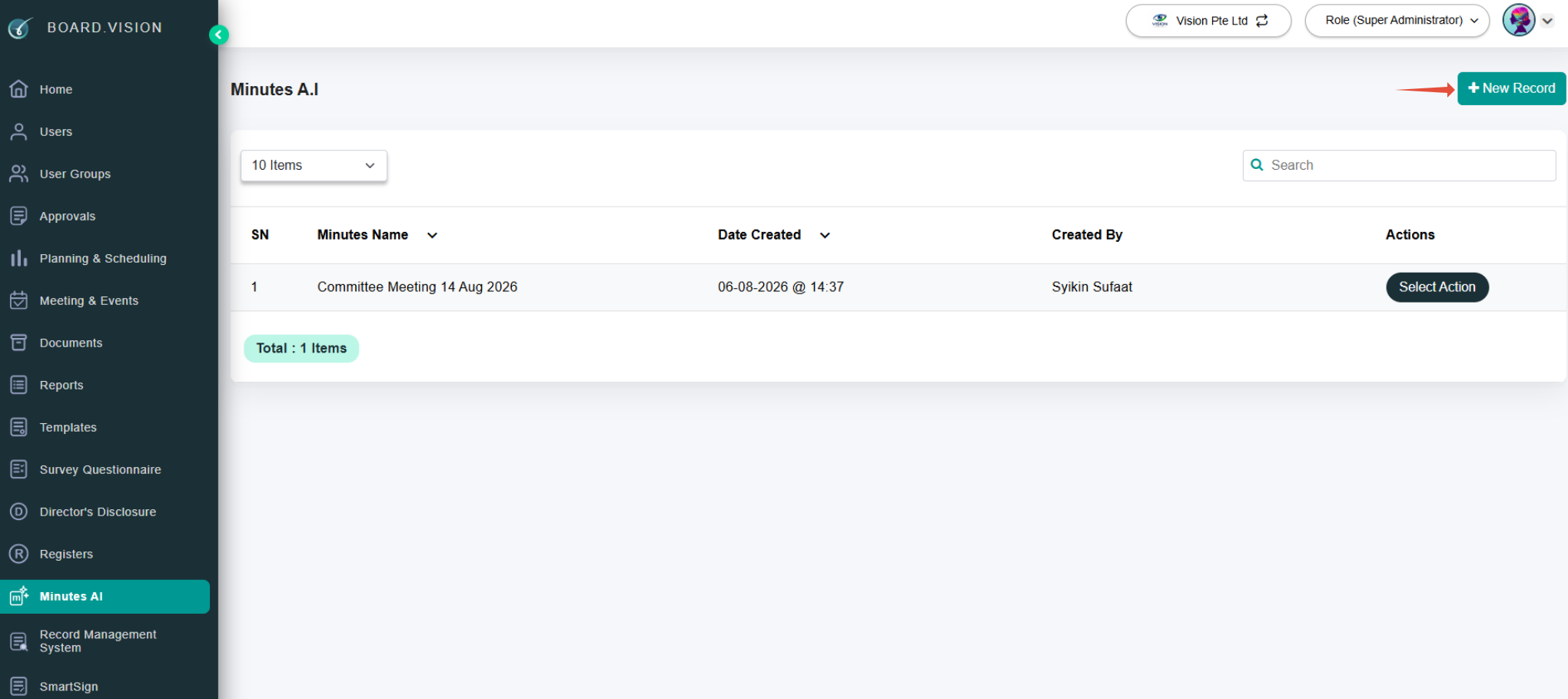
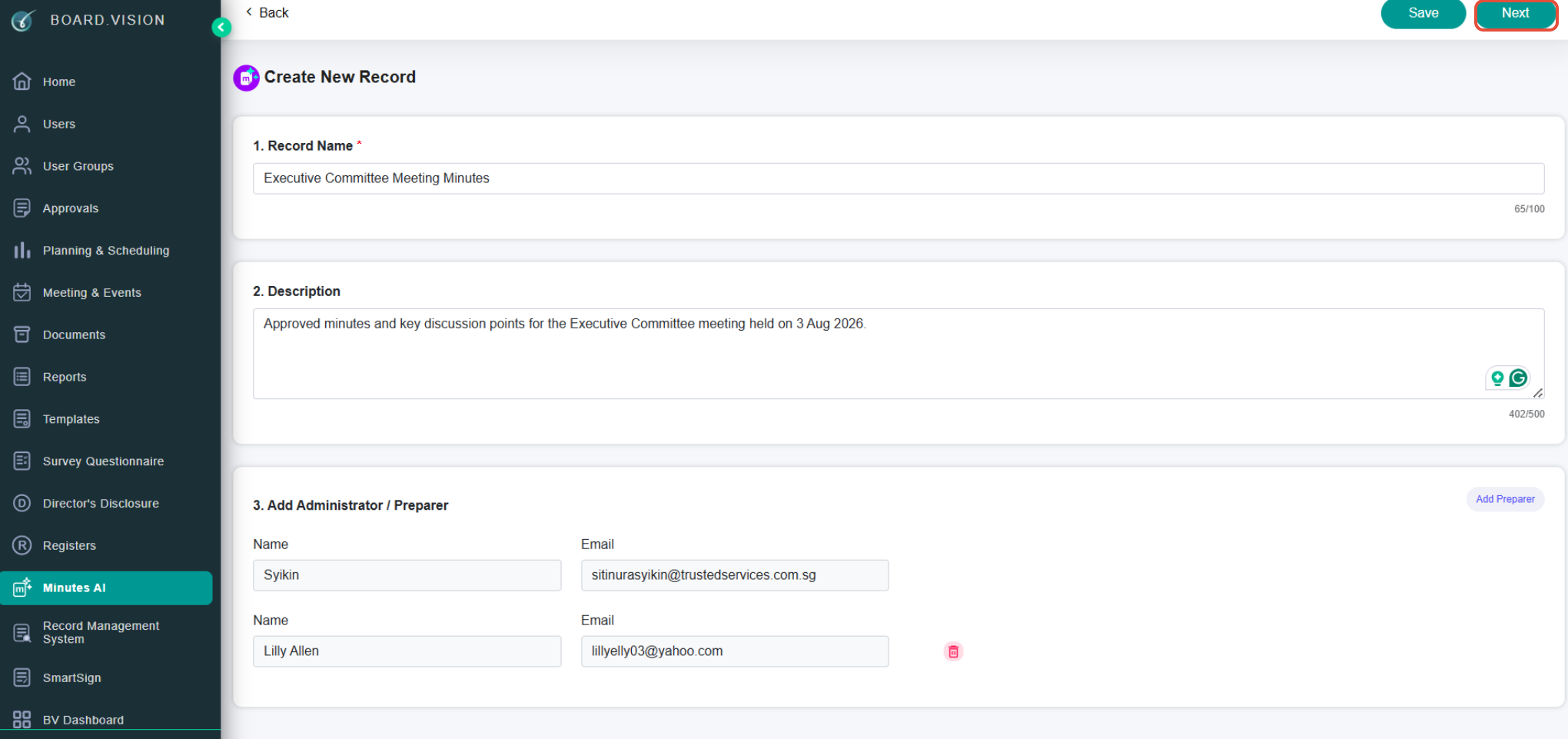
2) Enter the Record Name, Description, and managing Administrators.
Click Next.
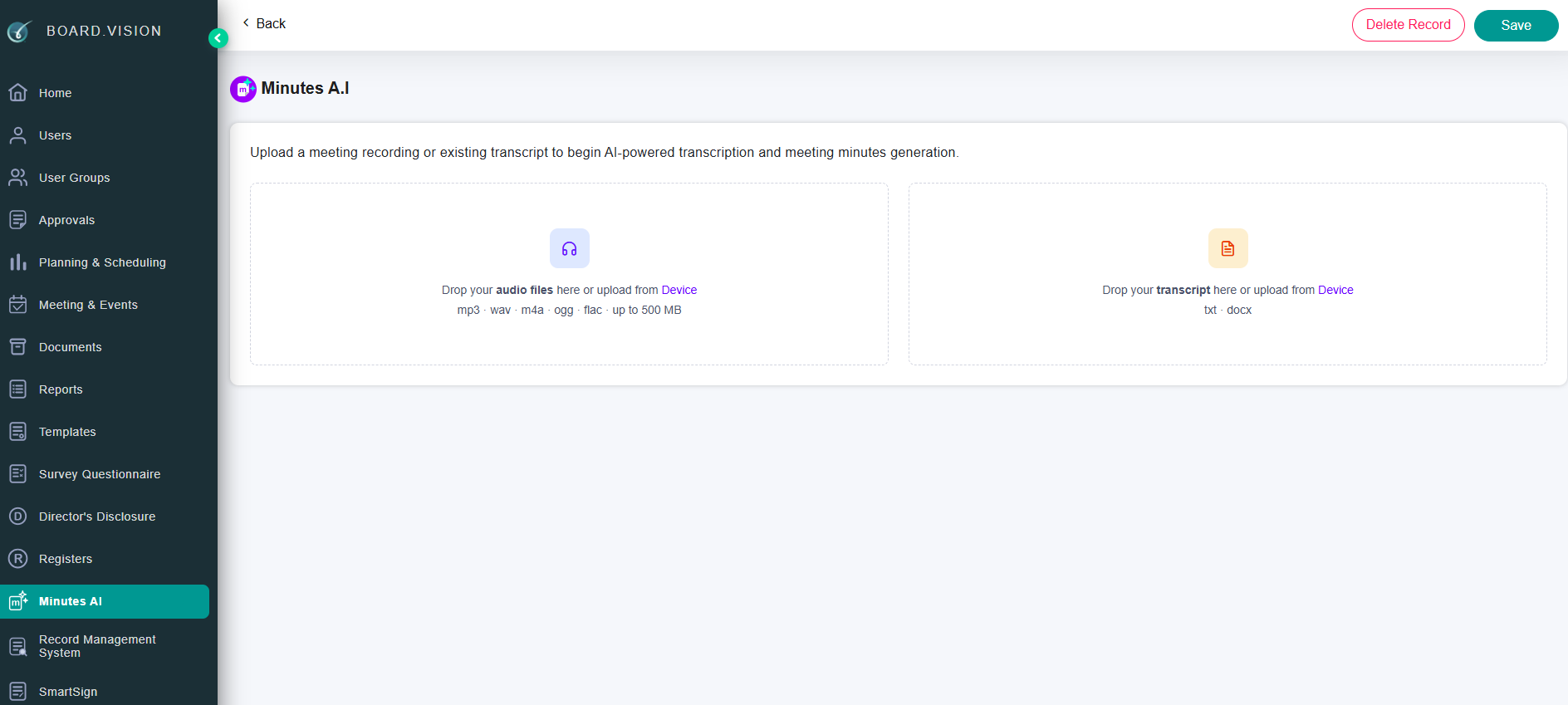
3) Choose whether to upload audio files or transcript files.
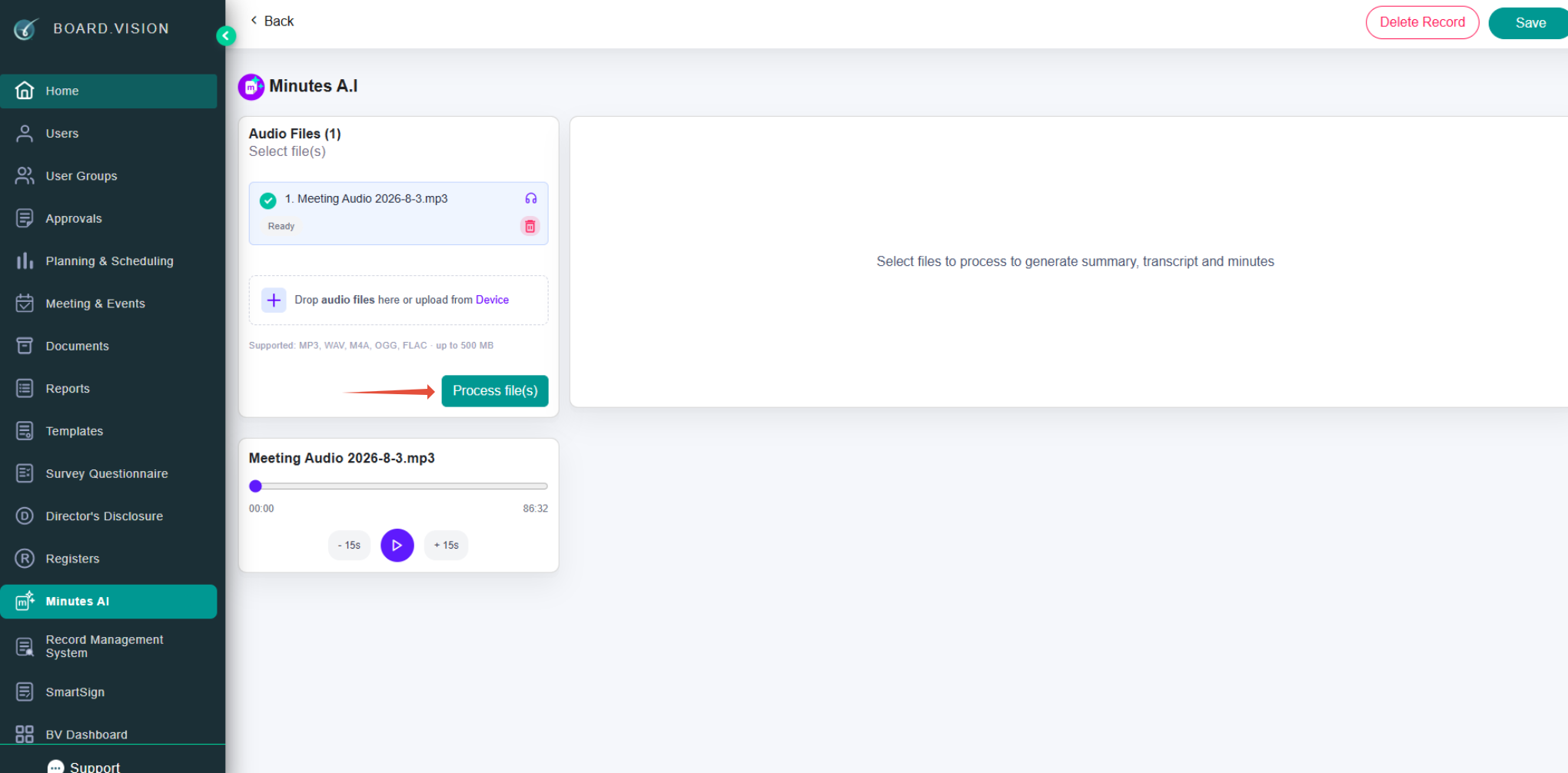
4) Upload the files and initiate processing.
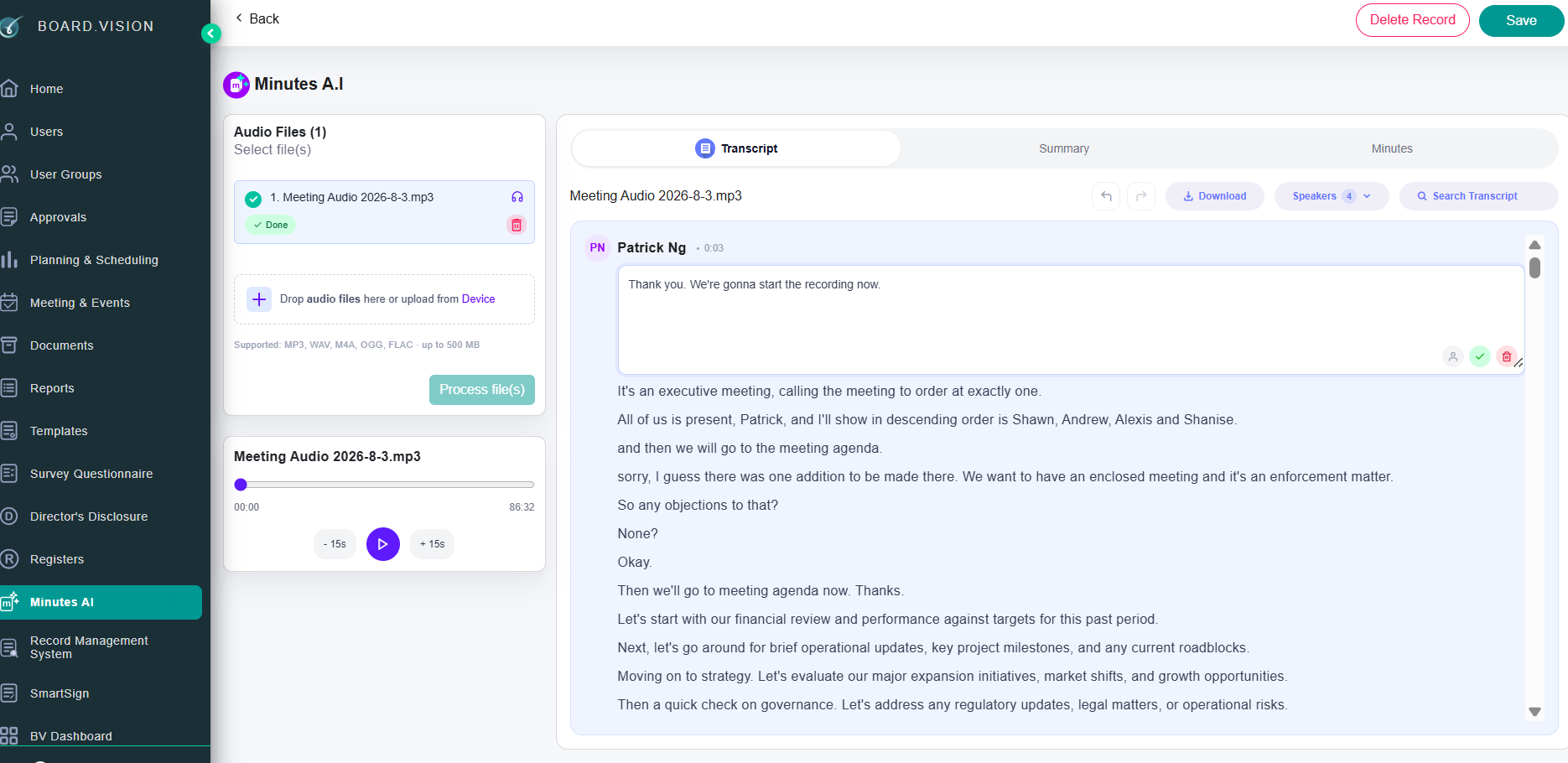
5) Once complete, review the generated transcript and update speaker names or content as needed.
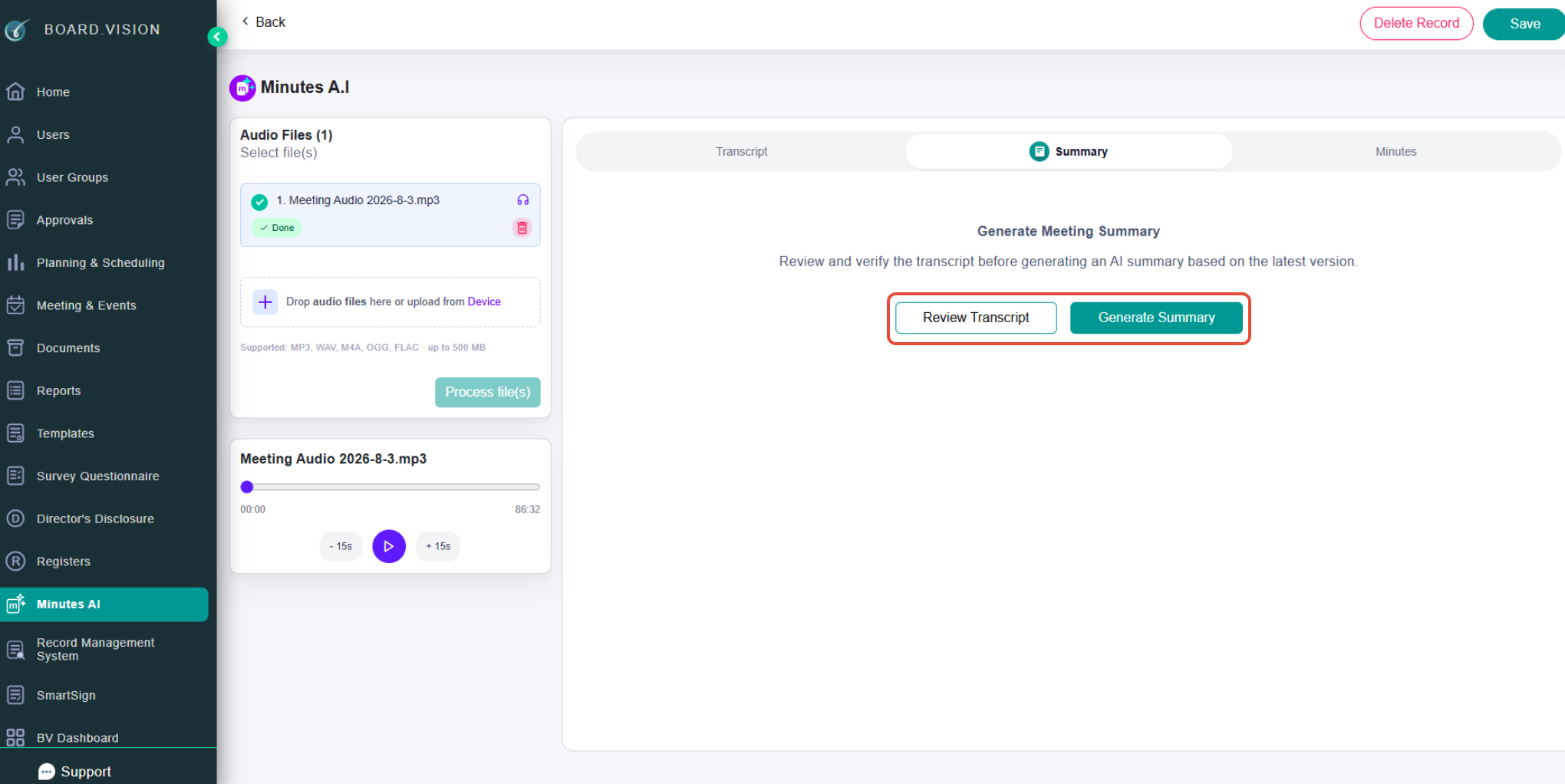
6) On the Summary tab, you can verify the transcript and create an AI summary.
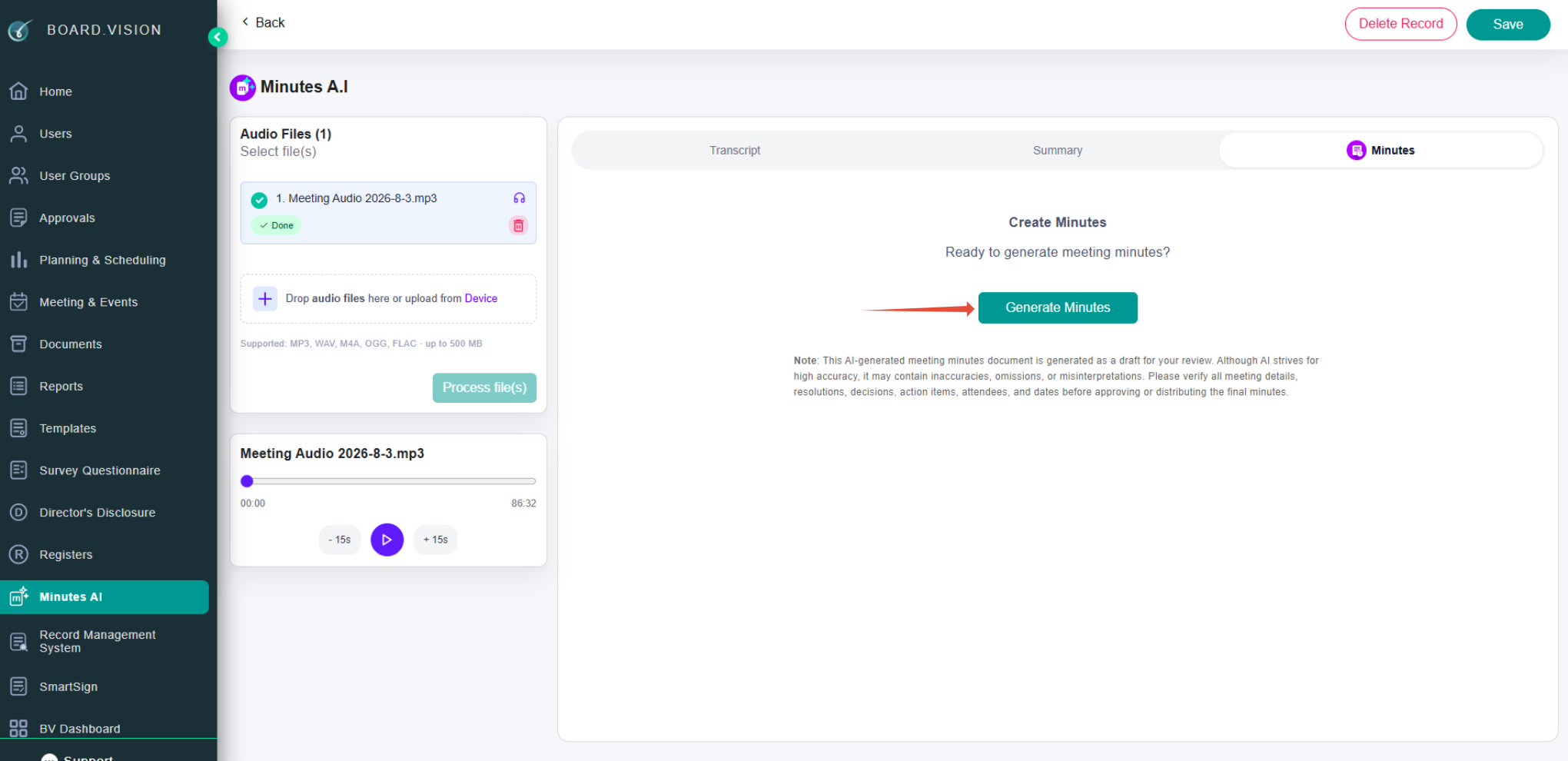
7) On the Minutes tab, click on the Generate Minutes button.
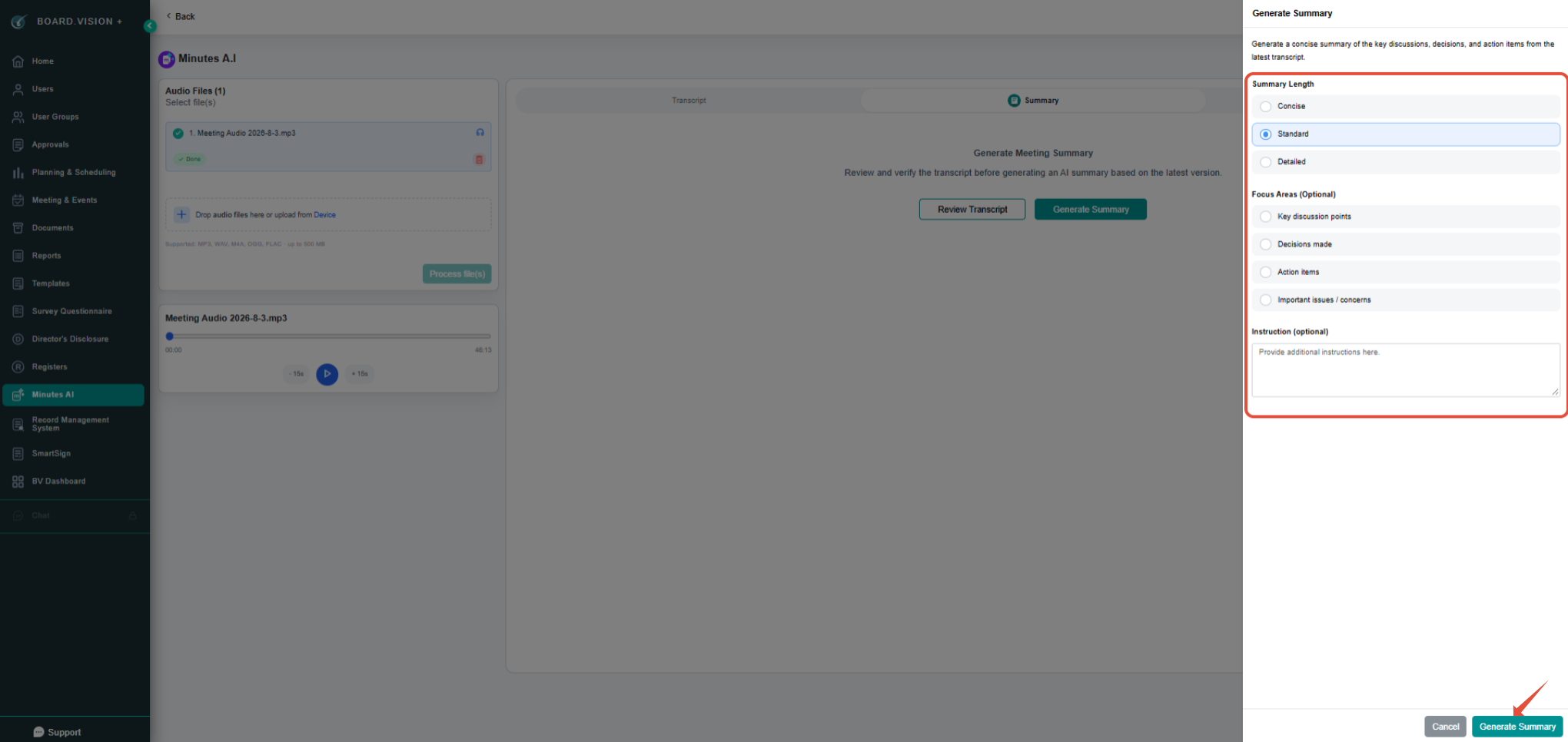
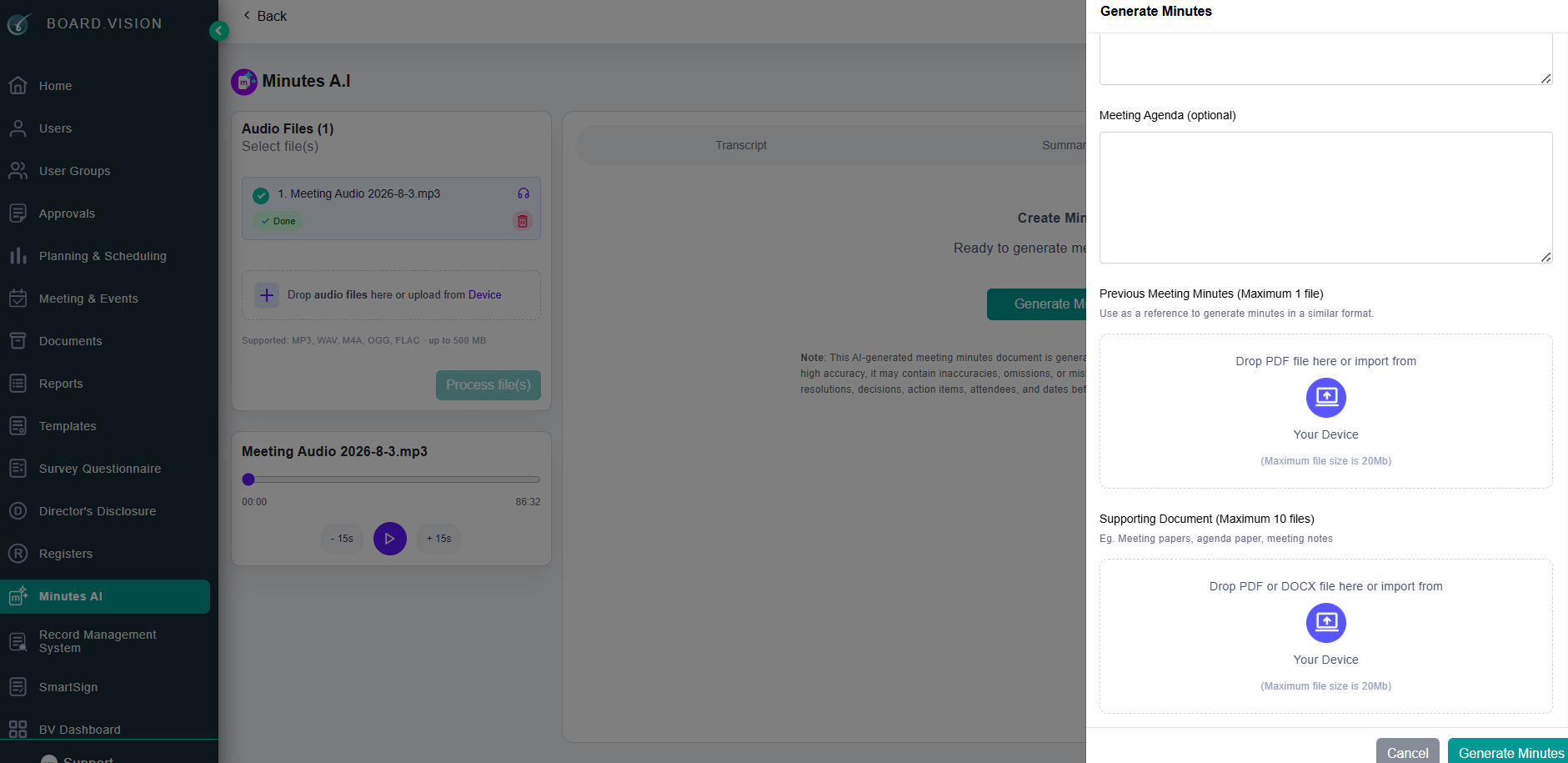
8) Provide the details of the summary length, optional focus area, and instructions.
9) Provide optional meeting details, previous meeting minutes or supporting documents.
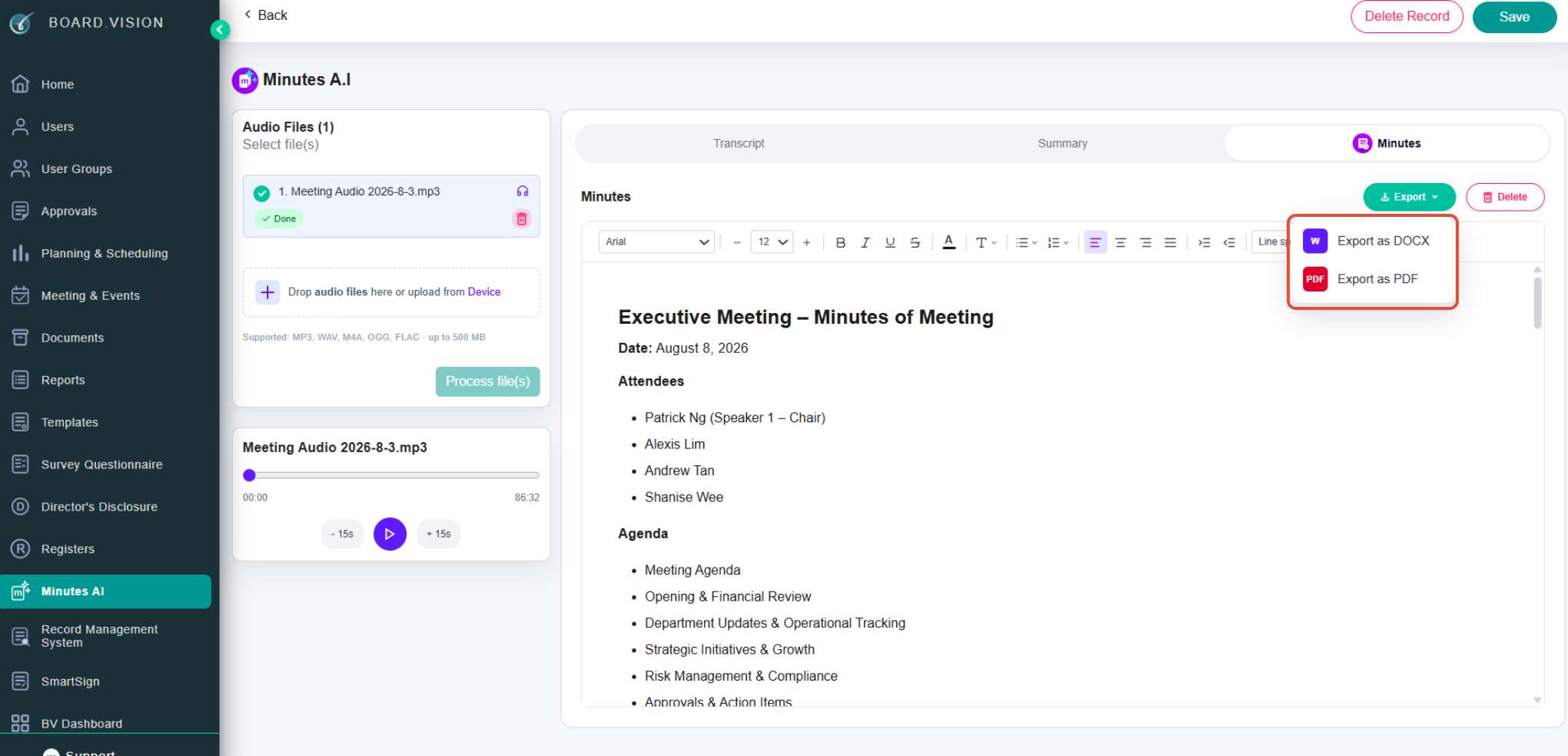
10) Review, edit, and export your minutes as a Word or PDF document.
Supported Files and Important Notes
Supported audio formats: WAV, MP3, M4A, AAC, OGG, FLAC, WEBM, MP4, and WMA.
Supported transcript formats: TXT and DOCX.
Supporting Document formats: DOCX and PDF (can be added during the minutes generation step).
Single File-Type Rule: Audio files and transcript files cannot be mixed within the same Minutes AI record.
Processing time varies by file size. You may safely navigate away from the page and return later while processing completes.
AI-generated content should always be reviewed and verified for accuracy before official use or distribution.
If you face any issues, please reach out to our Board.Vision Customer Success Team at support@board.vision or +65 6909 7100 and we will be happy to help.
Our hotline operating hours are from Mondays to Fridays 9:00 AM to 6:00 PM SGT (excluding public holidays).
Was this article helpful?
That’s Great!
Thank you for your feedback
Sorry! We couldn't be helpful
Thank you for your feedback
Feedback sent
We appreciate your effort and will try to fix the article