We have enhanced the SmartSign module to validate the signatory’s mobile number when “Send OTP via Mobile” is enabled.
With this enhancement, Administrators will be able to immediately identify whether the entered mobile number is valid. This helps prevent one-time (OTP) delivery issues and reduces delays during the signing process.
Below is a comparison of the previous and current designs for your reference.
Previous Design - When a mobile number is entered and “Send OTP via Mobile” is enabled, the system did not validate whether the number entered is valid. | 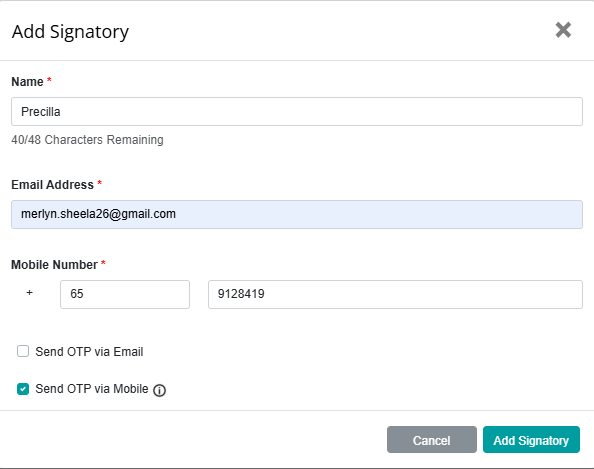 |
Current Design - When a mobile number is entered and “Send OTP via Mobile” is enabled, the system validates the number and displays an error message if the entered number is invalid. | 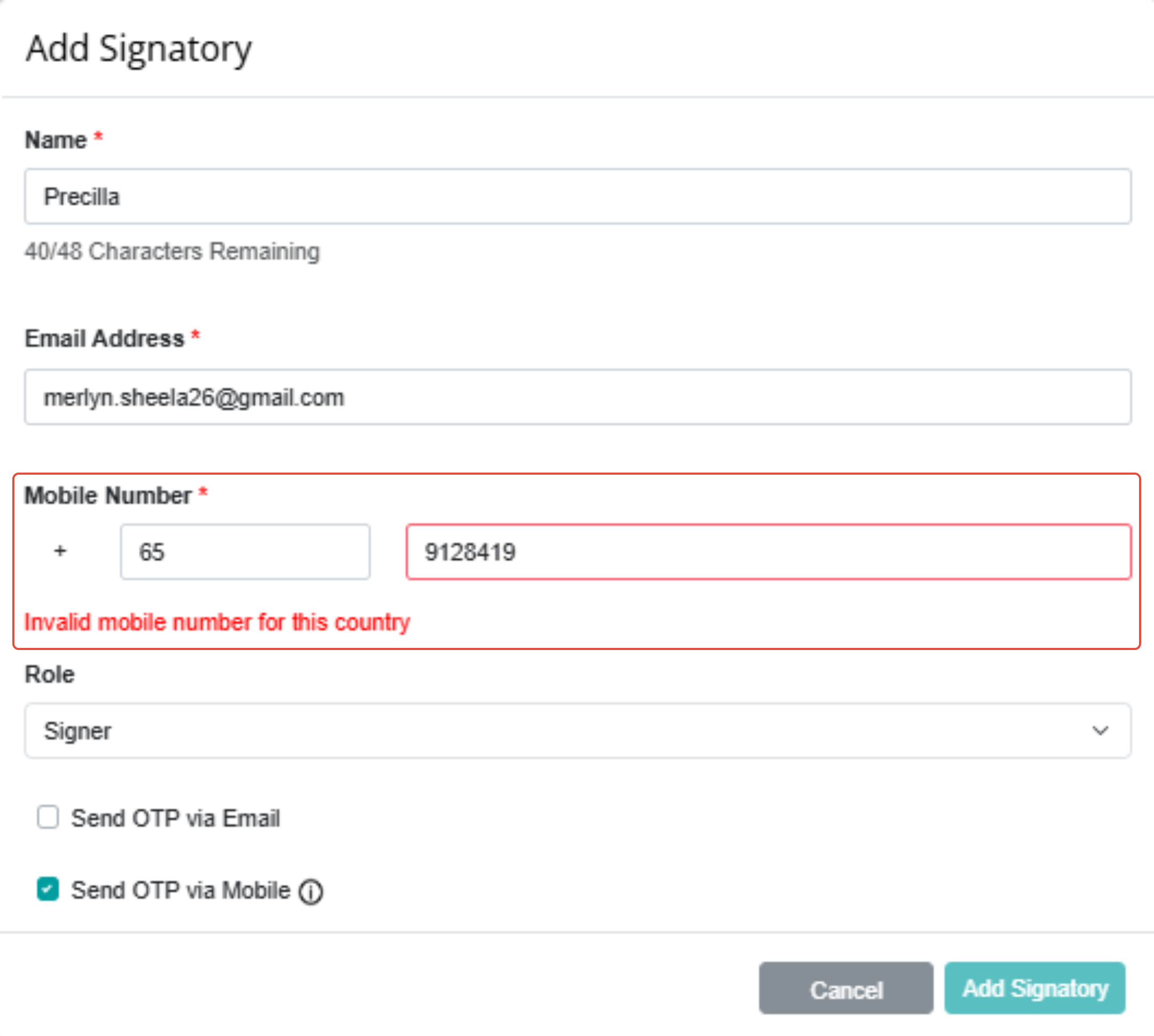 |
If you face any issues in completing the steps shown in this tutorial, please reach out to our Board.Vision Customer Success Team at support@board.vision or +65 6909 7100 and we will be happy to help.
Our hotline operating hours are from Mondays to Fridays 9:00 AM to 6:00 PM SGT (excluding public holidays).
Was this article helpful?
That’s Great!
Thank you for your feedback
Sorry! We couldn't be helpful
Thank you for your feedback
Feedback sent
We appreciate your effort and will try to fix the article