A new setting has been introduced to allow Administrators to configure a default One-Time Password (OTP) delivery method for SmartSign documents.
This enhancement ensures that an OTP option is pre-selected, preventing documents from becoming viewable immediately if no OTP method is chosen by the preparer.
Important Notes
This setting affects only the default OTP selection during document preparation.
If the Administrator has already configured a signatory's OTP preferences in the SmartSign page, changes to the default setting will not override their existing preferences.
To set the default OTP for SmartSign:
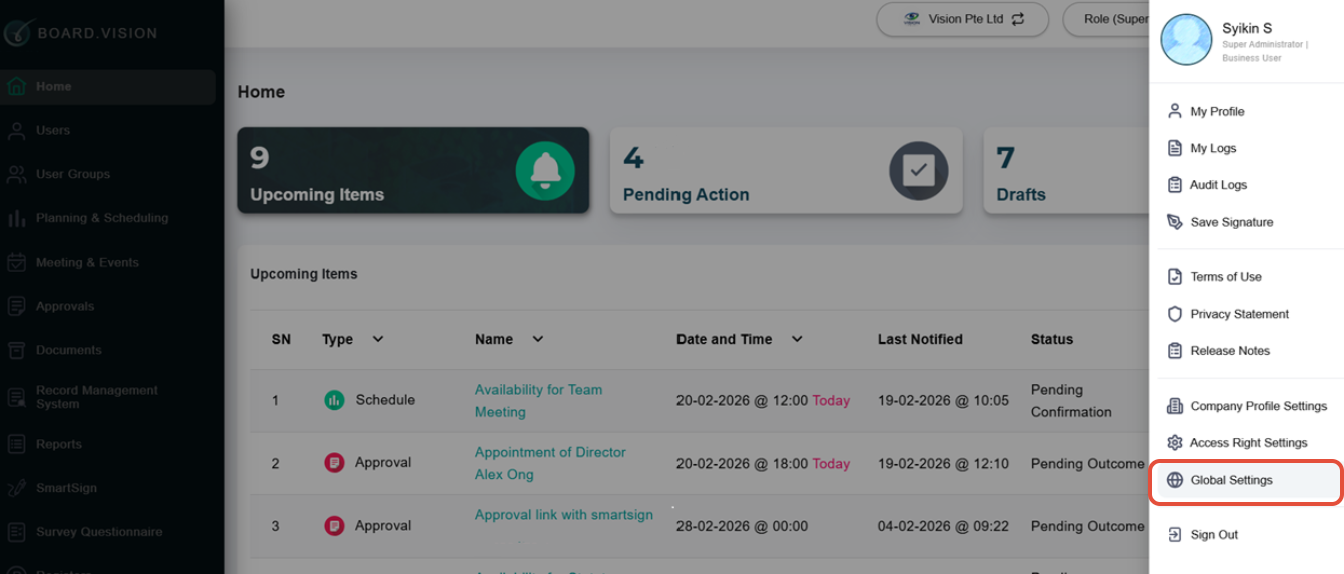
1) Click your Profile Picture at the top right and select Global Settings.
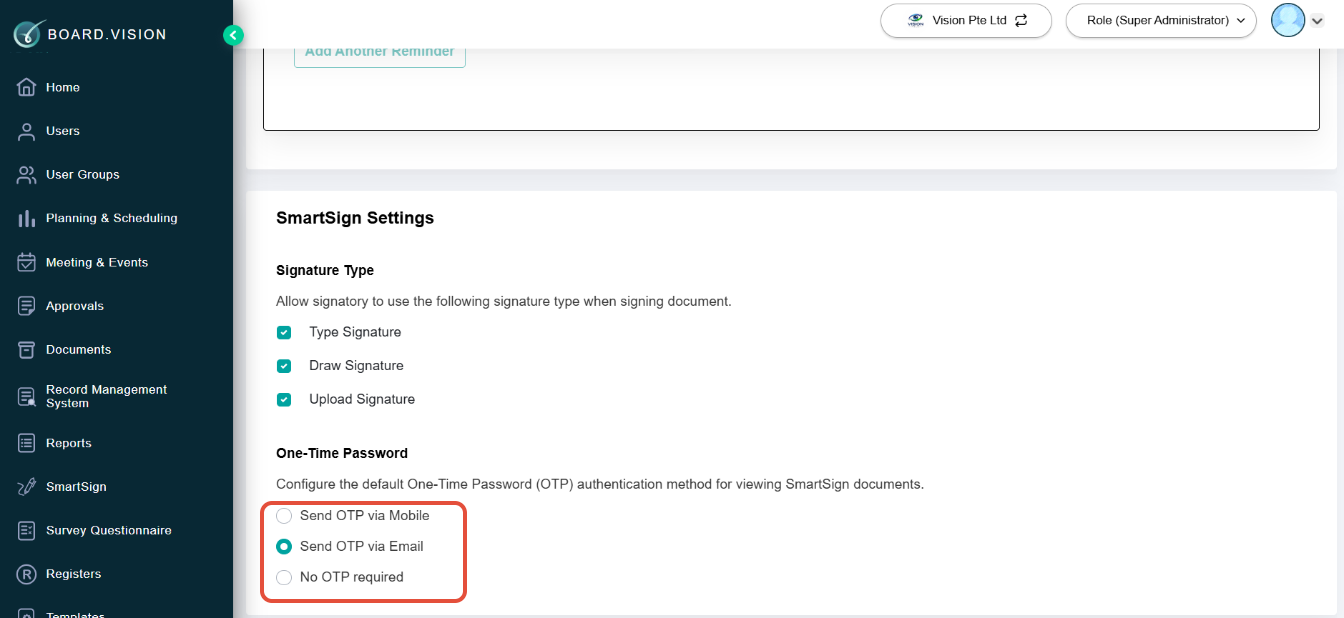
2) Under SmartSign Settings, configure the default OTP authentication method by selecting one of the following:
- Send OTP via Mobile
- Send OTP via Email
- No OTP required
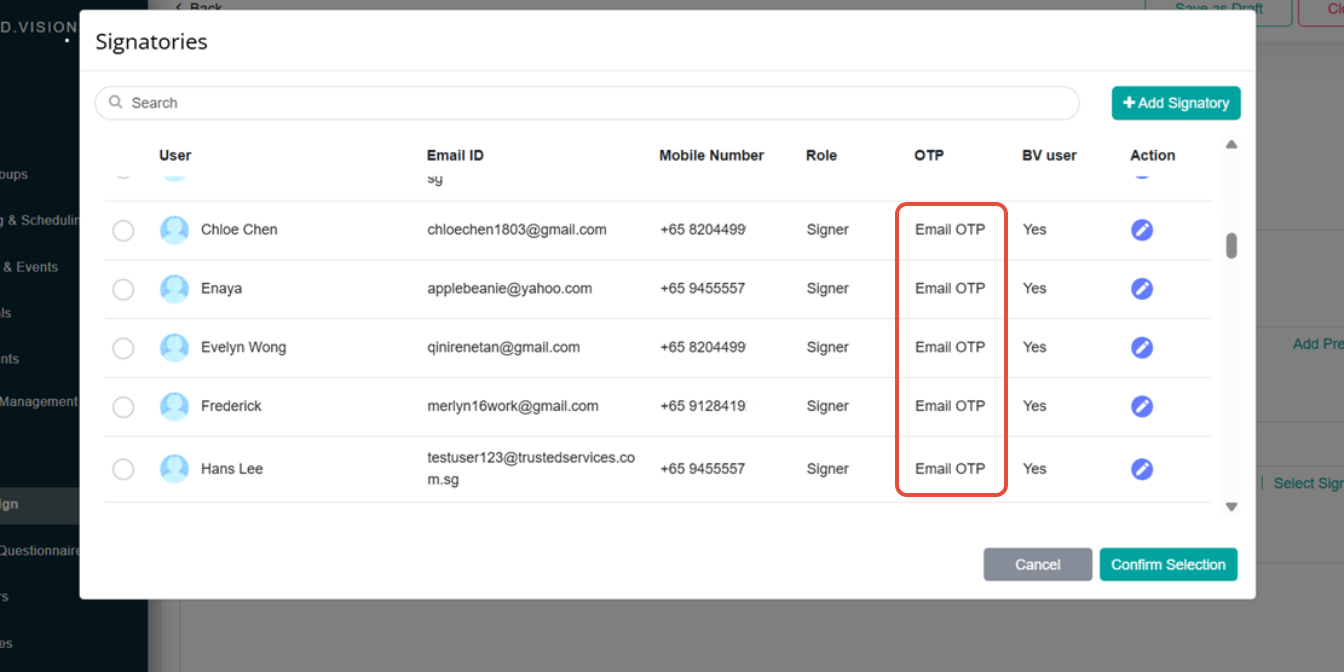
3) When preparing a SmartSign document, clicking Select Signatory will open the Signatories pop-up, where the configured default OTP authentication method will be automatically reflected.
If you face any issues in completing the steps shown in this tutorial, please reach out to our Board.Vision Customer Success Team at support@board.vision or +65 6909 7100 and we will be happy to help.
Our hotline operating hours are from Mondays to Fridays 9:00 AM to 6:00 PM SGT (excluding public holidays).
Was this article helpful?
That’s Great!
Thank you for your feedback
Sorry! We couldn't be helpful
Thank you for your feedback
Feedback sent
We appreciate your effort and will try to fix the article