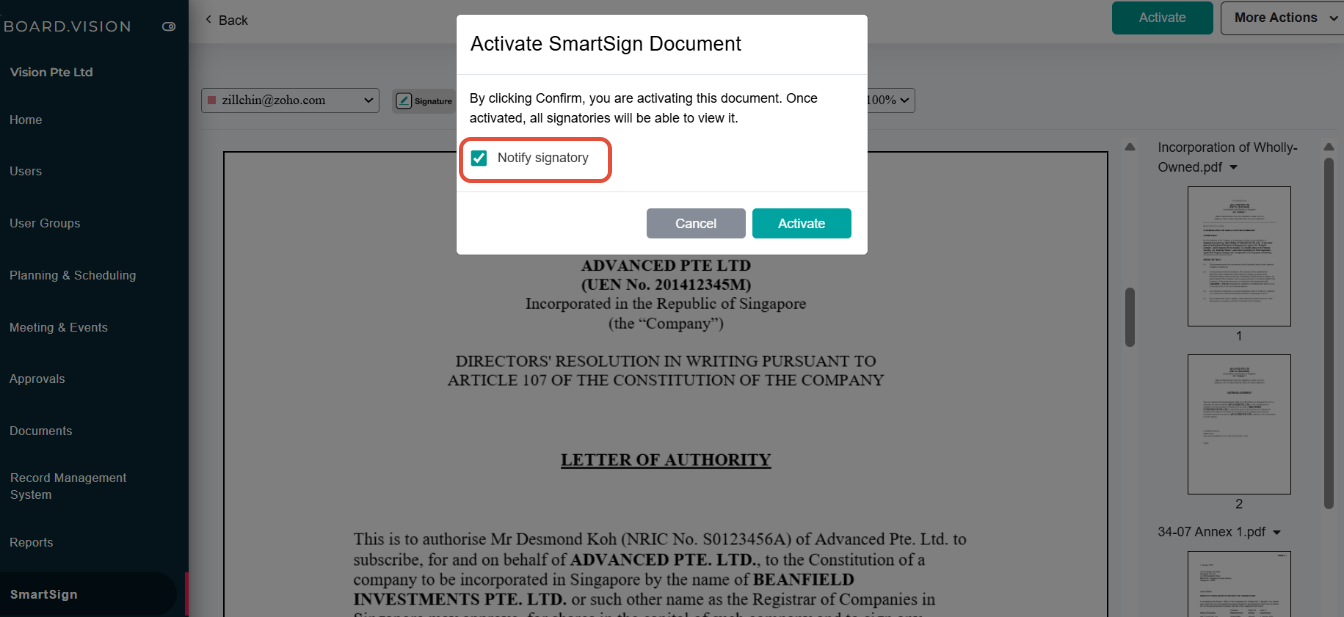
Administrators can now activate a SmartSign document with or without notifying the signatory. When clicking the Activate button, a new confirmation pop-up is displayed, allowing them to choose whether a notification should be sent.
Below is a comparison of the previous and current designs for your reference.
Previous Design - When activating a SmartSign document, notifications were sent automatically upon activation. | 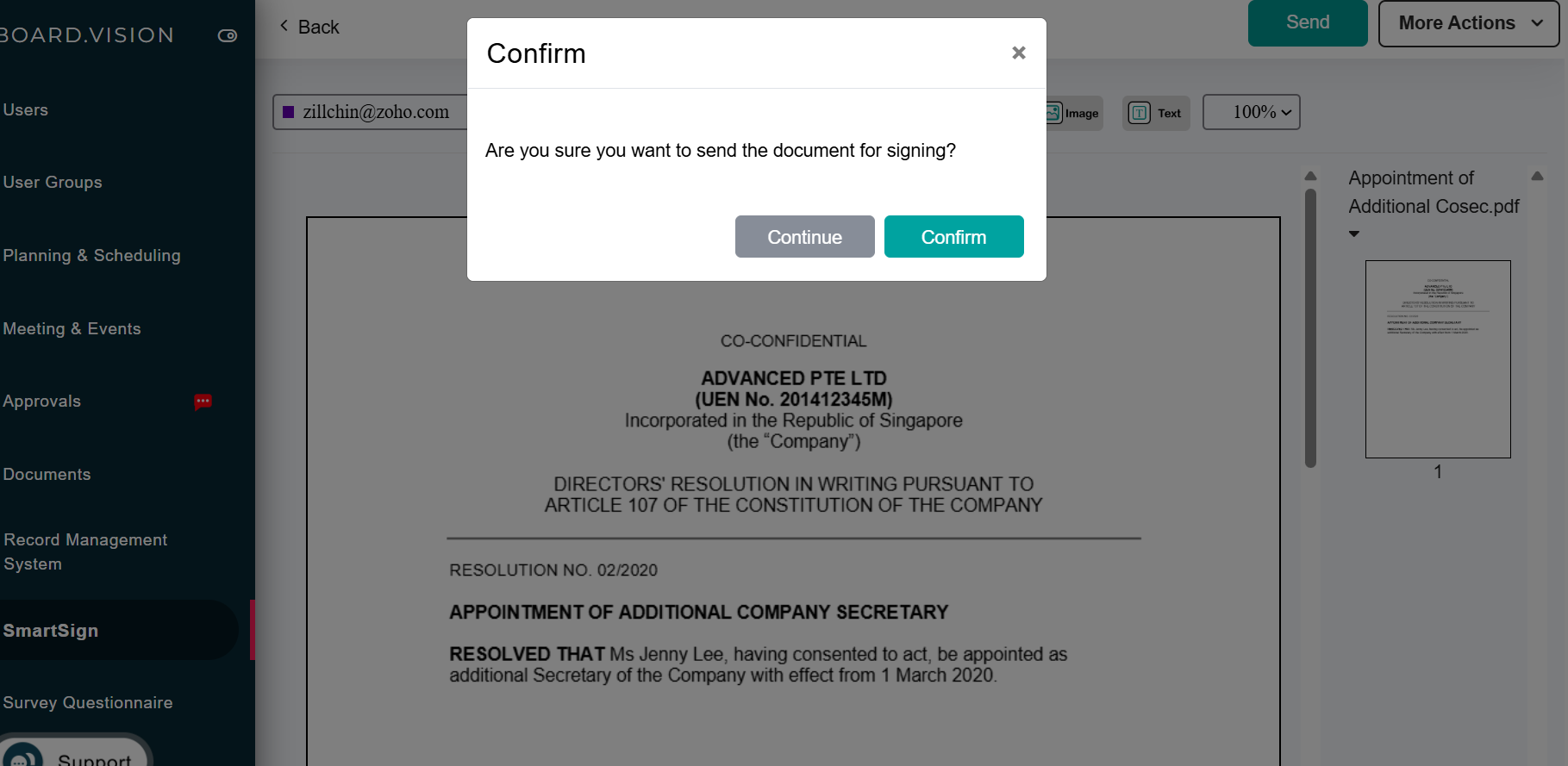 |
Current Design - When activating a SmartSign document, Administrators can now choose whether a notification should be sent.
|
|
If you face any issues, please reach out to our Board.Vision Customer Success Team at support@board.vision or +65 6909 7100 and we will be happy to help.
Our hotline operating hours are from Mondays to Fridays 9:00 AM to 6:00 PM SGT (excluding public holidays).
Was this article helpful?
That’s Great!
Thank you for your feedback
Sorry! We couldn't be helpful
Thank you for your feedback
Feedback sent
We appreciate your effort and will try to fix the article