A new option has been introduced to allow Administrators to control whether Business Users can upload documents in the Records Management System (RMS).
Important Notes:
- Only Product Owners and Super Administrators have access to the Global Settings page.
- The setting is disabled by default.
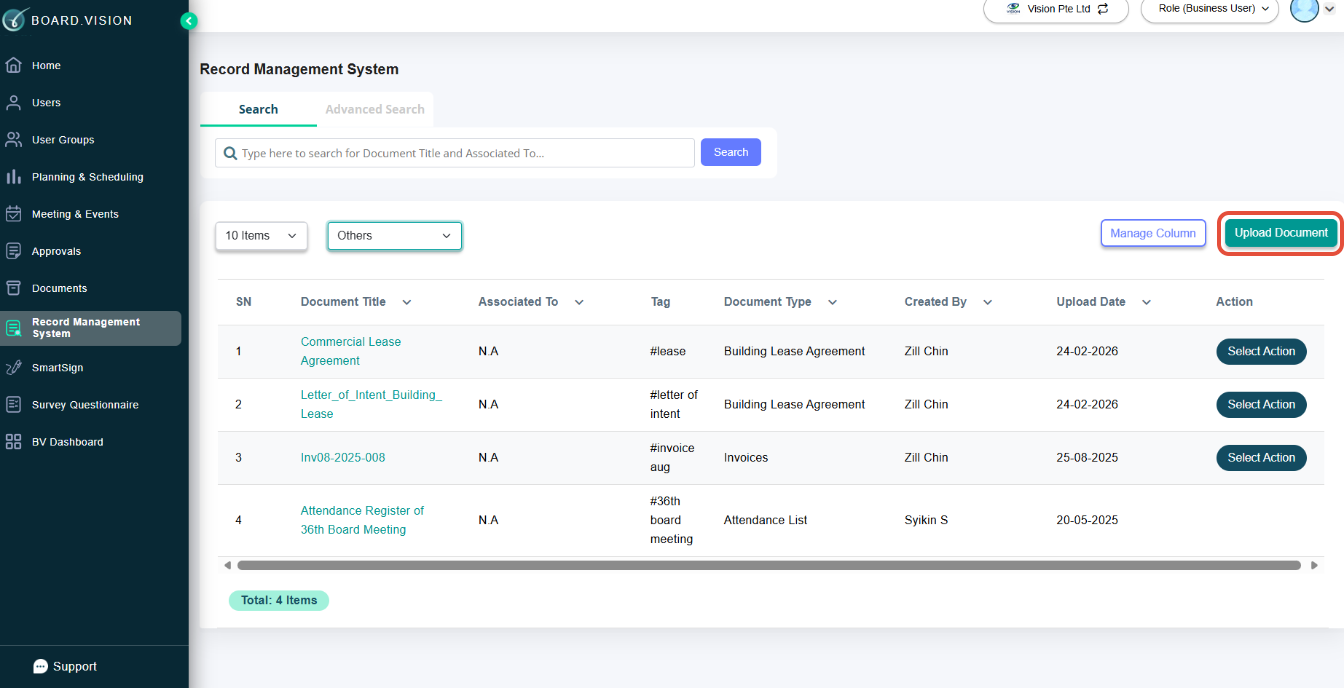
- When enabled, Business Users will see the Upload Document button in RMS. When disabled, the Upload Document button will be hidden from Business Users.
Below is a comparison of the previous and current designs for your reference.
Previous Design - Administrators were unable to control Business Users’ document upload permissions in the Global Settings page. | 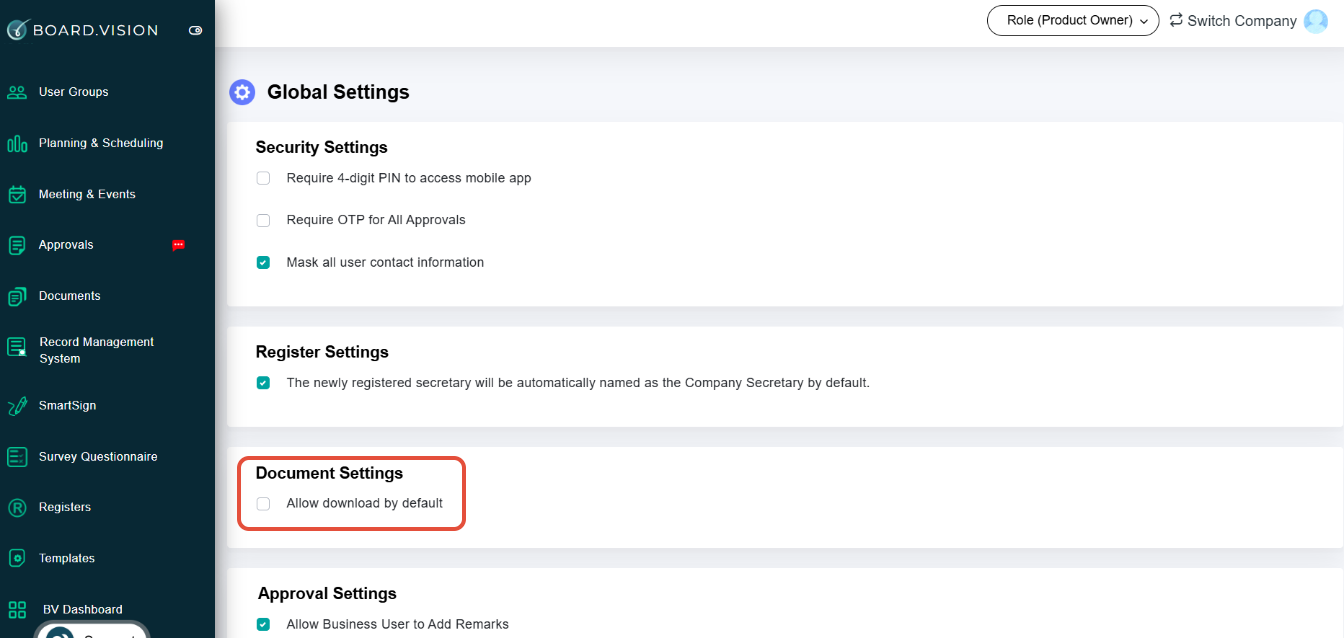 |
Current Design - A new option, "Allow Business Users upload documents in RMS", has been added under Global Settings > Document Settings. | 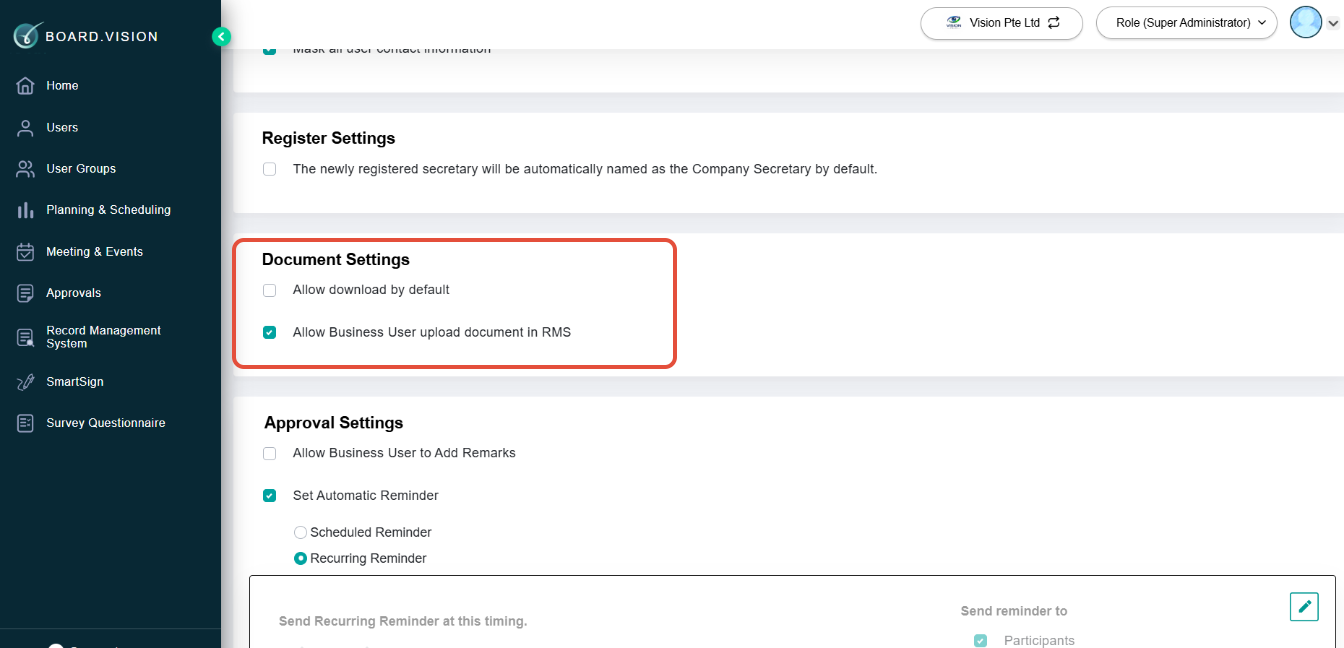 |
The Upload Document button in the Business User's RMS will appear as shown below when this setting is enabled.
If you face any issues, please reach out to our Board.Vision Customer Success Team at support@board.vision or +65 6909 7100 and we will be happy to help.
Our hotline operating hours are from Mondays to Fridays 9:00 AM to 6:00 PM SGT (excluding public holidays).
Was this article helpful?
That’s Great!
Thank you for your feedback
Sorry! We couldn't be helpful
Thank you for your feedback
Feedback sent
We appreciate your effort and will try to fix the article