We have enhanced the Add Meeting workflow in the Meeting & Events module. Administrators can now choose from three different methods when creating a new meeting. This enhancement enables Administrators to generate a structured meeting, including agenda items and related configurations, using AI-powered prompts.
Key Enhancements:
When an Administrator clicks the Add Meeting button in the Meeting & Events module, a new pop-up will be displayed with three options:
1) Create with AI
2) Template
3) Create Manually
Below are the screenshots of the key enhancements for your reference.
1) Add Meeting Pop-Up Upon clicking Add Meeting, Administrators will see: a) Create with AI Describe the meeting you want and let AI handle the rest. b) Template Choose from pre-designed templates with ready-made agendas. c) Create Manually Start from scratch and fill in all meeting details manually. | 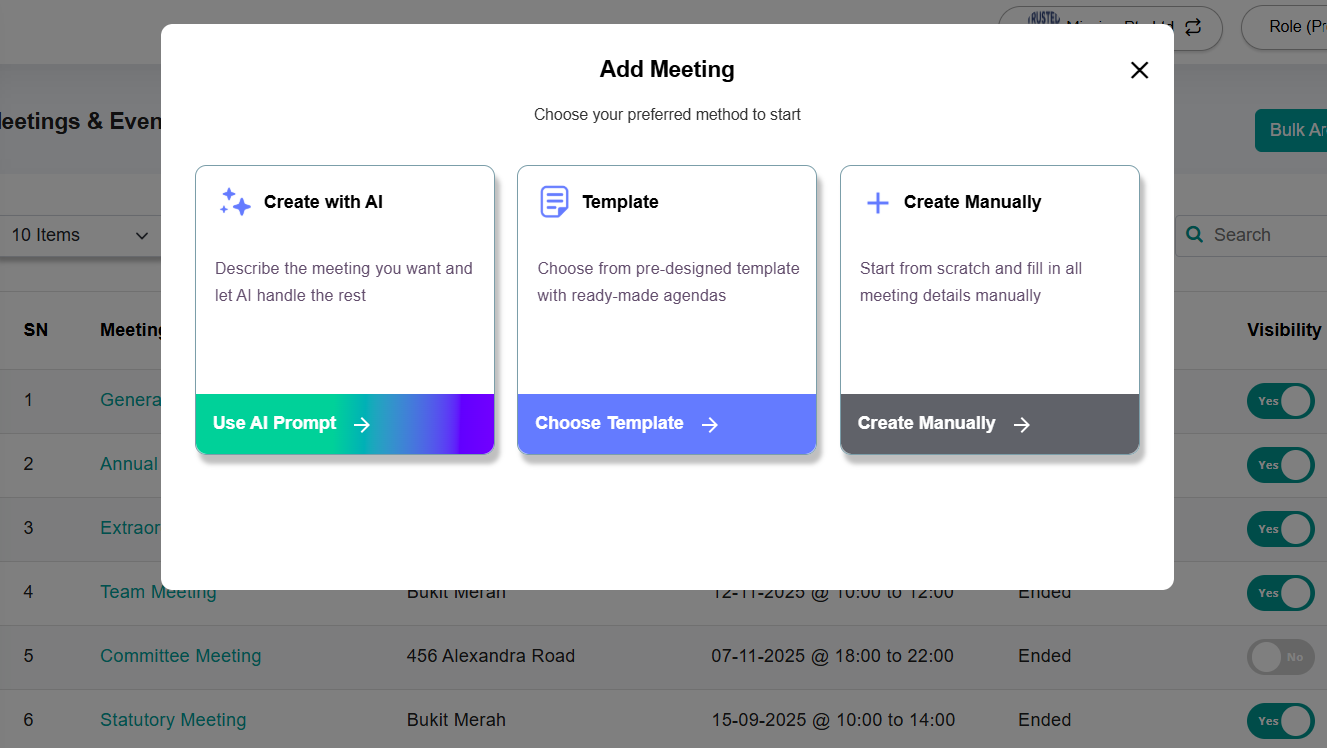 |
2) If Create with AI is selected, a pop-up will appear for the Administrator to:
Administrators may also click “Show sample prompts” to select a pre-filled example, which will automatically populate the meeting description field. After clicking Generate, the system will automatically create the meeting and generate a structured agenda. If an agenda document is uploaded, AI will use the document content to structure the agenda items accordingly. (The uploaded document is used for meeting agenda generation and is not automatically attached as a supporting document to individual agenda items.) | 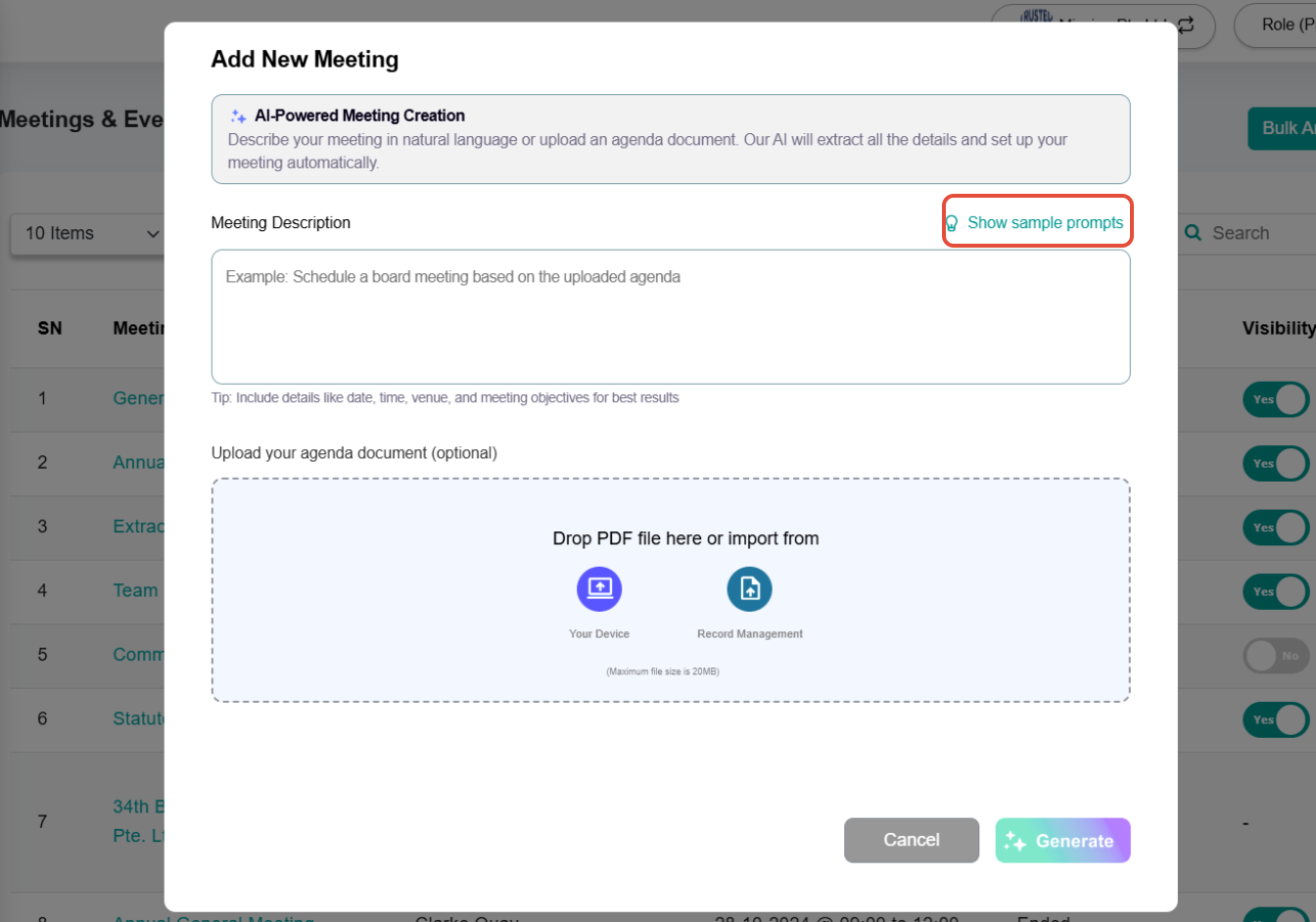 |
| 3) If Template is selected, a pop-up will appear for the Administrator to choose from a list of pre-designed templates. Administrators may also create their own template by clicking the +New Template button. | 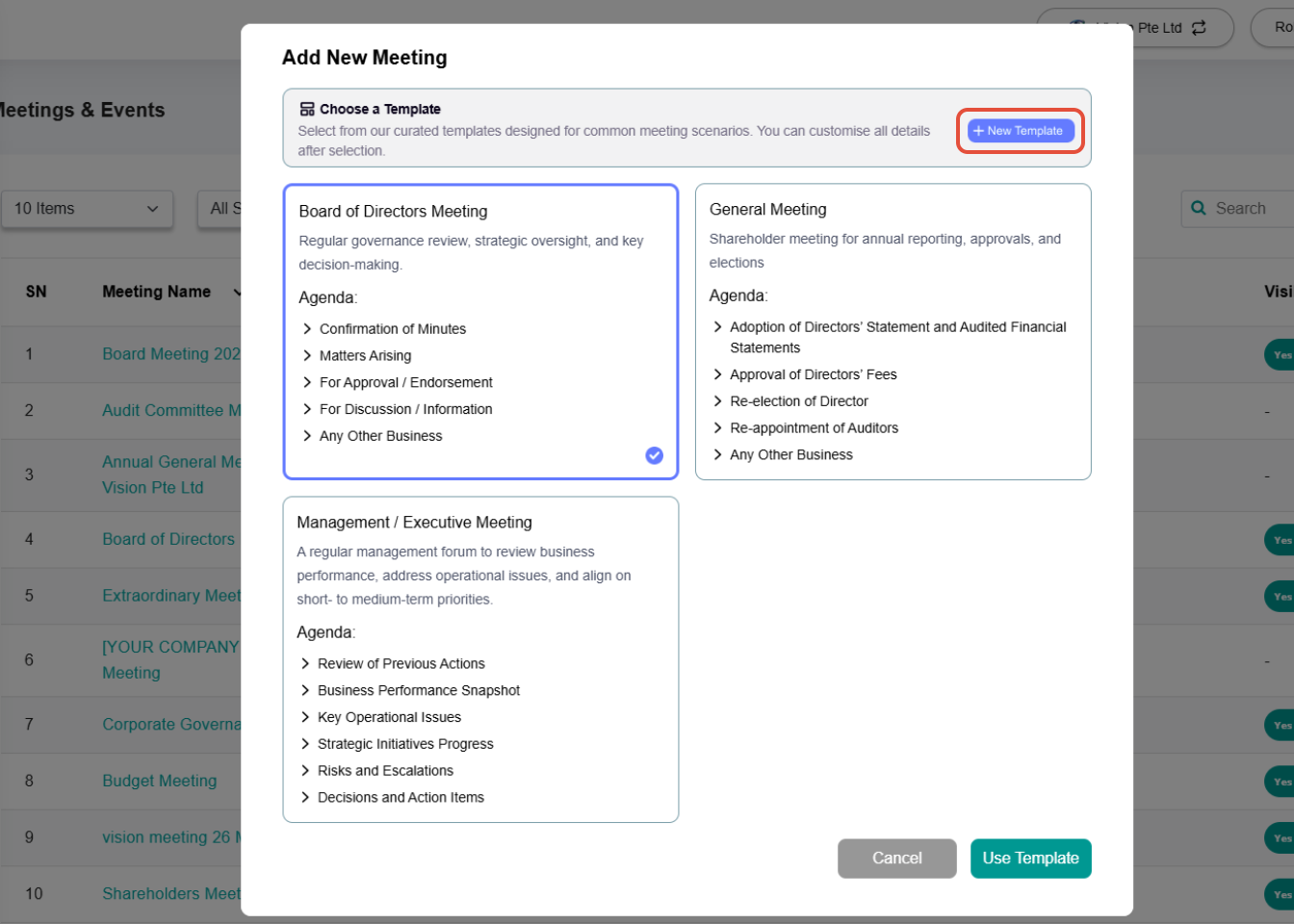 |
| 4) If Create Manually is selected, Administrators will be redirected to the Add Meeting page to create the meeting from scratch. | 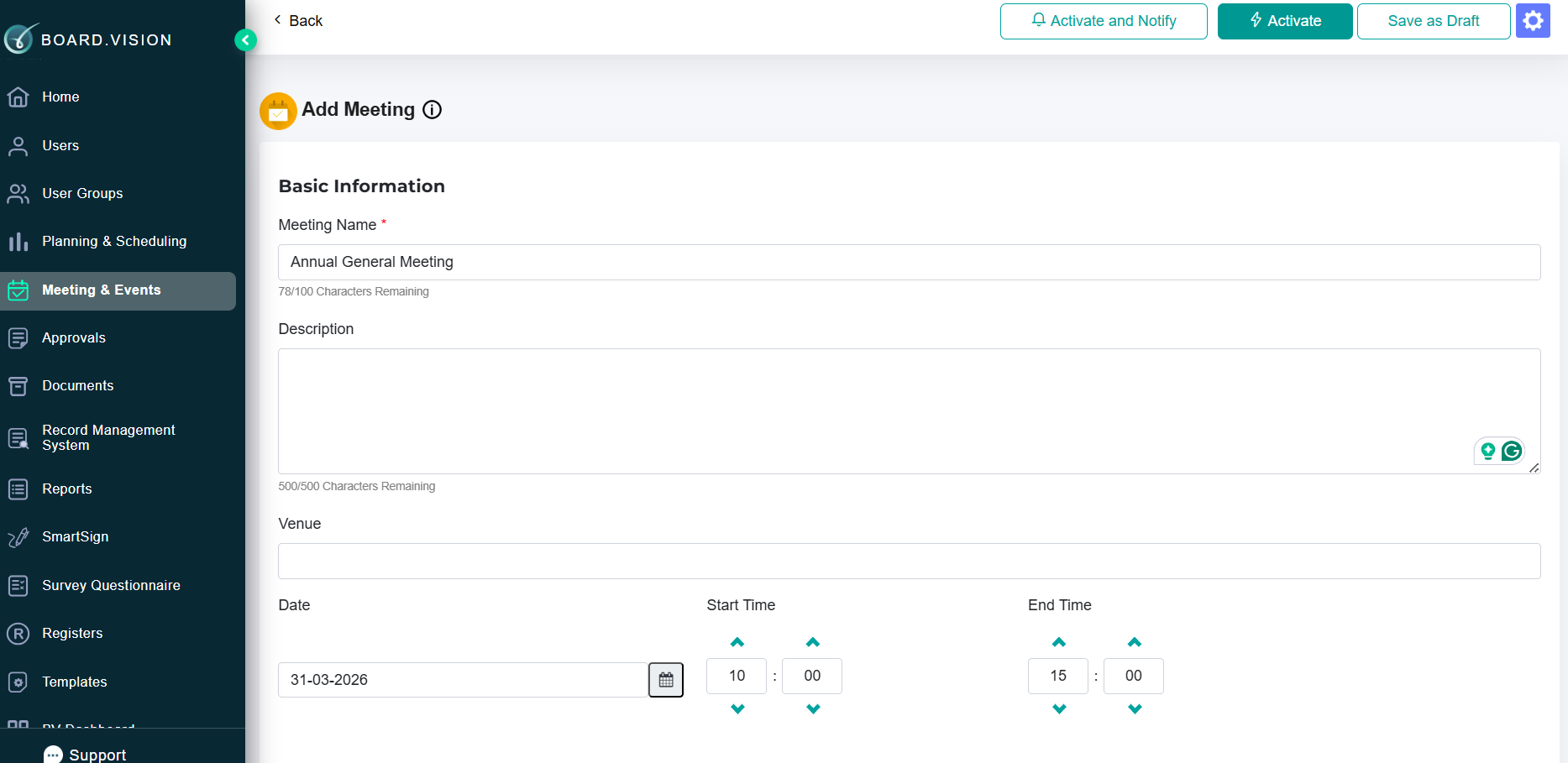 |
If you face any issues in completing the steps shown in this tutorial, please reach out to our Board.Vision Customer Success Team at support@board.vision or +65 6909 7100 and we will be happy to help.
Our hotline operating hours are from Mondays to Fridays 9:00 AM to 6:00 PM SGT (excluding public holidays).
Was this article helpful?
That’s Great!
Thank you for your feedback
Sorry! We couldn't be helpful
Thank you for your feedback
Feedback sent
We appreciate your effort and will try to fix the article