Surveyors can now import survey questions directly from existing PDF or Word documents when creating survey questionnaires.
This enhancement simplifies the survey creation process by reducing the need to manually recreate questions from existing documents. Users can leverage their current content and convert it into survey questions more efficiently.
The new capability helps save time, improves productivity, and provides a more convenient way to prepare survey questionnaires.
Below is a comparison of the previous and current designs for your reference.
Previous Experience Surveyors have two options: whether to build their surveys via the existing system templates, self-created templates, or with AI. They can edit or add questions manually on the Create Survey form. | 1. Survey Questionnaire Template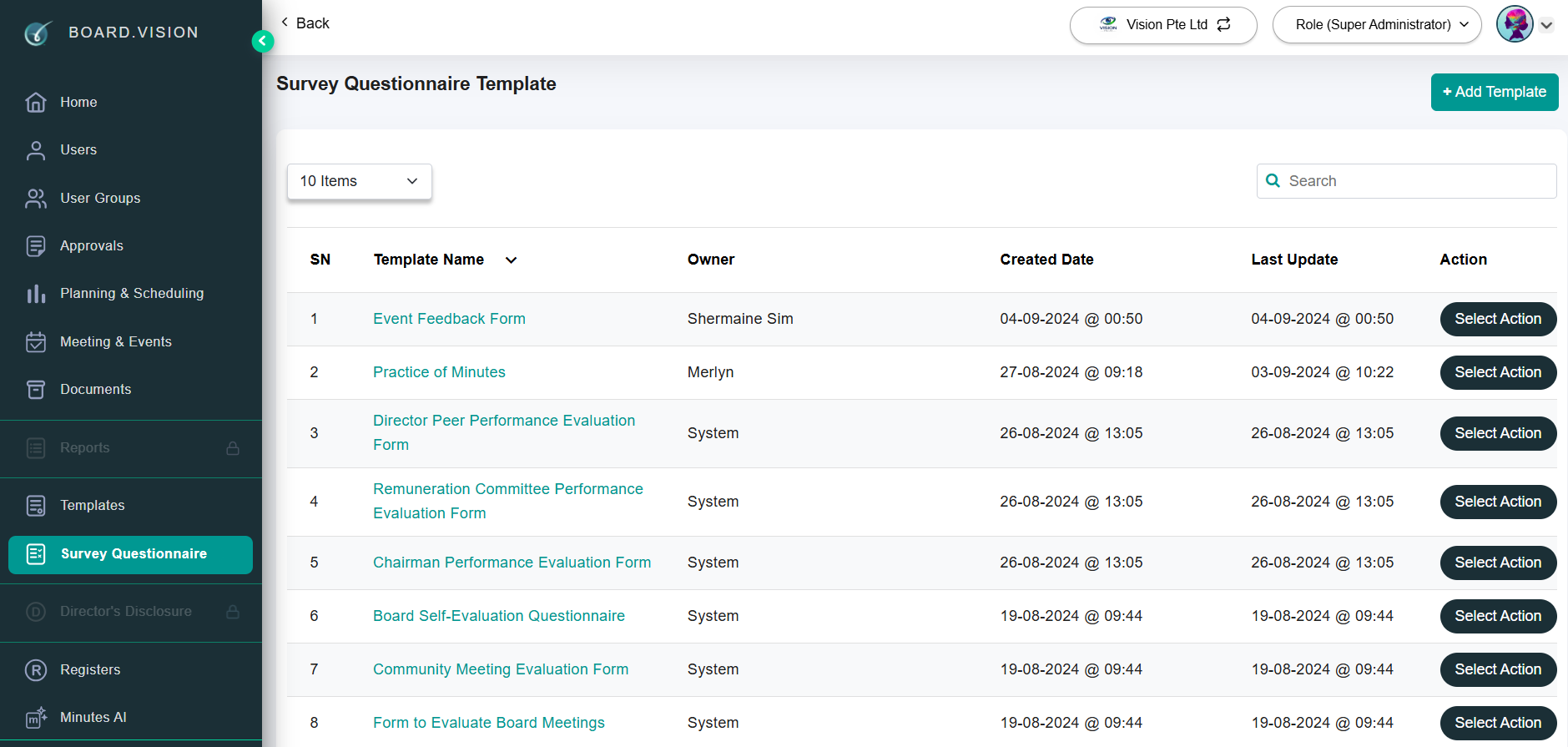 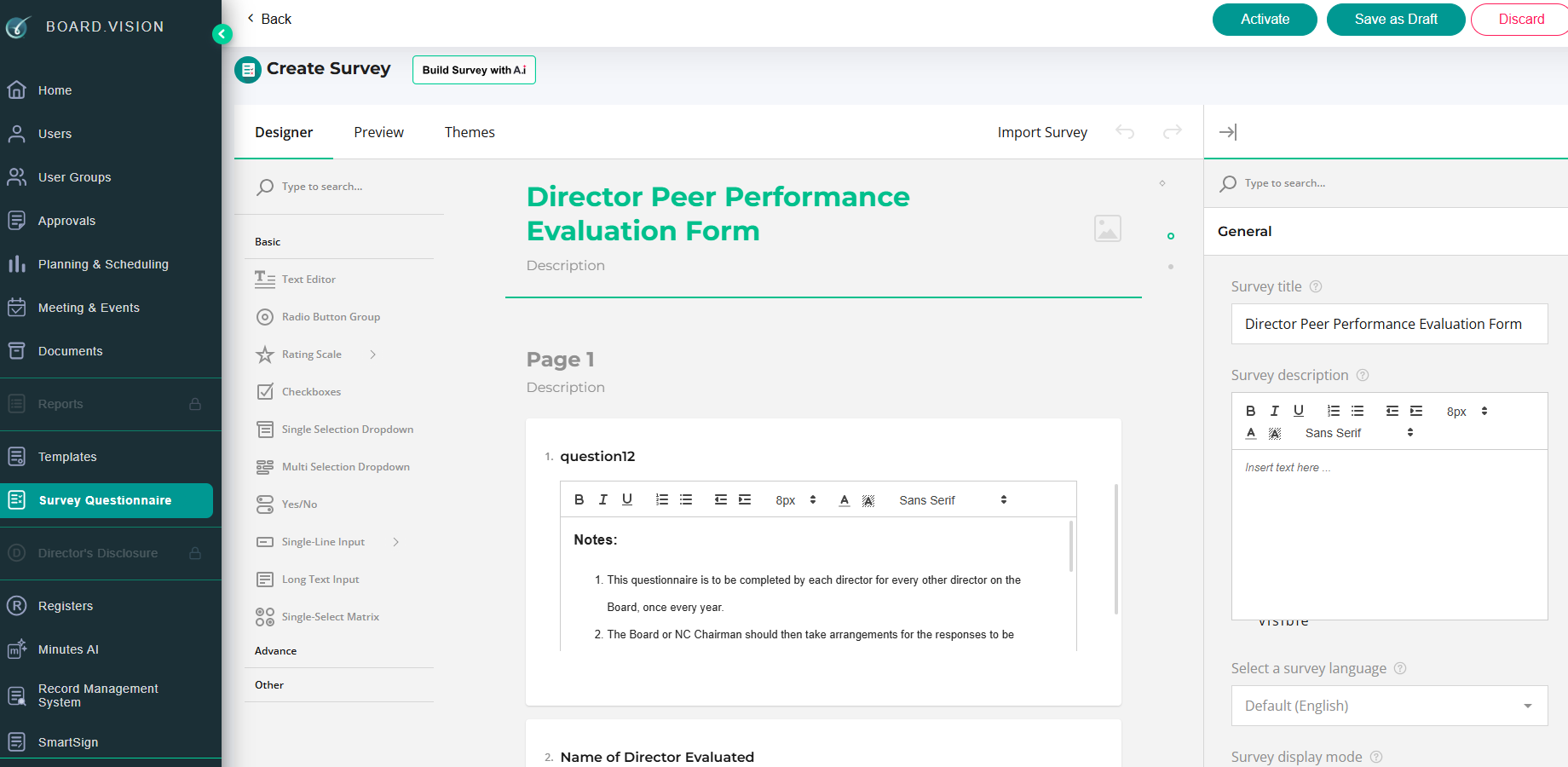 |
Enhanced Experience Now, Surveyors can import survey questions directly from existing PDF or Word documents on the Create Survey form. The imported survey questions can be added to or replace your existing questions. | 1. On the Create Survey form, click on Import Survey.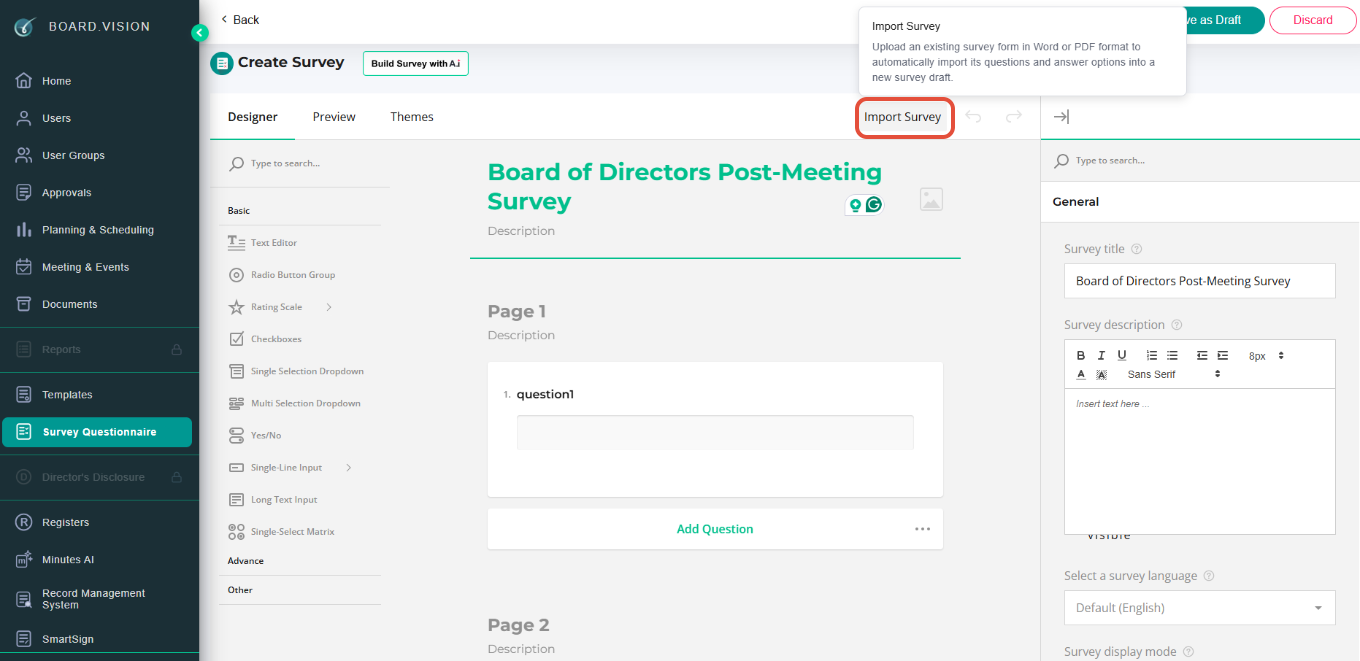 2. Then, choose Add to Existing or Replace Existing. 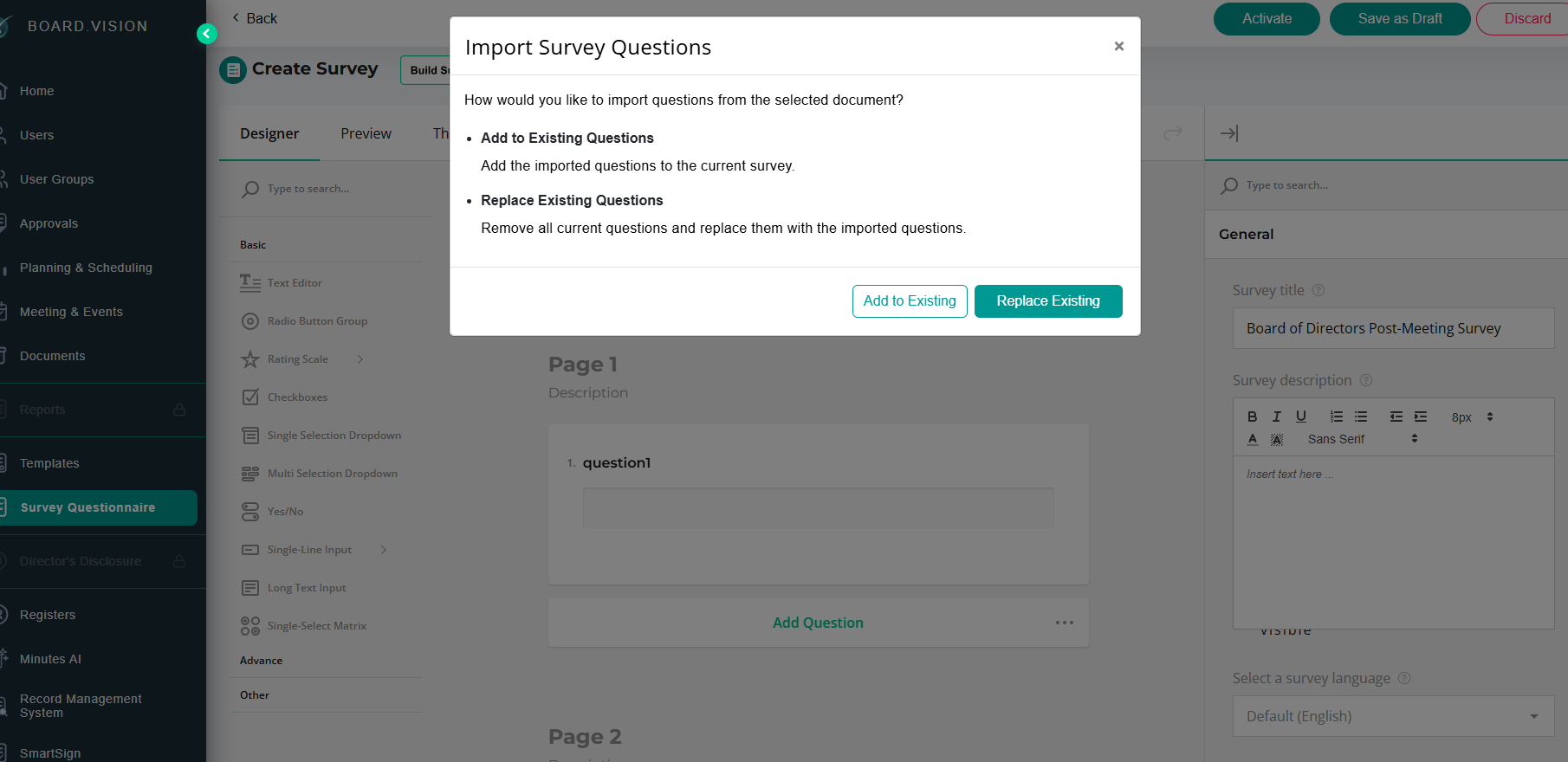 |
To find out more about how to import survey questions from a PDF or Word document, click here.
If you face any issues in completing the steps shown in this tutorial, please reach out to our Board.Vision Customer Success Team at support@board.vision or +65 6909 7100 and we will be happy to help.
Our hotline operating hours are from Mondays to Fridays 9:00 AM to 6:00 PM SGT (excluding public holidays).
Was this article helpful?
That’s Great!
Thank you for your feedback
Sorry! We couldn't be helpful
Thank you for your feedback
Feedback sent
We appreciate your effort and will try to fix the article