Preparers can now notify Executive Assistants (EAs) when sending documents to Signatories for e-signing in the SmartSign module.
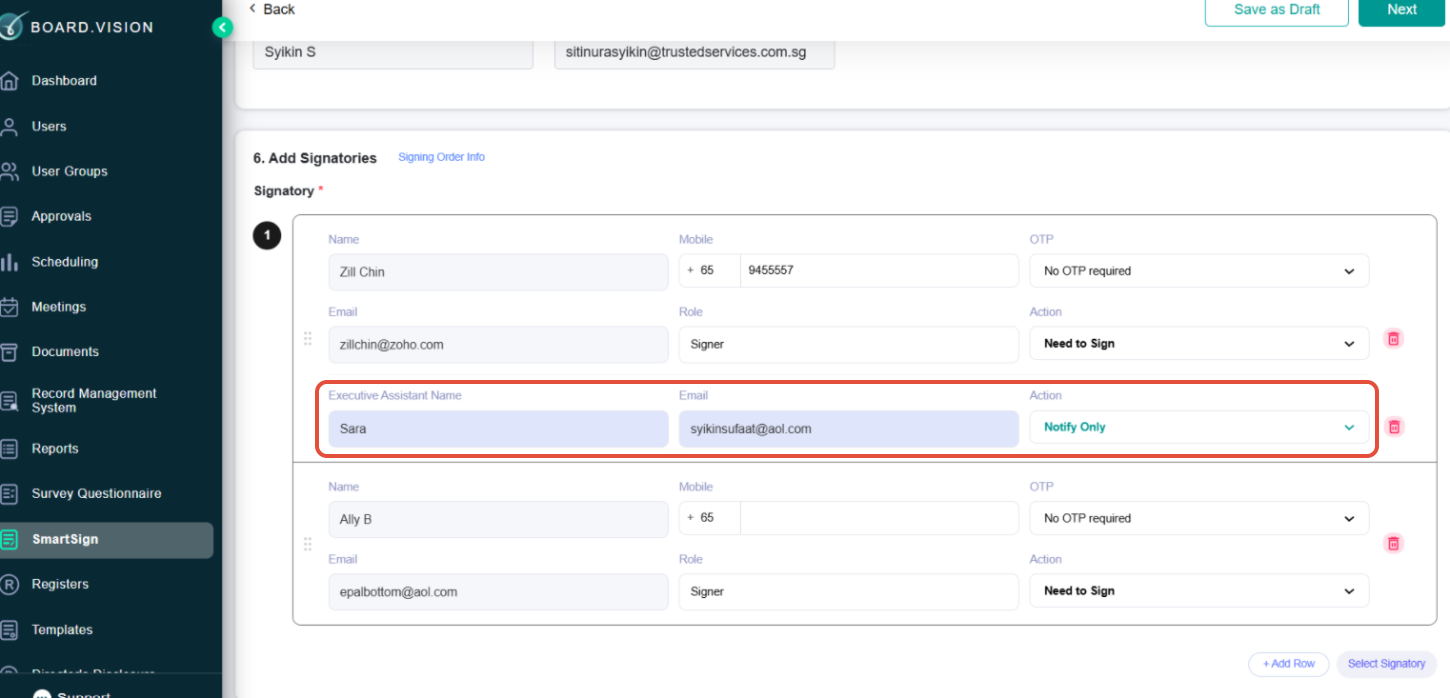
This can be configured under the Add Signatories section when creating a new SmartSign document.
When Business Users are selected as Signatories, Preparers will now be able to view the Executive Assistant (EA) tagged to the respective user. Preparers can also choose whether the EA should:
- Notify Only – The EA will only be notified when the document has been sent to their boss for signing/review.
- Receive a Copy – The EA will receive notifications and a copy of the documents.
This enhancement improves coordination and visibility for Executive Assistants supporting Signatories throughout the signing process.
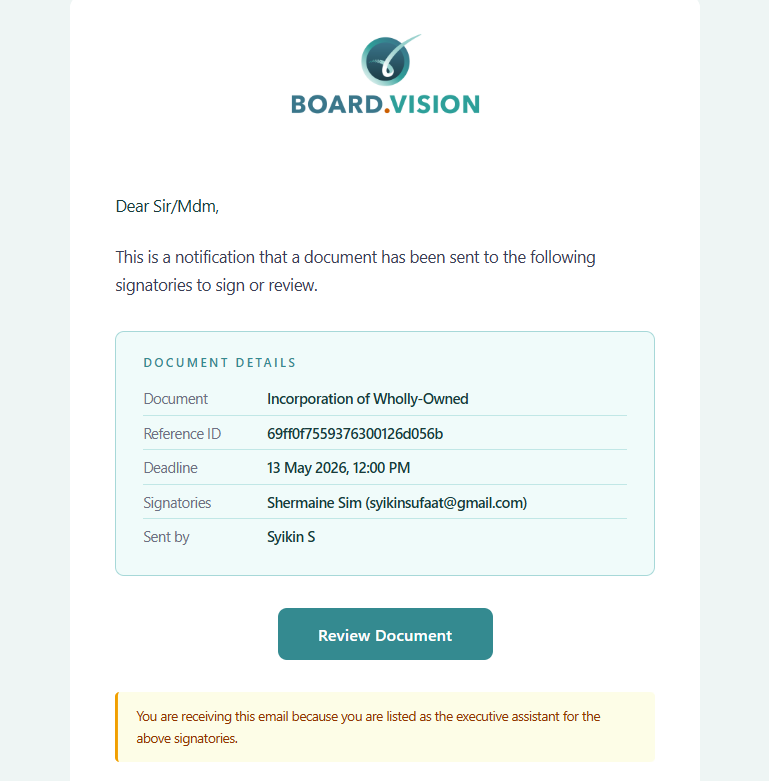
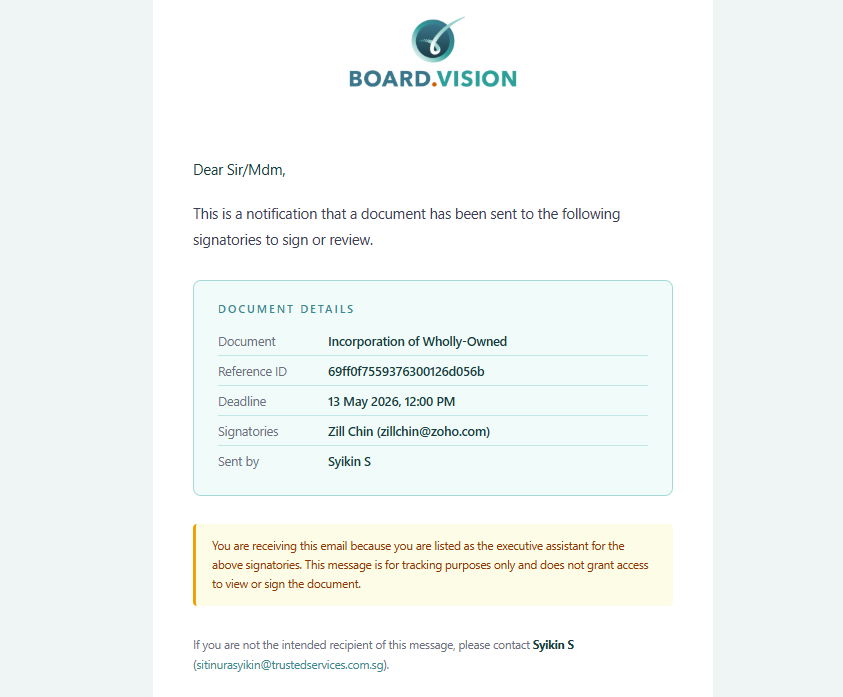
Below are sample emails received by EAs:
- EA receives an email notification together with a copy of the documents.
- EA receives an email notification only.
If you face any issues in completing the steps shown in this tutorial, please reach out to our Board.Vision Customer Success Team at support@board.vision or +65 6909 7100 and we will be happy to help.
Our hotline operating hours are from Mondays to Fridays 9:00 AM to 6:00 PM SGT (excluding public holidays).
Was this article helpful?
That’s Great!
Thank you for your feedback
Sorry! We couldn't be helpful
Thank you for your feedback
Feedback sent
We appreciate your effort and will try to fix the article