We have updated the user interface for the Documents, Archive, and Recycle Bin sections in the Documents module.
The layout has been enhanced to provide a cleaner and more intuitive user experience.
Overview panels, improved button designs, and enhanced layout organisation have been introduced to improve visibility and navigation.
All existing functionalities remain the same — only the interface and layout have been updated.
Below is a comparison of the previous and current designs for your reference.
Previous Design | 1. All Documents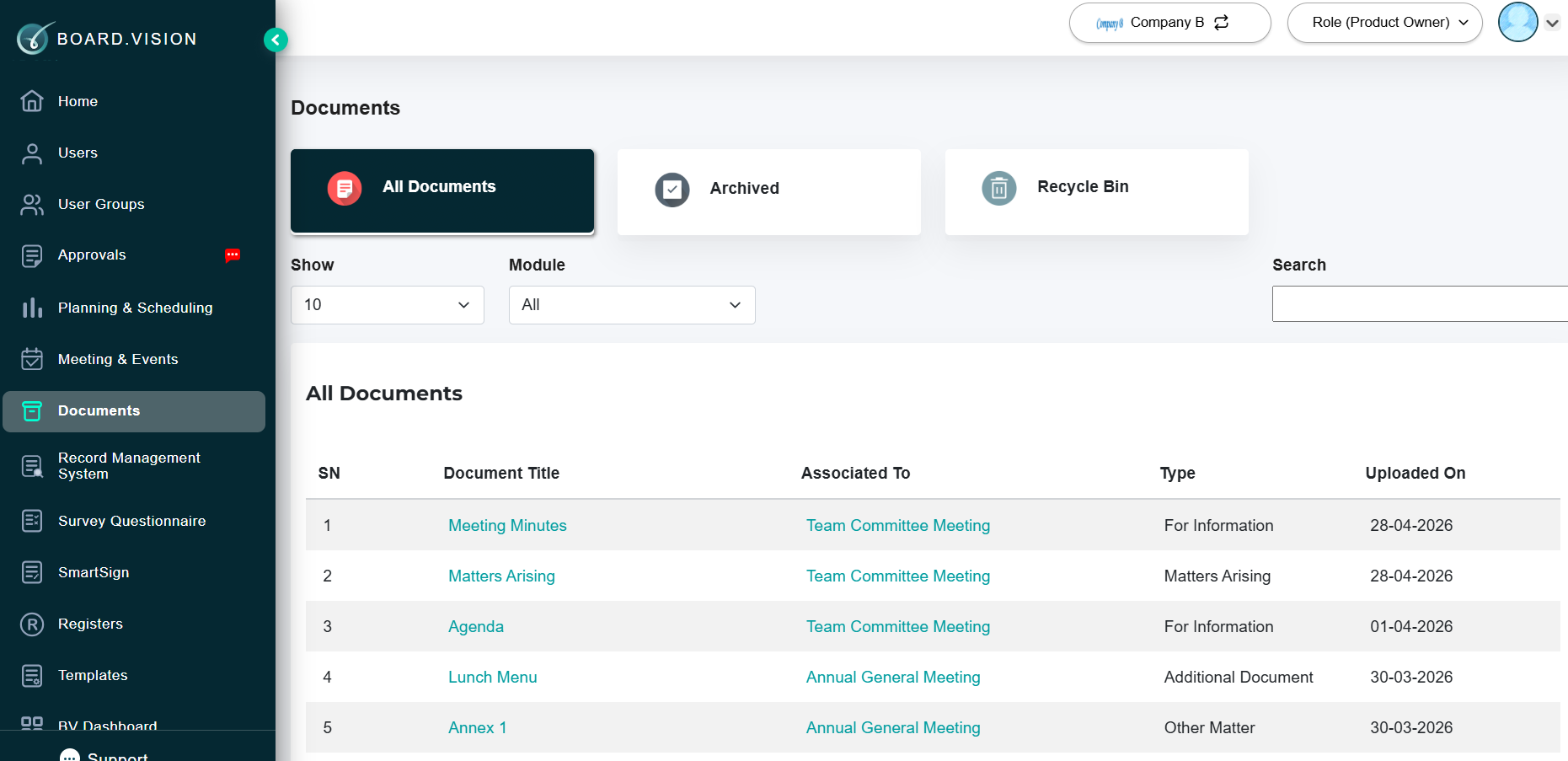 2. Archived 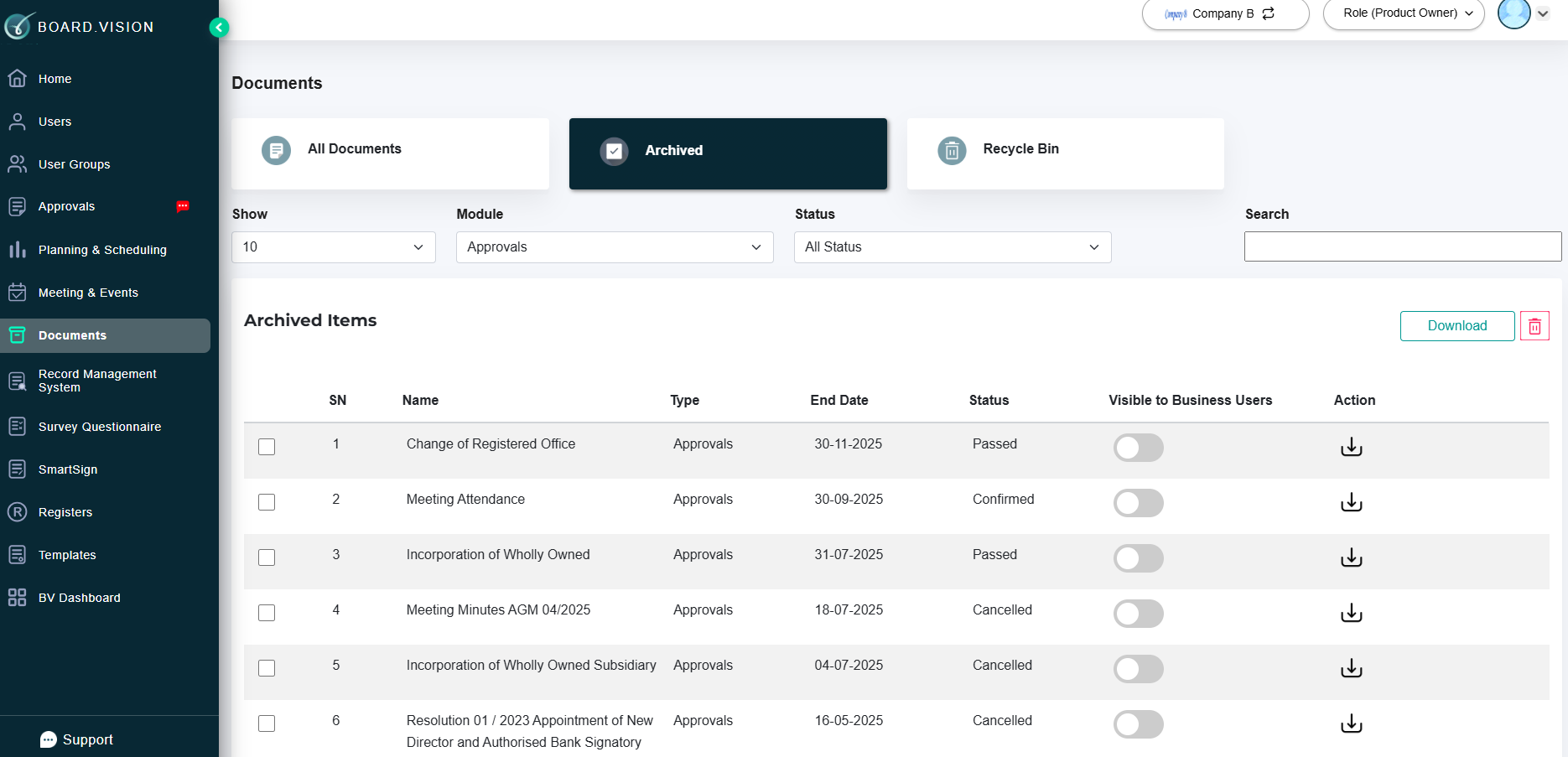 3. Recycle Bin 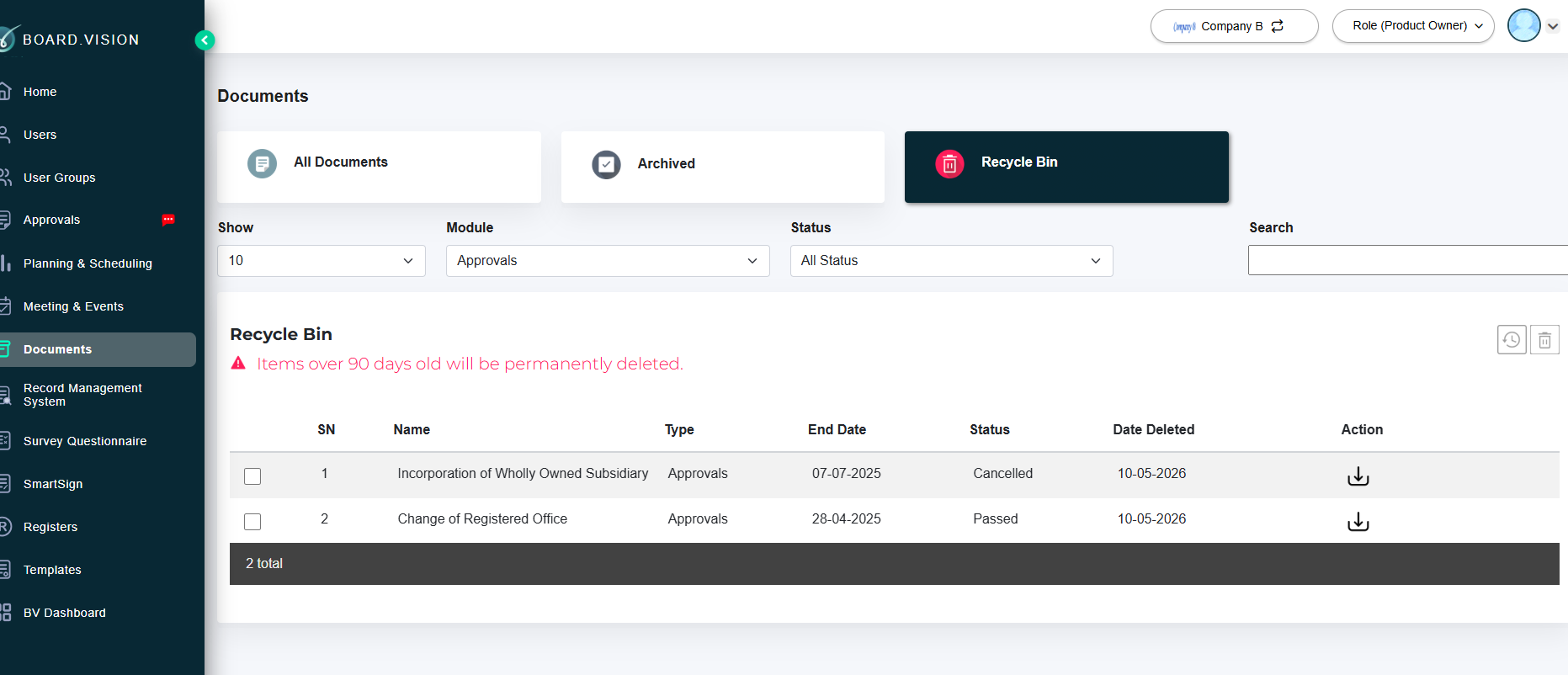 |
Current Design | 1. All Documents 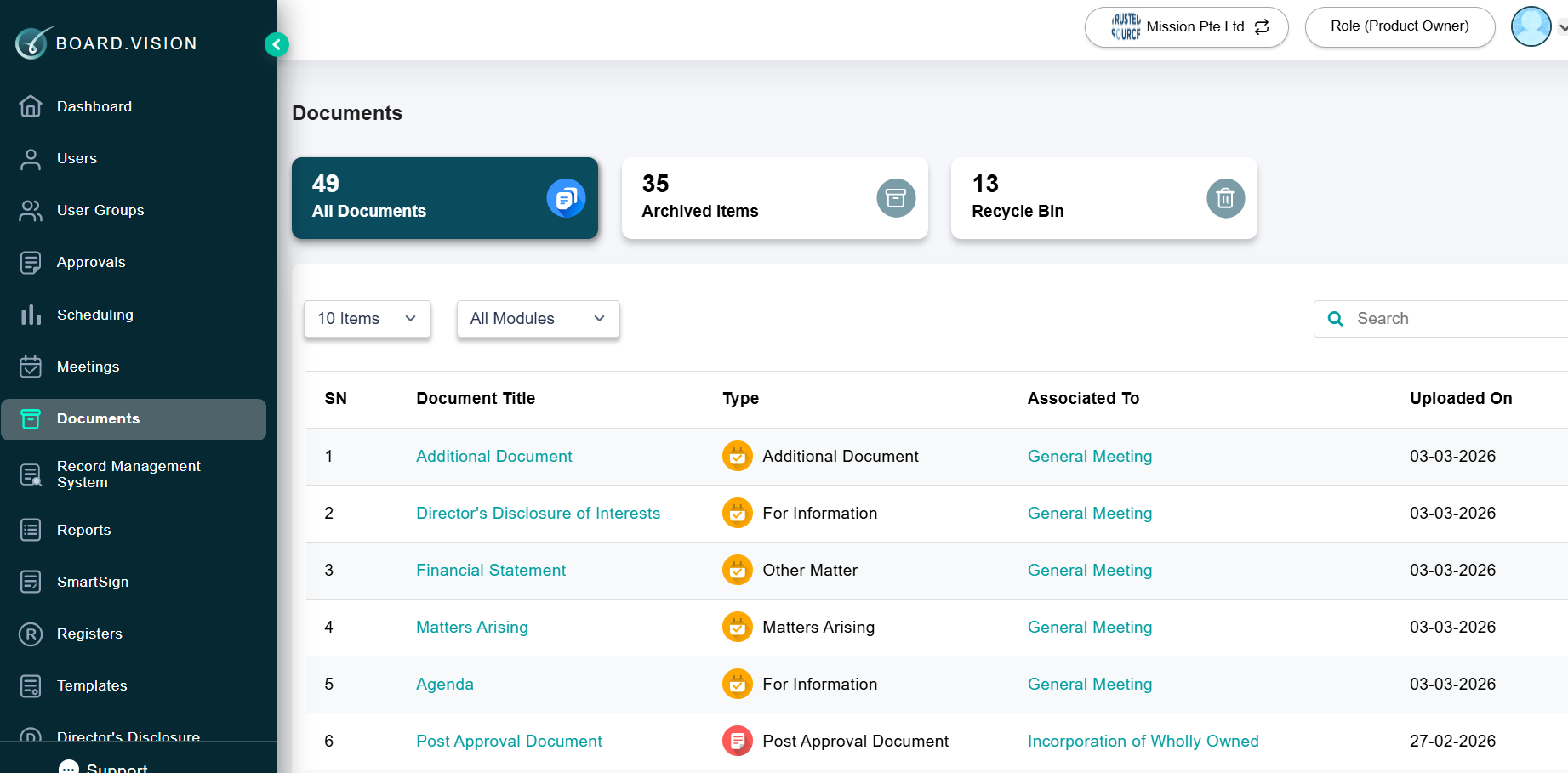 2. Archived Items 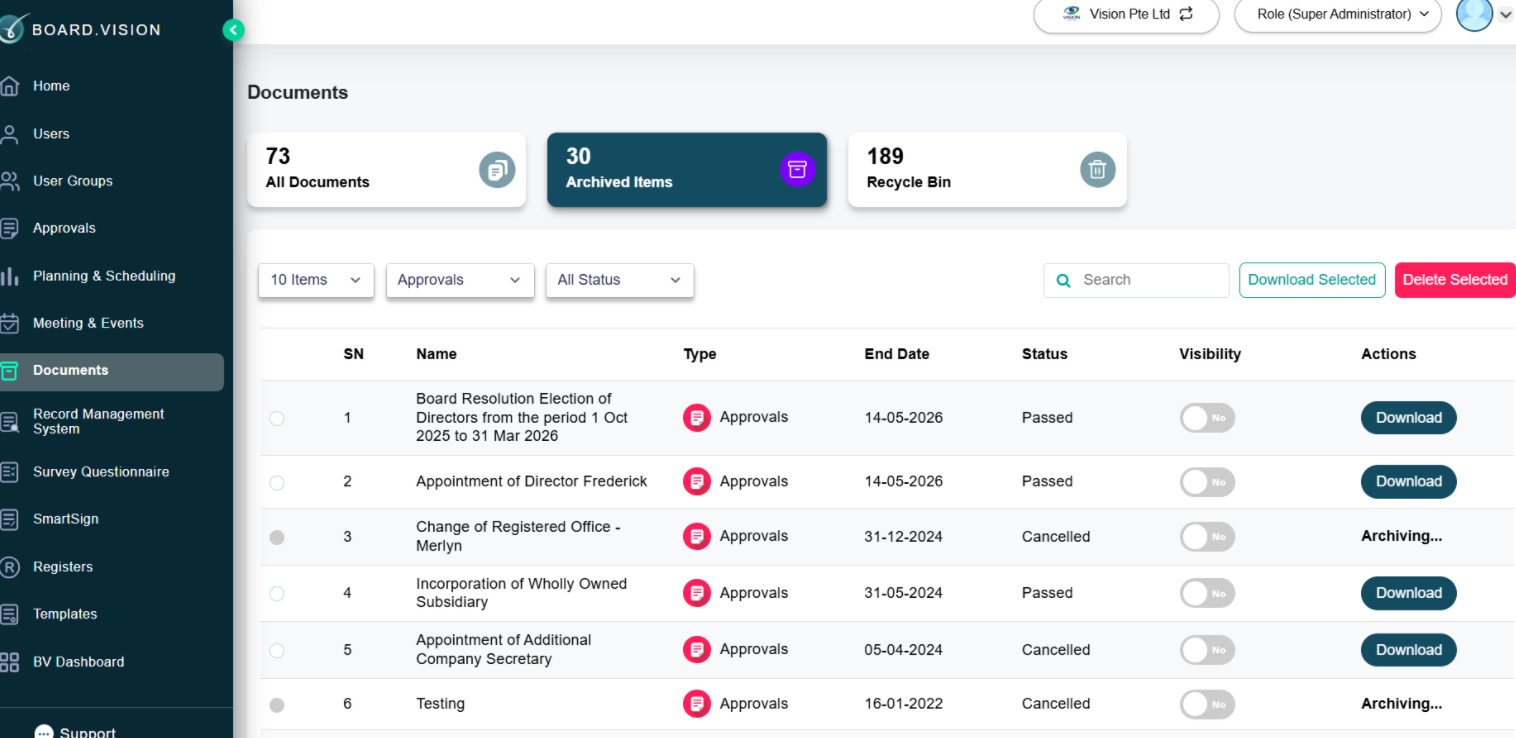 3. Recycle Bin 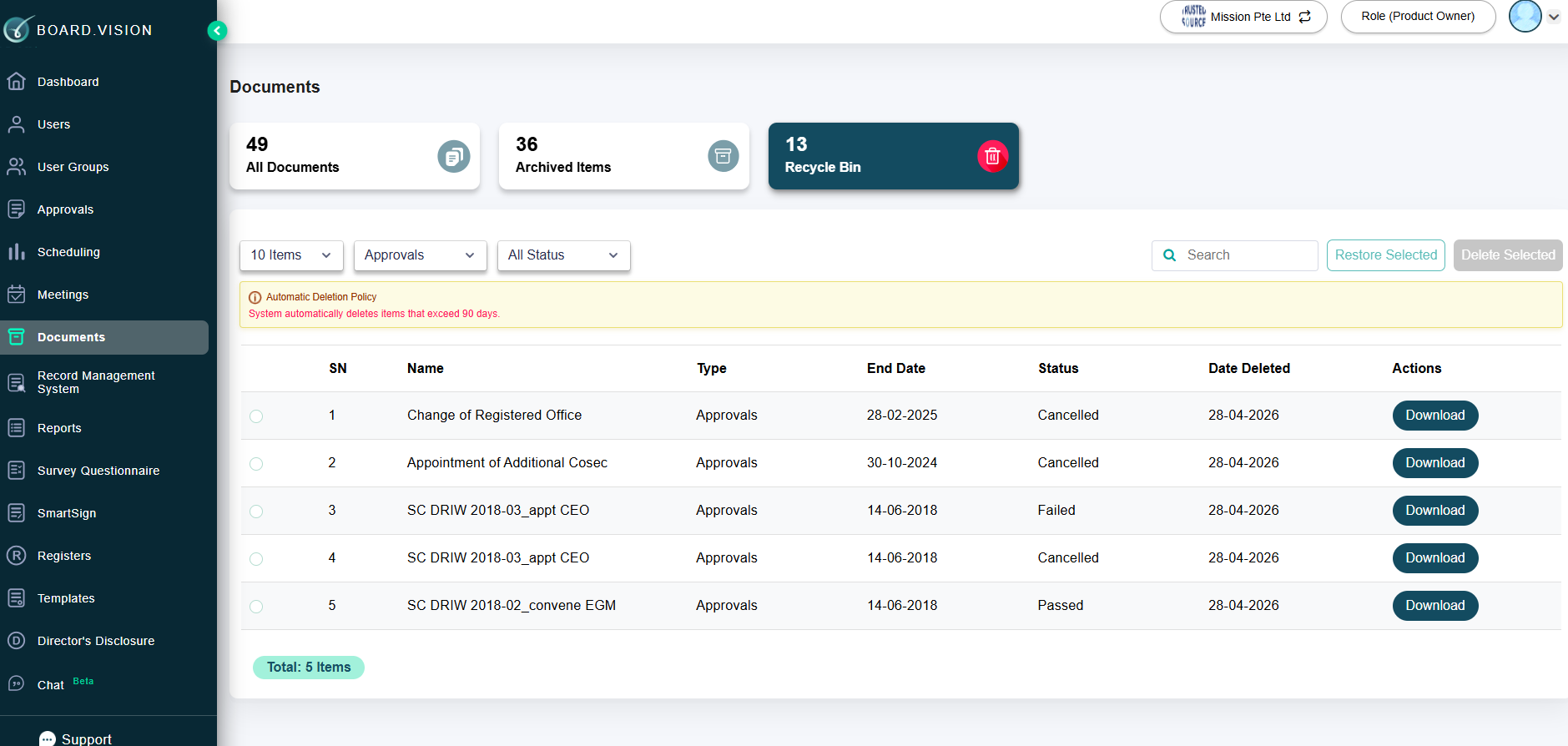 |
If you face any issues in completing the steps shown in this tutorial, please reach out to our Board.Vision Customer Success Team at support@board.vision or +65 6909 7100 and we will be happy to help.
Our hotline operating hours are from Mondays to Fridays 9:00 AM to 6:00 PM SGT (excluding public holidays).
Was this article helpful?
That’s Great!
Thank you for your feedback
Sorry! We couldn't be helpful
Thank you for your feedback
Feedback sent
We appreciate your effort and will try to fix the article