We have improved the Admin Dashboard to help Administrators manage user access across multiple entities more efficiently.
Previously, Administrators needed to create a user account before assigning the user to the applicable entities. With this update, Administrators can now select an existing user and assign the user to one or more additional entities directly from the Admin Dashboard.
This enhancement streamlines user setup, reduces repetitive administrative steps, and makes it easier to maintain access across entities.
The table below summarizes the change from the previous workflow to the updated design.
Previous Design - Administrators had to create a new user account before assigning the user to the relevant entities. | 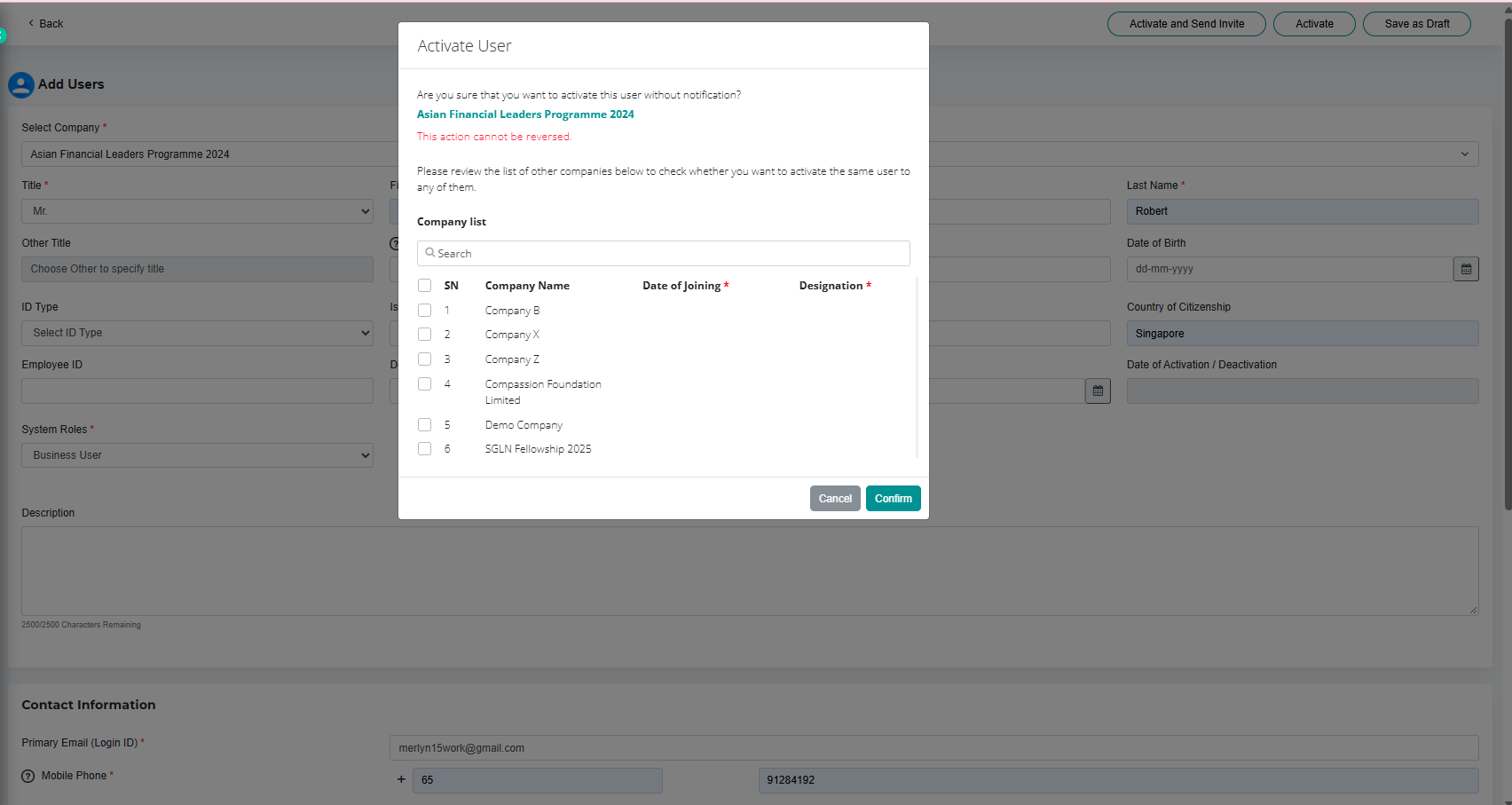 |
Current Design - Administrators can now select an existing user and assign the user to additional entities directly from the Admin Dashboard. | 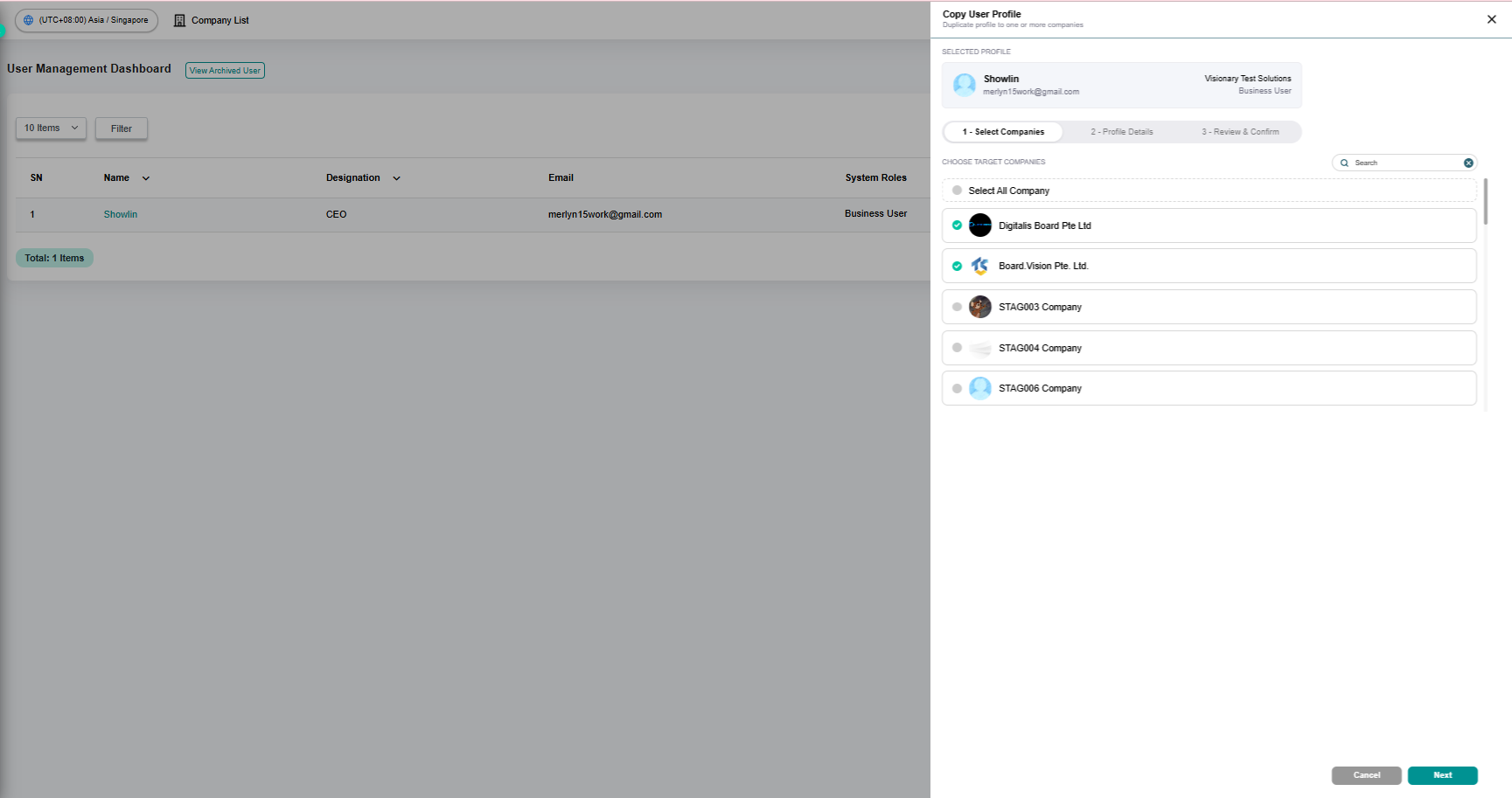 |
To find out more on how to assign existing user to additional entities from the Admin Dashboard, click here.
If you face any issues in completing the steps shown in this tutorial, please reach out to our Board.Vision Customer Success Team at support@board.vision or +65 6909 7100 and we will be happy to help.
Our hotline operating hours are from Mondays to Fridays 9:00 AM to 6:00 PM SGT (excluding public holidays).
Was this article helpful?
That’s Great!
Thank you for your feedback
Sorry! We couldn't be helpful
Thank you for your feedback
Feedback sent
We appreciate your effort and will try to fix the article