We have improved the email notification sent when supporting evidence is uploaded to an offline approval on behalf of Business Users in the Approvals module.
The updated notification now states clearly that it is for information only and that no action is required. It also guides recipients on how to view the approval details in Board.Vision, even after the approval has been processed and is no longer available in the To-Do List.
Below is a comparison of the previous and updated email notifications for your reference.
Previous Notification The email did not clearly state that no action was required from the recipient. It referred users to the dashboard and To-Do List, which may no longer apply once the approval has been processed. | 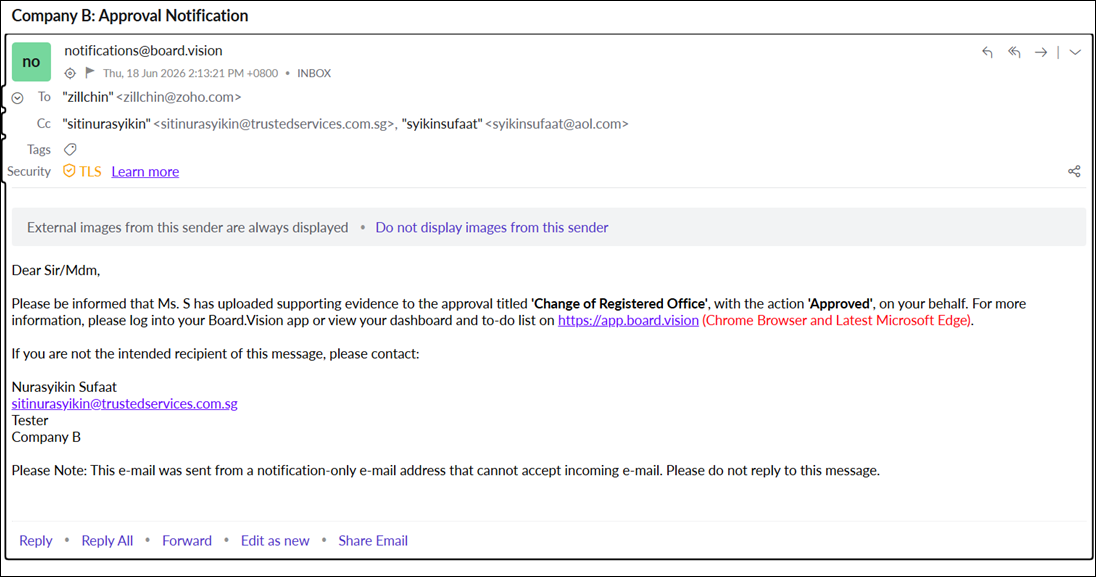 |
Updated Notification The email clearly states that it is for information only and no action is required. Recipients are advised to log in to Board.Vision and navigate to the Approvals module to view the approval details. | 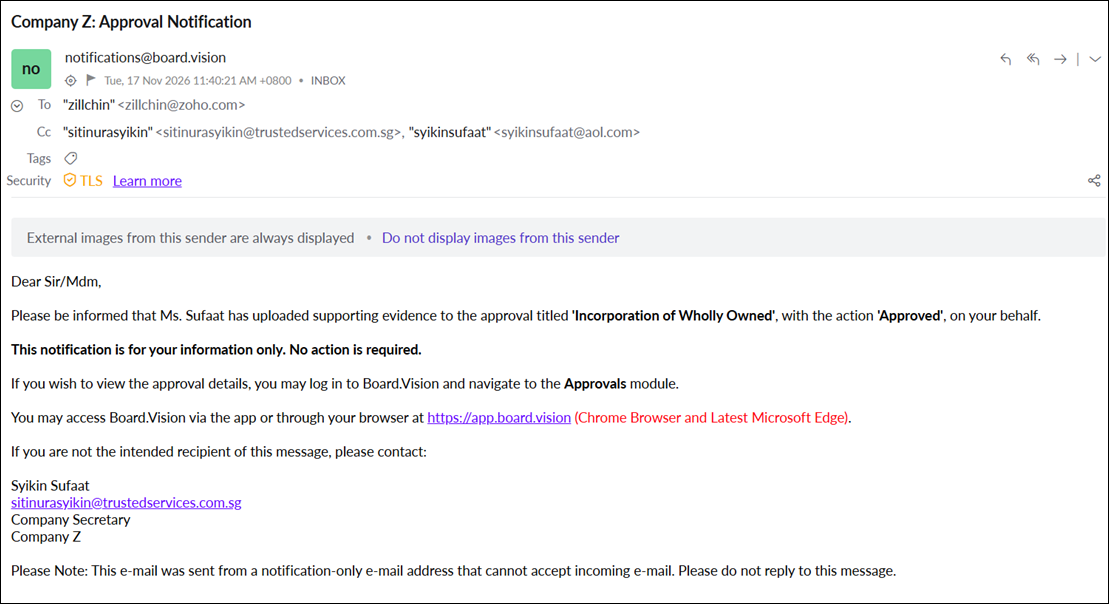 |
If you face any issues, please reach out to our Board.Vision Customer Success Team at support@board.vision or +65 6909 7100 and we will be happy to help.
Our hotline operating hours are from Mondays to Fridays 9:00 AM to 6:00 PM SGT (excluding public holidays).
Was this article helpful?
That’s Great!
Thank you for your feedback
Sorry! We couldn't be helpful
Thank you for your feedback
Feedback sent
We appreciate your effort and will try to fix the article