We have enhanced the Approvals feature by introducing a warning prompt when an Admin selects a future date for the passing/confirmation date.
This enhancement helps Administrators avoid recording an incorrect passing/confirmation date by alerting them before a future date is confirmed.
Below is a comparison of the previous and current designs for your reference.
Previous Design Previously, no warning was displayed when an Admin chose a future date for the passing/confirmation date. | 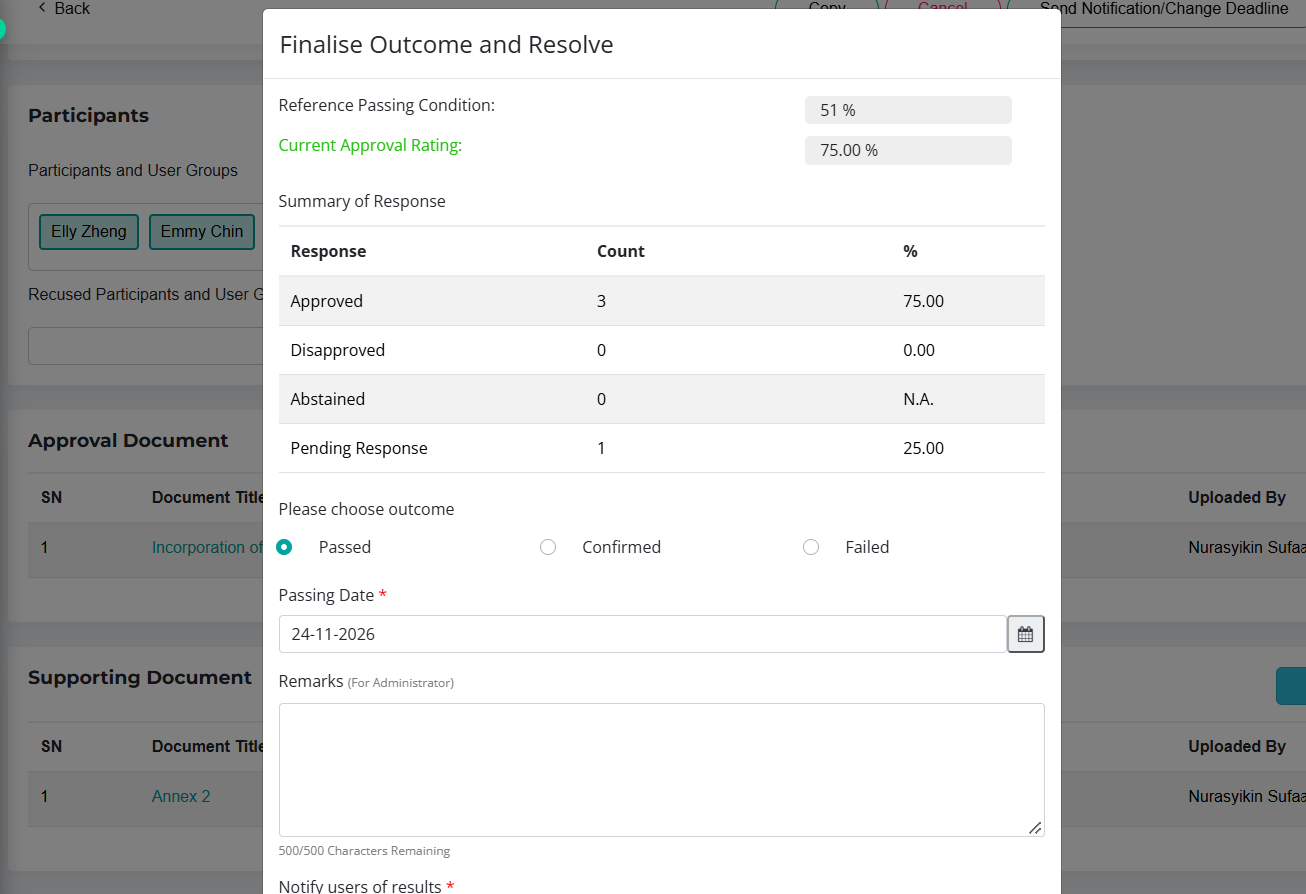 |
Current Design When an Admin chooses a future date for the passing/confirmation date in Approvals, a warning prompt is now displayed. | 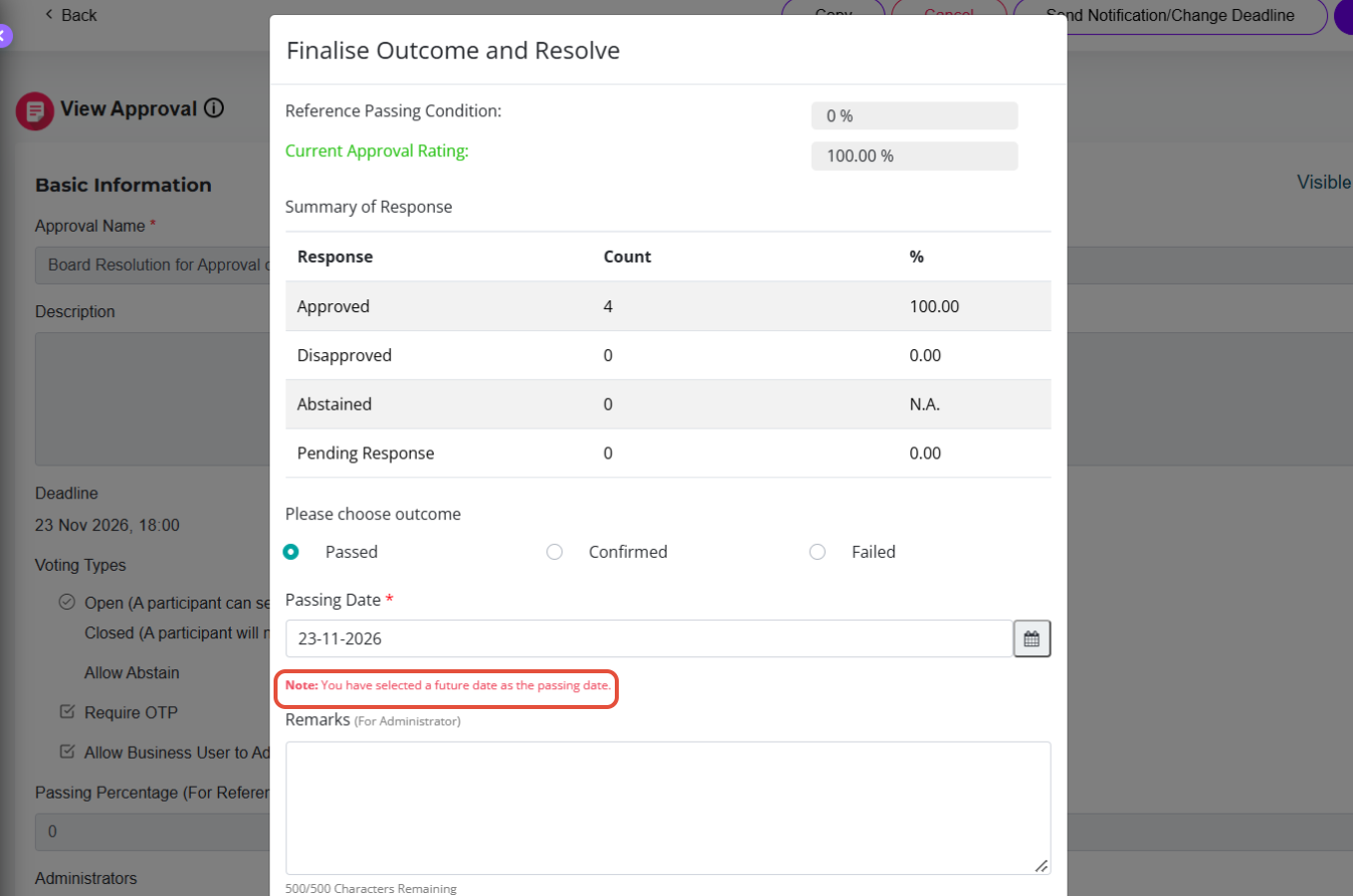 |
If you face any issues in completing the steps shown in this tutorial, please reach out to our Board.Vision Customer Success Team at support@board.vision or +65 6909 7100 and we will be happy to help.
Our hotline operating hours are from Mondays to Fridays 9:00 AM to 6:00 PM SGT (excluding public holidays).
Was this article helpful?
That’s Great!
Thank you for your feedback
Sorry! We couldn't be helpful
Thank you for your feedback
Feedback sent
We appreciate your effort and will try to fix the article