We have enhanced the SmartSign and Minutes AI pages to provide Administrators with better visibility and management of usage limits.
This enhancement enables Administrators to:
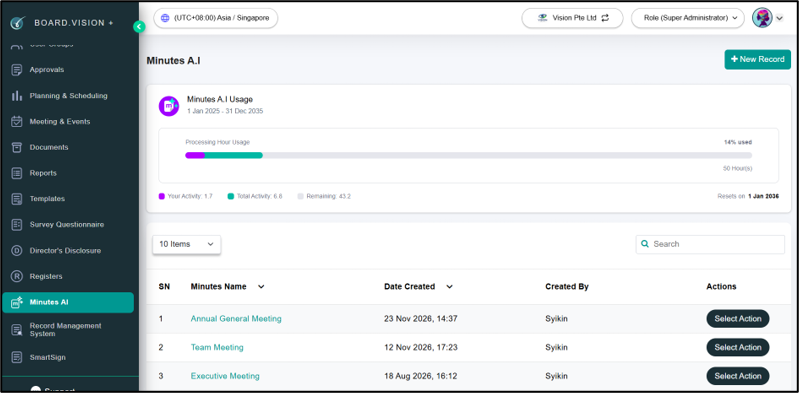
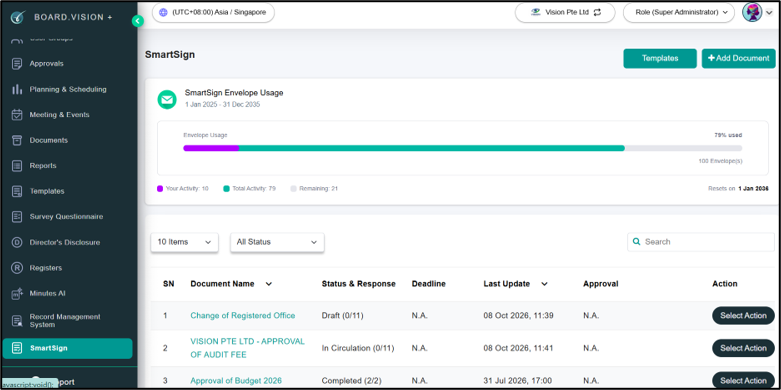
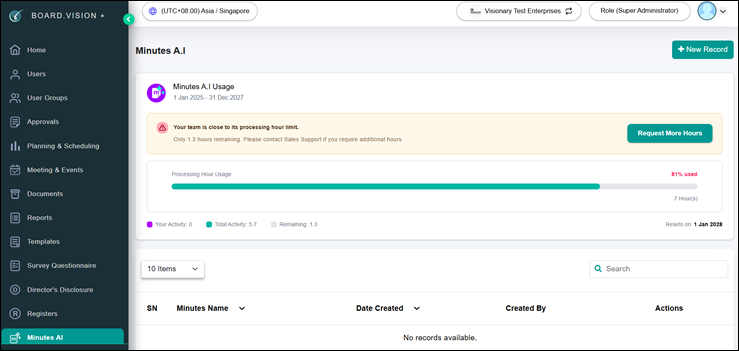
1. Usage Tracking: View individual usage, team usage, and remaining allocated usage for SmartSign envelopes and Minutes AI processing hours.
| Minutes AI | Smart Sign |
 |  |
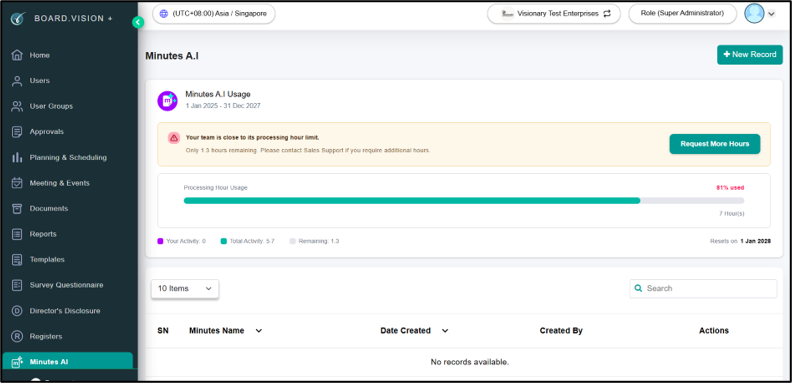
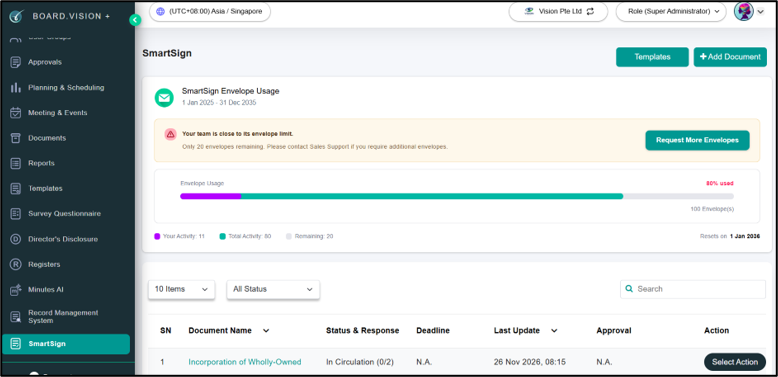
2. 80% Usage Alert: Receive an alert notification when usage reaches or exceeds 80% of the allocated limit, allowing the designated License Manager to monitor usage and make arrangements for additional allocation where necessary.
| Minutes AI | Smart Sign |
 |  |
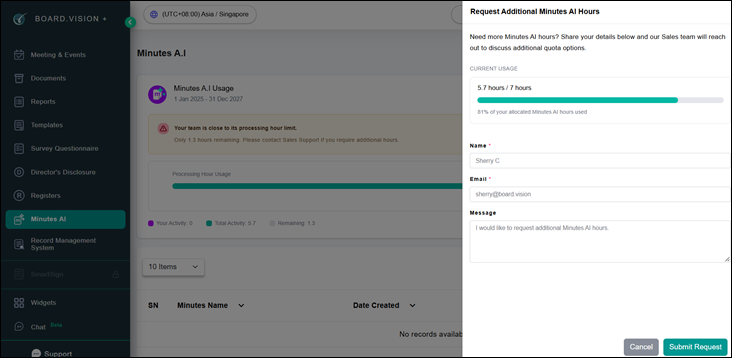
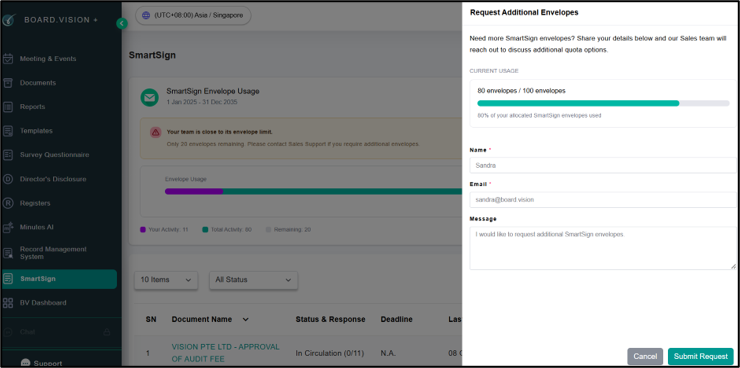
3. Request Additional Usage: Submit a request for additional SmartSign envelopes or Minutes AI processing hours directly from the respective pages via the Contact Sales option.
| Minutes AI | Smart Sign |
a) Click on Request More Hours.
b) Share your details in the pop-up form and submit your request so our Sales team can reach out to discuss additional quota options.
| a) Click on Request More Envelopes.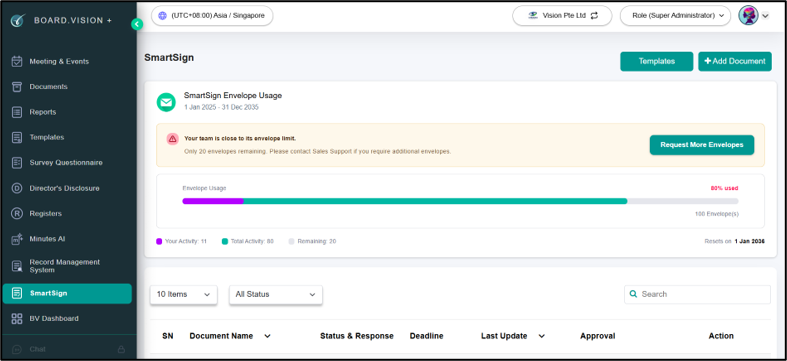 b) Share your details in the pop-up form and submit your request so our Sales team can reach out to discuss additional quota options.
|
If you face any issues in completing the steps shown in this tutorial, please reach out to our Board.Vision Customer Success Team at support@board.vision or +65 6909 7100 and we will be happy to help.
Our hotline operating hours are from Mondays to Fridays 9:00 AM to 6:00 PM SGT (excluding public holidays).
Was this article helpful?
That’s Great!
Thank you for your feedback
Sorry! We couldn't be helpful
Thank you for your feedback
Feedback sent
We appreciate your effort and will try to fix the article