We have enhanced the Document Collaboration feature on iPhone.
Previously available only on the desktop and iPad versions, Business Users can now add, reply to and delete comments directly within the collaboration copy of a Meeting or Approval document on iPhone. This enhancement enables seamless feedback sharing, clarification, and discussion, helping teams stay productive without relying on external communication tools.
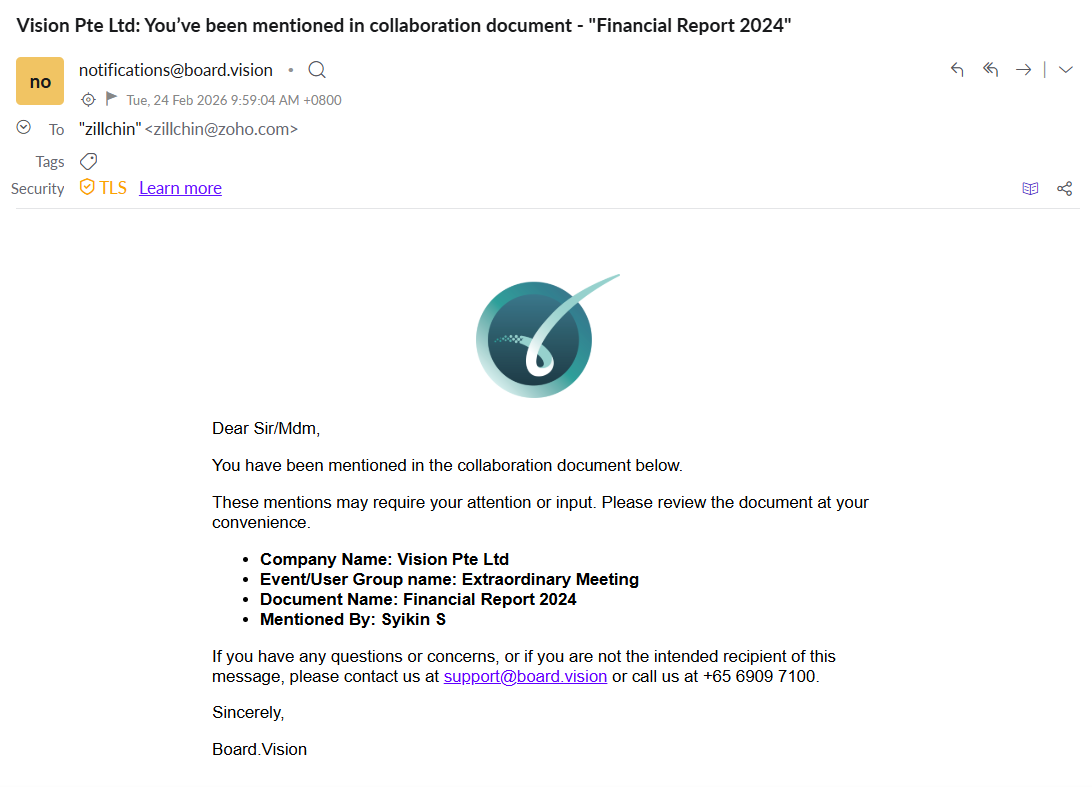
The mentioned users will receive an email notification, ensuring they stay informed and can respond promptly.
How to add comments to a Meeting or Approval document:
1) On the document page, tap the Actions button.

2) Select Collaboration. 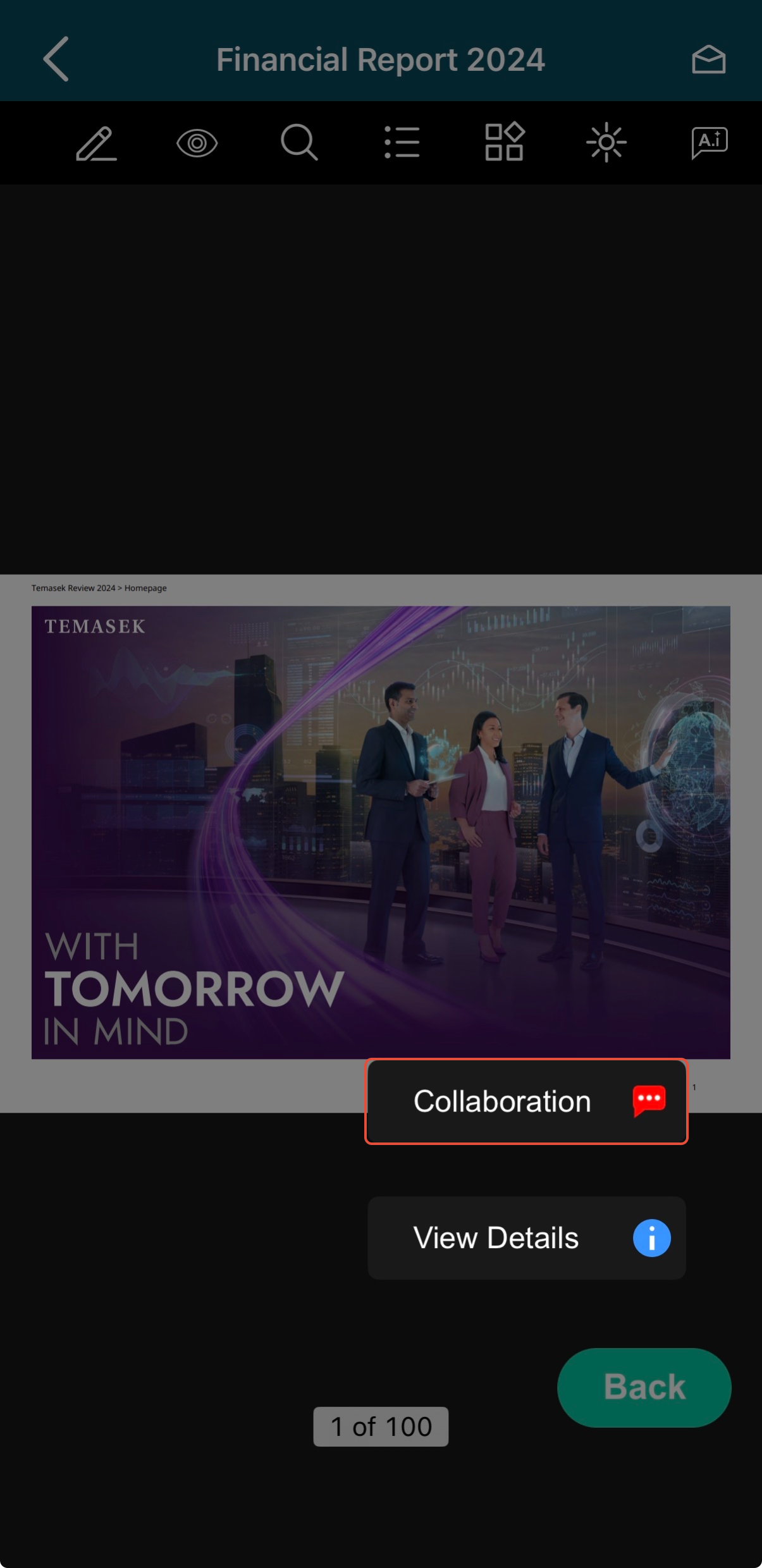
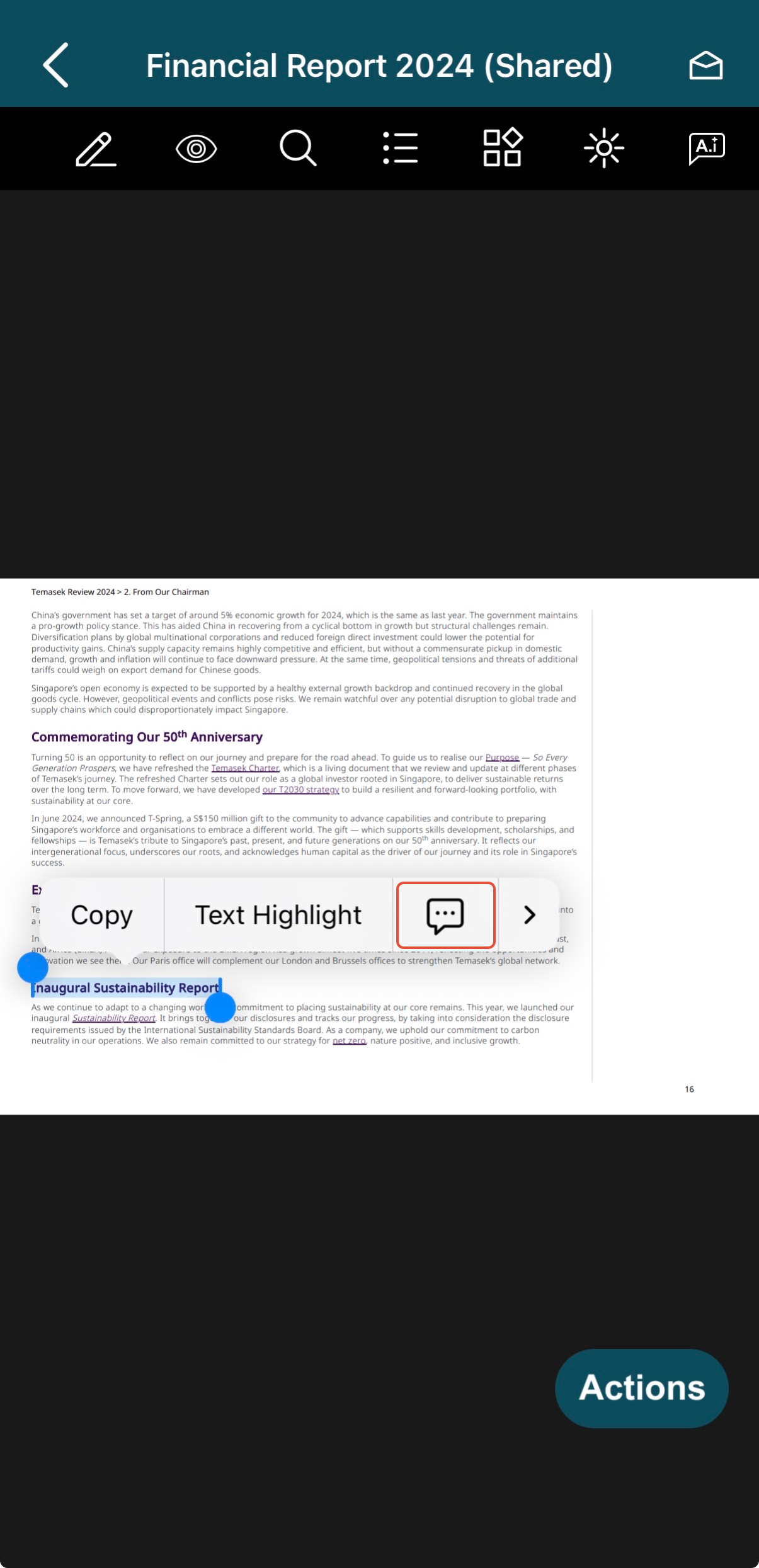
3) Tap and hold anywhere on the document where you would like to add a comment. Then, select Add Comment.
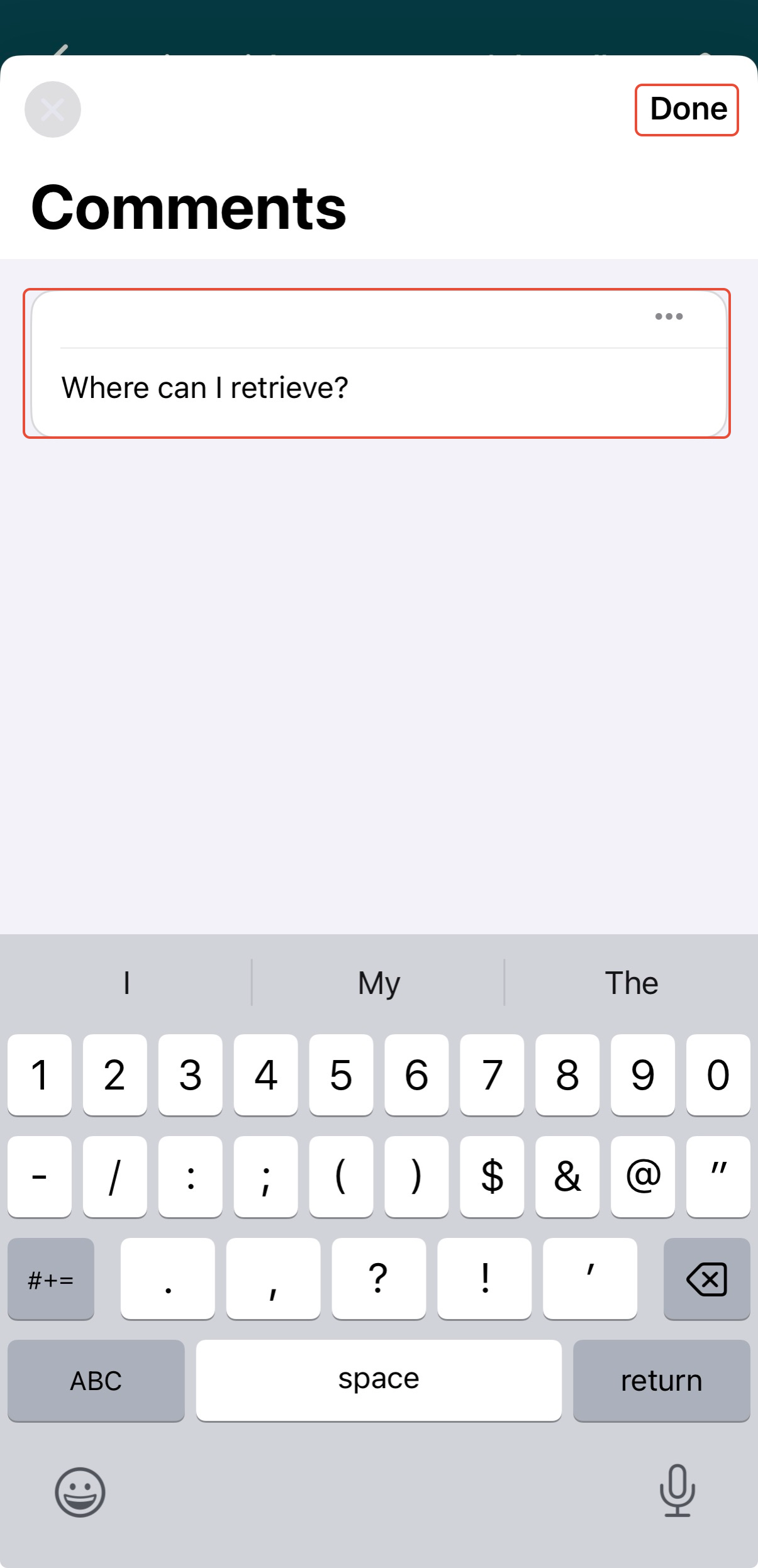
4) A Comments window will appear. Enter your comments and tap on Done.
How to reply to comments:
1) From the Upcoming Items, tap the Meeting or Approval.
Note: When logging in, a message icon will appear on the Company Selection screen and next to the corresponding Meeting or Approval in Upcoming Items if there are new comments or replies. This helps you easily identify where new messages are located. 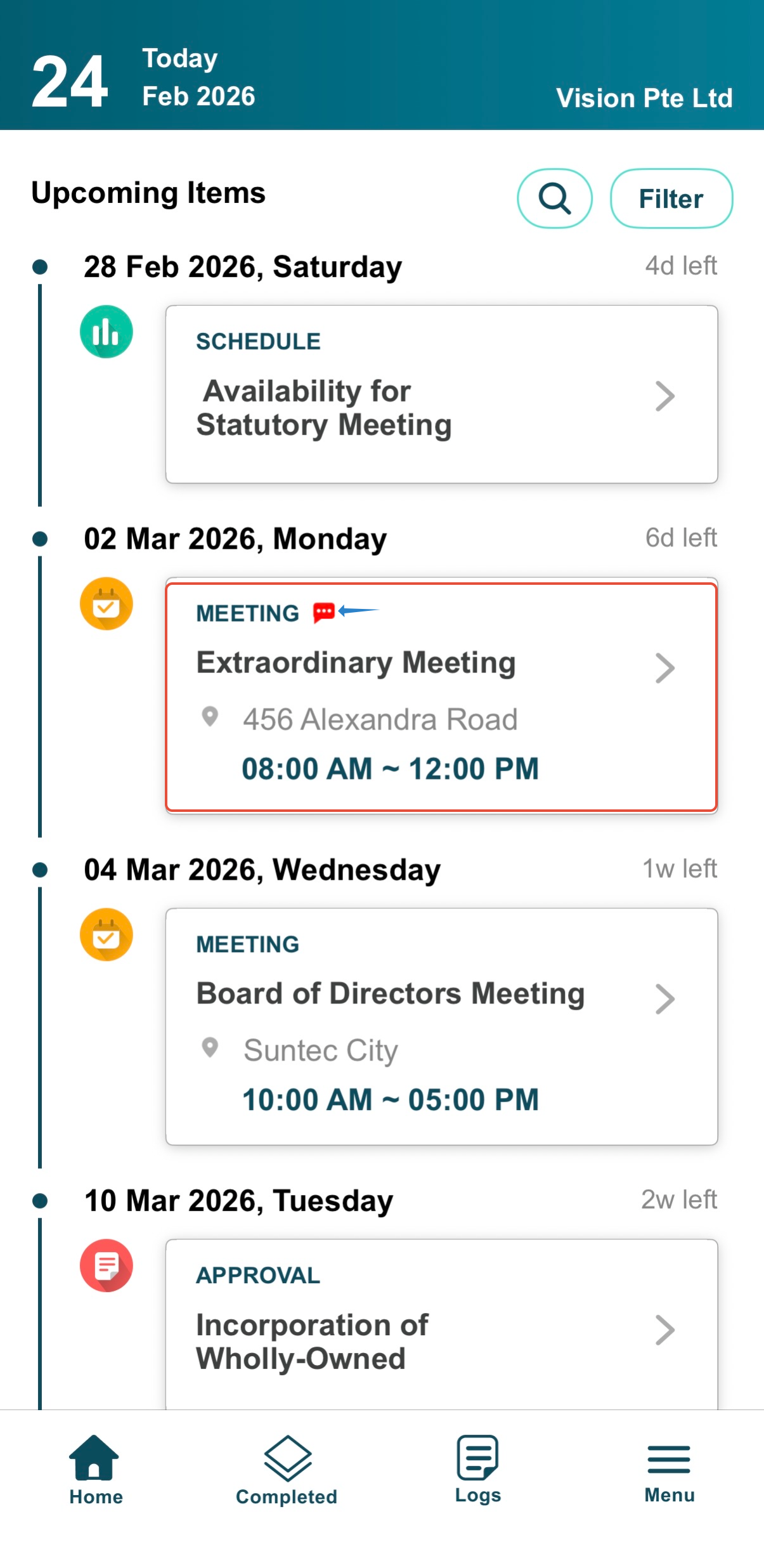
2) On the agenda items screen, tap the document name. 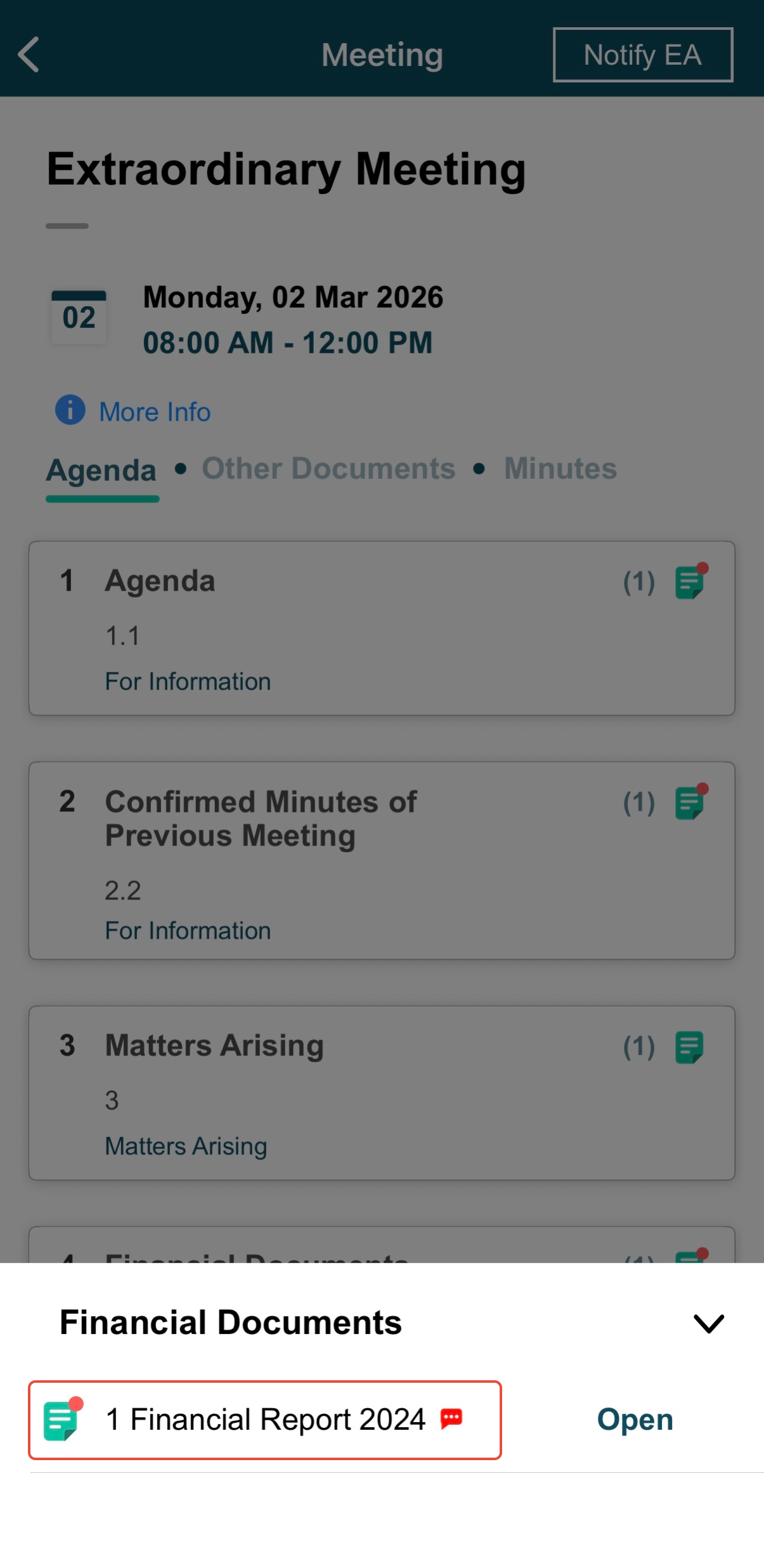
3) Tap the Actions button and select Collaboration. 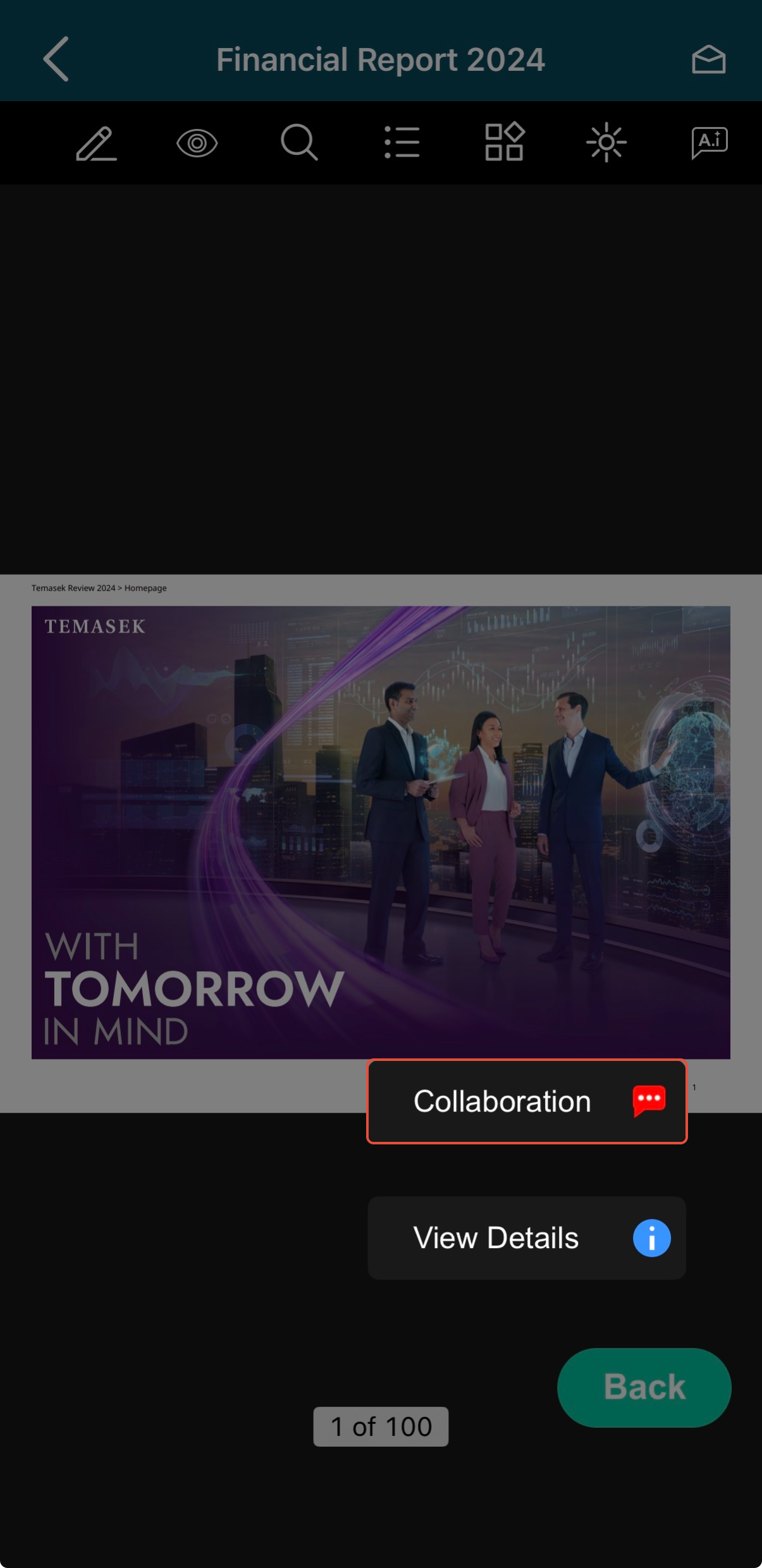
4) On the document, you will find comments that may have been added by the Administrators or Participants for your attention.
Tap the comment icon, then select Note to view the comments.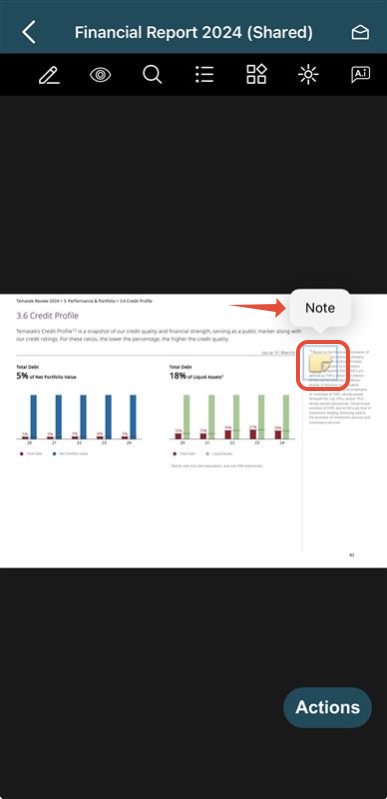
5) Tap Add your comment to reply.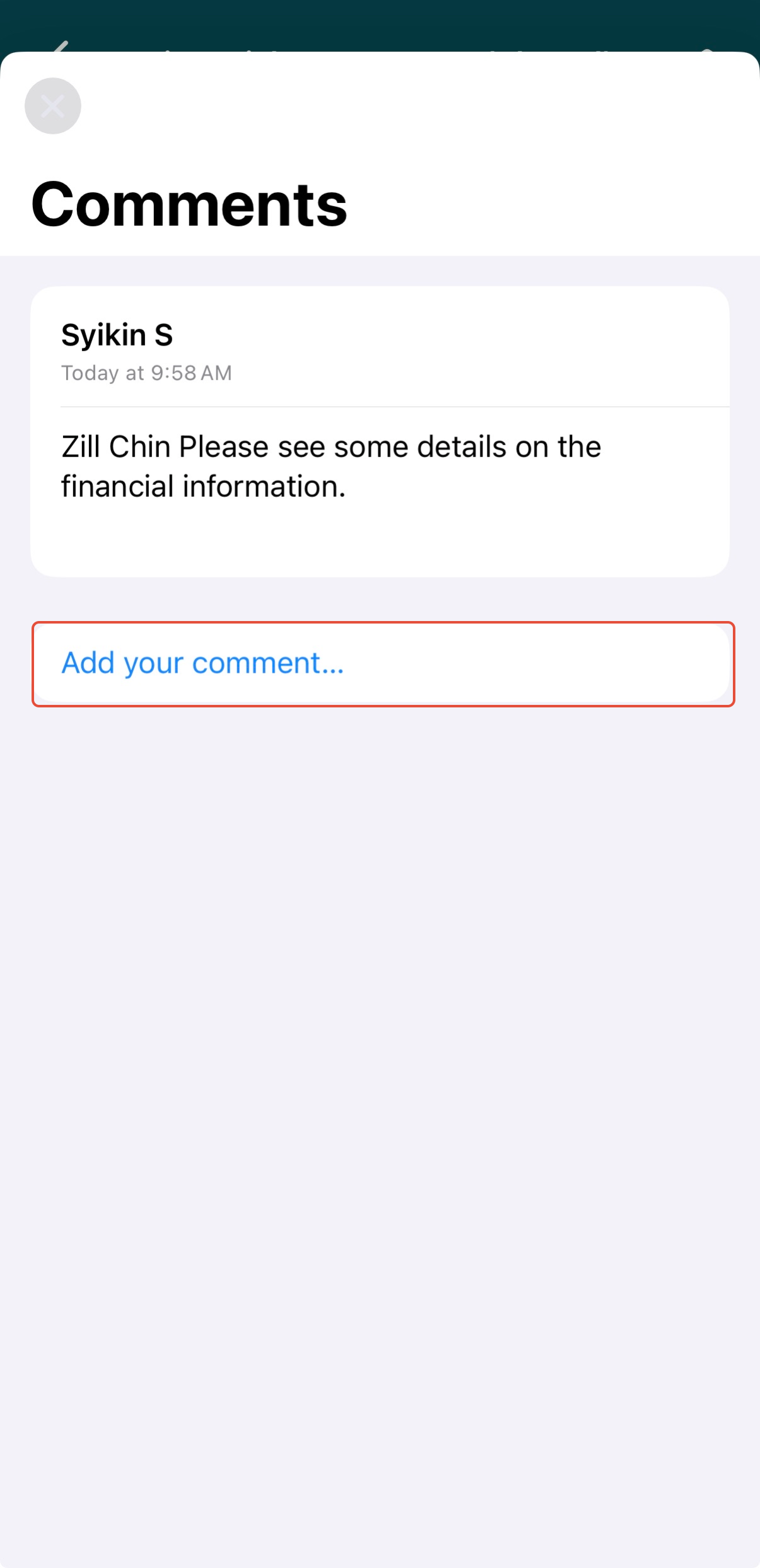
Once you have added a comment, it cannot be edited. To make changes, delete the comment and re-enter a new one. 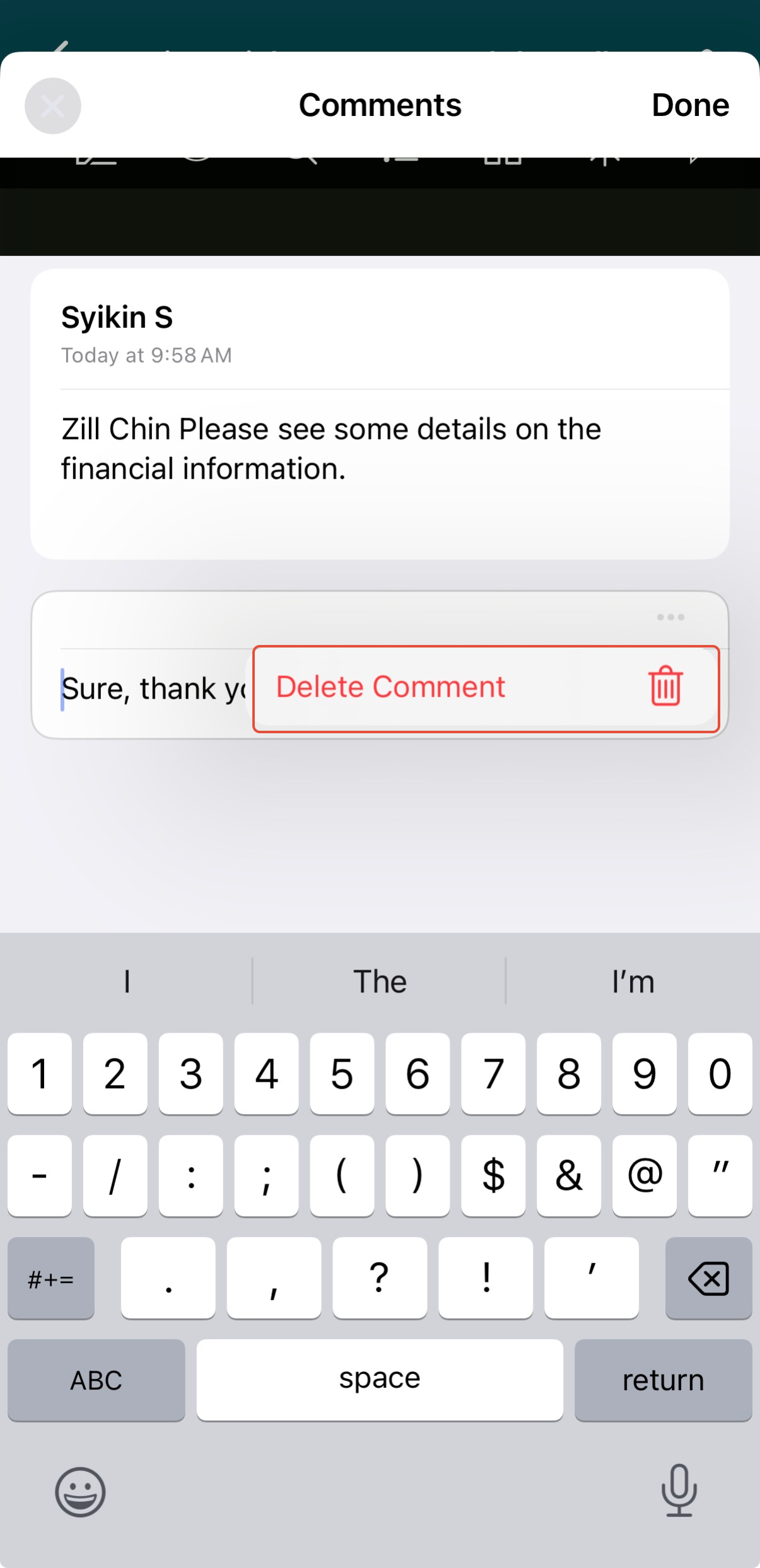
Below is an example of the email notification a user will receive when they are @mentioned in a comment:
If you face any issues in completing the steps shown in this tutorial, please reach out to our Board.Vision Customer Success Team at support@board.vision or +65 6909 7100 and we will be happy to help.
Our hotline operating hours are from Mondays to Fridays 9:00 AM to 6:00 PM SGT (excluding public holidays).
Was this article helpful?
That’s Great!
Thank you for your feedback
Sorry! We couldn't be helpful
Thank you for your feedback
Feedback sent
We appreciate your effort and will try to fix the article