We have enhanced the Document Information pop-up screen in the SmartSign module.
Previously, when Preparers clicked on the Document Name from the SmartSign listing page, the "Document Information" pop-up did not show each Signatory's status.
With this enhancement, status labels will now be displayed beside each user’s name in the Signatories field to provide better visibility on signatory actions.
The following statuses will be shown based on the assigned action and completion status respectively:
- Need to Sign
- Pending Signature
- Signed
- Need to View
- Pending Review
- Reviewed
- Receive a Copy
- Receive a Copy
In addition, the Additional Settings section will now display reminders to Preparers on:
- Whether Signatories will receive notifications once the document is completed
- Whether Signatories will receive the Certificate of Completion (CoC) report.
Below is a comparison of the previous and current designs for your reference.
Previous Design | 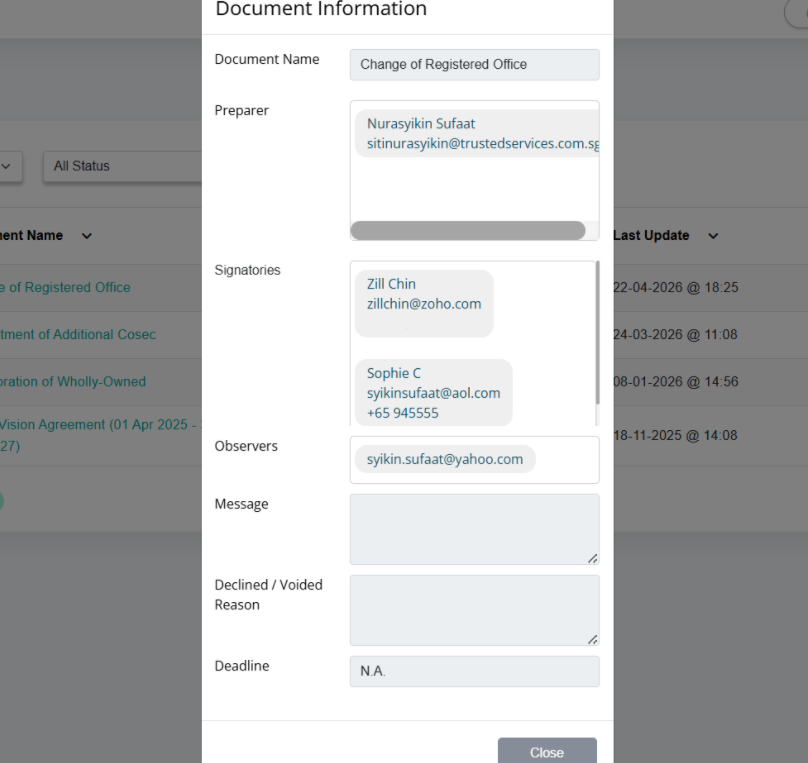 |
Current Design | 1. The assigned action status is shown before the Signatories have reviewed/signed the document as follows:
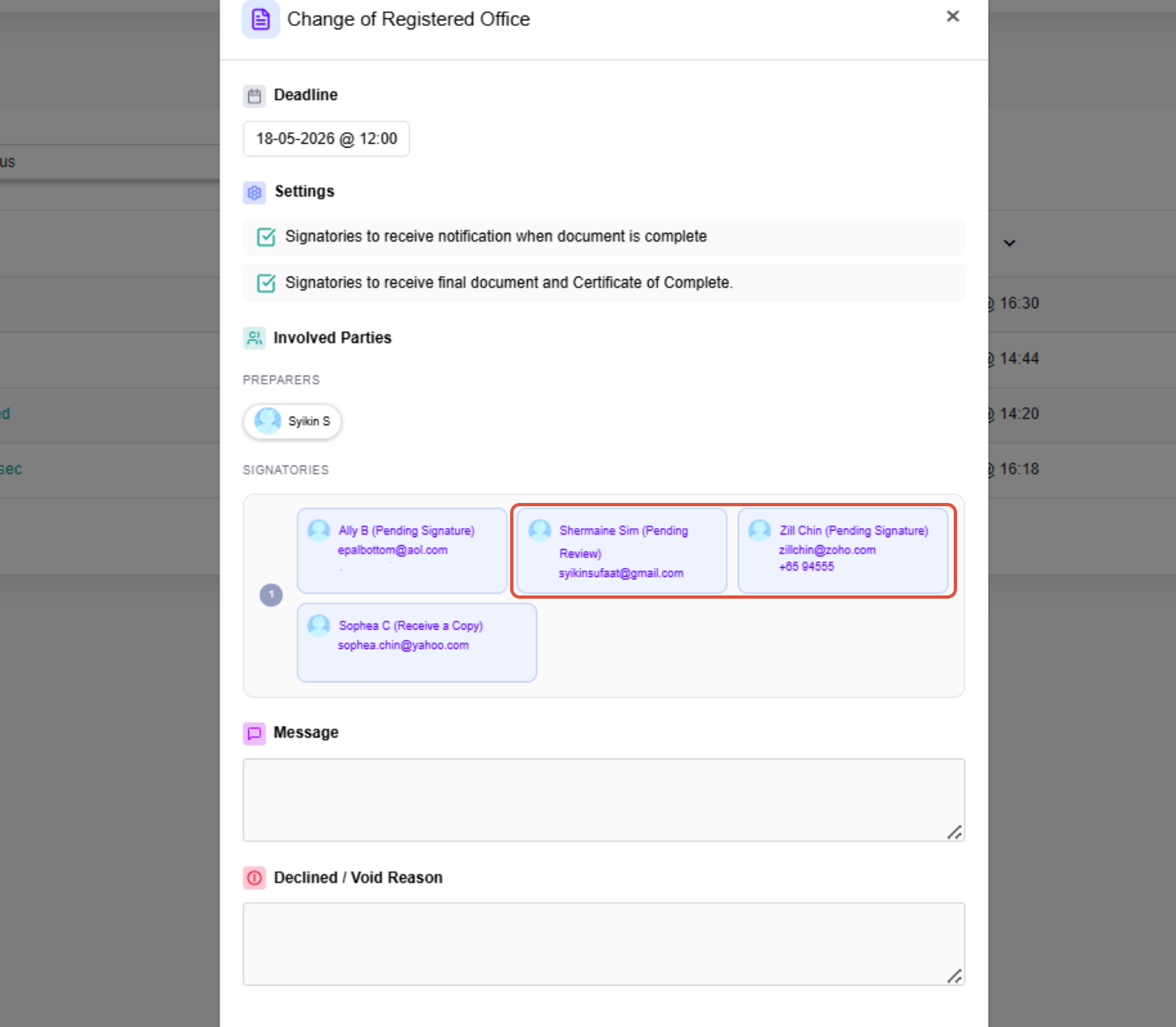 2. The completion status is shown after the Signatories have reviewed/signed the document as follows:
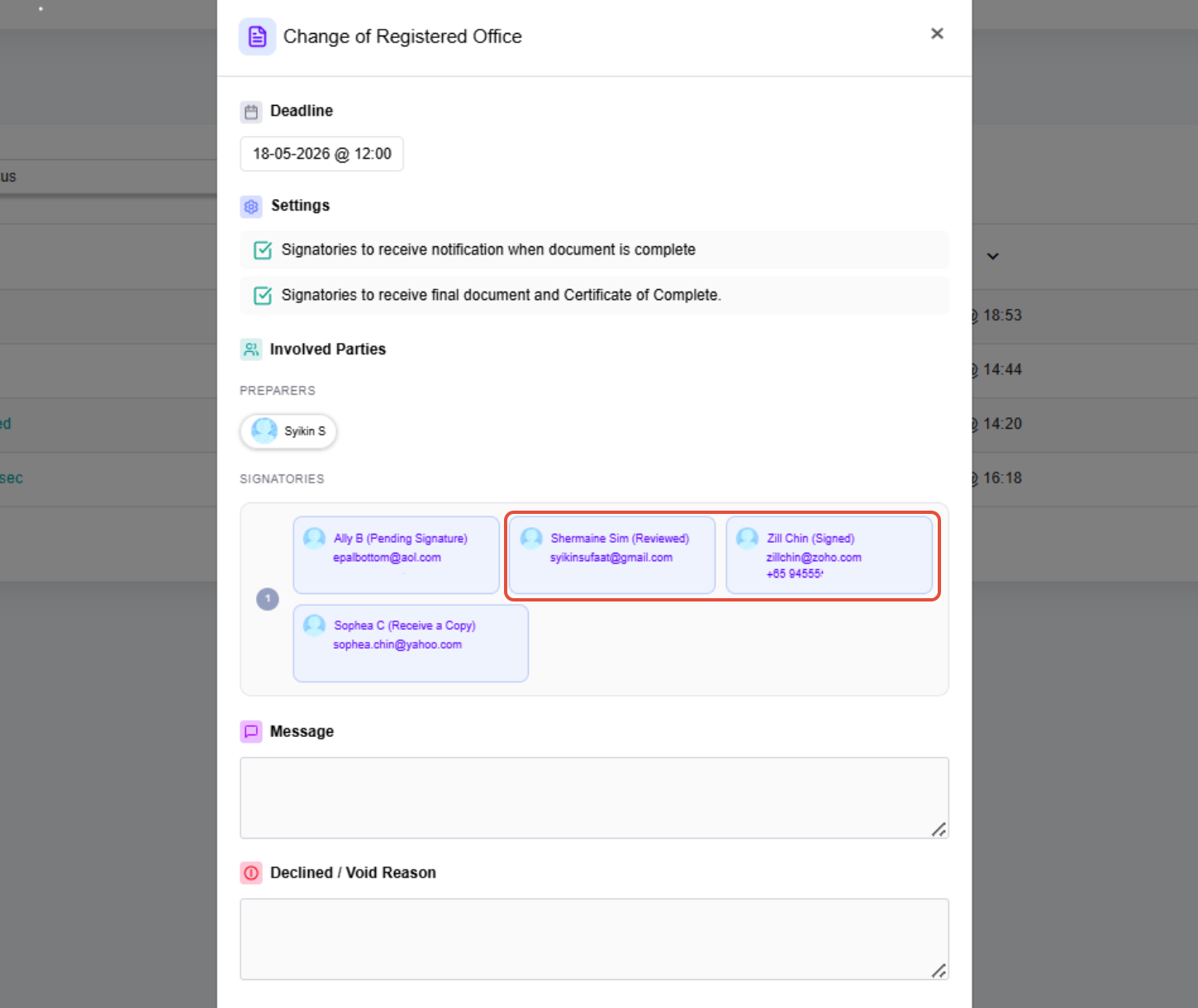 |
If you face any issues in completing the steps shown in this tutorial, please reach out to our Board.Vision Customer Success Team at support@board.vision or +65 6909 7100 and we will be happy to help.
Our hotline operating hours are from Mondays to Fridays 9:00 AM to 6:00 PM SGT (excluding public holidays).
Was this article helpful?
That’s Great!
Thank you for your feedback
Sorry! We couldn't be helpful
Thank you for your feedback
Feedback sent
We appreciate your effort and will try to fix the article